Home / Articles / WooCommerce 11.2.2 Security Update: What Store Owners Need to Check
News / Update
WooCommerce 11.2.2 Security Update: What Store Owners Need to Check
WooCommerce 11.2.2 fixes security issues around checkout, APIs, and product data and includes a database update. Here is what to check before and after upgrading your store.
Đoàn Công TuấnPublished 7 Nov 2026Updated 16 Nov 2026
A security patch is not finished when WordPress says the plugin updated. For a working store, checkout and order records must still behave correctly afterward. WooCommerce 11.2.2, released November 4, 2026, addresses security issues involving checkout, APIs, and product data, and includes a database update. I would prioritize this release—but test it on staging first and verify the buying process before reopening the live store.
What changed in WooCommerce 11.2.2?
The change I find most consequential is in Store API checkout: if an order cannot be saved, WooCommerce now stops before payment instead of proceeding with a partially saved order. Each checkout request also starts with its own order and payment data. That is a better boundary between placing an order and collecting money.
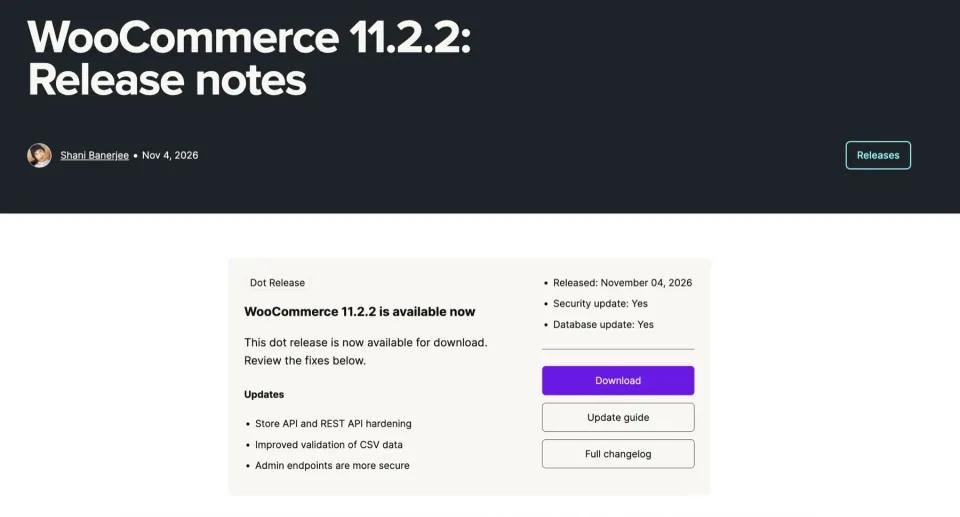
The release notes identify the changes under discussion. Read the official notice alongside the site’s installed version and update history.
According to the official release notes, 11.2.2 also hardens cart item quantities, REST API key authentication, local-pickup tax calculation, and payment-profile decoding. Product CSV imports get stricter column-mapping validation; the cart ignores attributes that a product does not use.
Default product attributes receive additional safeguards when global attribute terms are renamed. The accompanying database update cleans up data affected by that issue. Separately, a PayPal Standard fix recalculates shipping and tax when the shipping address changes—worth checking if you still use PayPal Standard.
Who needs to check more than the usual checkout?
For a typical store, the priority is straightforward: update the plugin, complete any database update notice, and confirm products, cart, checkout, payments, taxes, and orders still work. You do not need to troubleshoot developer hooks unless something fails.
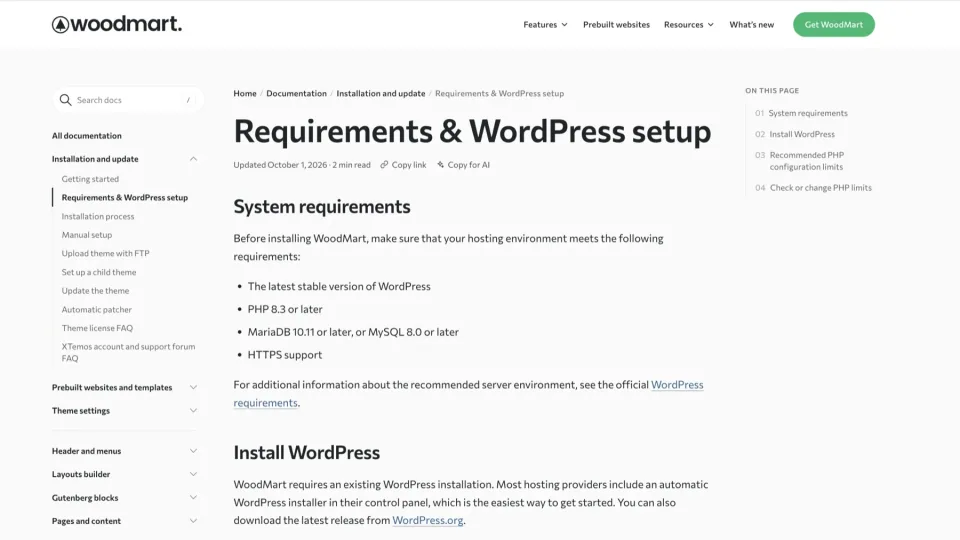
System requirements provide a compatibility checklist; they are not proof that the site’s payment and extension workflows have been tested.
Stores with custom checkout extensions need a closer look. If a callback on woocommerce_before_order_object_save, woocommerce_new_order or woocommerce_update_order throws during Store API checkout, the request can now return HTTP 500. That response is not a general failure of 11.2.2; it may expose an extension error that previously allowed a partially saved order to continue toward payment.
Two specific Jetpack connection endpoints in wc-admin now require an administrator browser session and a REST nonce. Scripts calling them with API keys, WP-CLI, or application passwords receive HTTP 403; WooCommerce says the built-in wc-admin client is unaffected. This is not a change to every REST endpoint. If you maintain a custom connection script, check those calls rather than assuming your entire API integration is broken.
Storefront configurations to include in update testing
WoodMart
Include this configuration only if it is part of the website you maintain.
A listed theme is not evidence that it is affected by the advisory.
Flatsome
Include this configuration only if it is part of the website you maintain.
A listed theme is not evidence that it is affected by the advisory.
Astra
Include this configuration only if it is part of the website you maintain.
A listed theme is not evidence that it is affected by the advisory.
If your store runs a straightforward setup, test on staging and update promptly. If you depend on custom order-save hooks or connection scripts, spend the extra time checking those specific paths. The measure of a successful update is not a green notification in wp-admin; it is a store that can complete and record an order correctly.
How to update WooCommerce 11.2.2 safely
Make this a planned maintenance job, not a live-site experiment. The WooCommerce update guide recommends a current backup, testing on staging, and temporarily switching the live store to Coming soon mode while files and database changes run. That last step matters: customers should not be checking out halfway through the update.
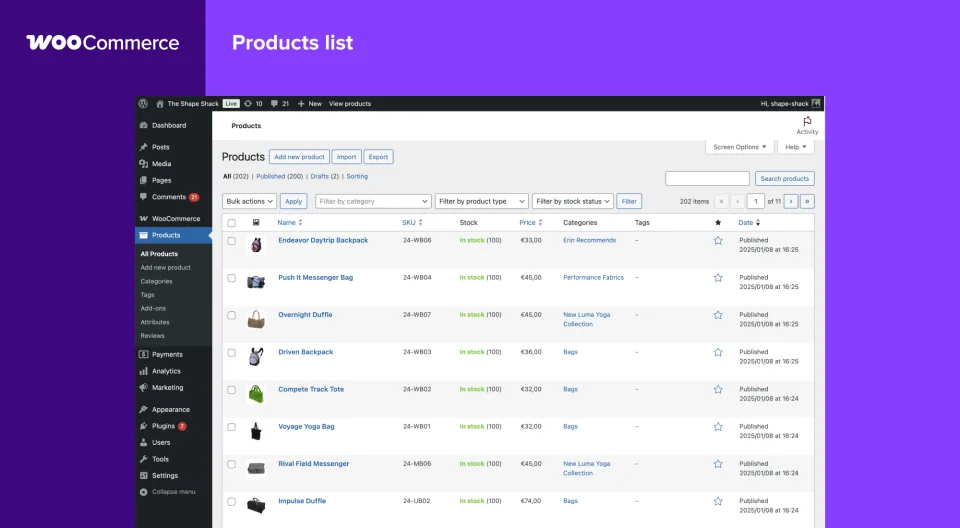
The catalog preview illustrates one area to check after an update. It is not a capture of a specific 11.2.2 fix.
A practical update checklist
1
Back up your store
Create a restorable backup of both the database (including orders and settings) and wp-content (plugins, themes, and uploads).
2
Rehearse the update on staging
Update WooCommerce alongside the compatible extensions, theme, and payment gateways you rely on. Place a test order and check shipping, taxes, payment handling, and order emails.
3
Pause live checkout during deployment
Choose a quiet maintenance window. Put the live store in Coming soon mode before updating, as the WooCommerce update guide recommends.
4
Install the patch and complete database tasks
Update WooCommerce under Plugins > Installed Plugins. If an Update WooCommerce Database notice appears, run it and monitor Scheduled Actions until completion.
5
Verify before reopening the store
Check the installed version, products and variations, cart, a safe test payment, shipping/tax totals, saved order details, and order emails. Review failed actions and extension logs. Reopen checkout only after these checks pass; if they fail, keep it paused and troubleshoot.