Home / Articles / WoodMart vs Flatsome: Which Is Easier to Maintain After Launch?
Comparison
WoodMart vs Flatsome: Which Is Easier to Maintain After Launch?
Compare WoodMart and Flatsome Classic for everyday WooCommerce edits, plugin updates, handoffs, licensing, and future migration. Choose a maintenance workflow that fits your team.
WPToolWatch Editorial TeamPublished 6 Nov 2026Updated 16 Nov 2026
The short answer
THE SHORT ANSWER
Choose based on who will make the next 100 edits, not which demo looks better. WoodMart is a strong fit when your team already knows Elementor or wants the option of Gutenberg or WPBakery; Flatsome Classic is sensible for an established UX Builder workflow and owners comfortable with its editing model. Neither choice eliminates staging, updates, documentation, or builder-specific migration work. This is a documentation-led comparison, not a timed hands-on test.
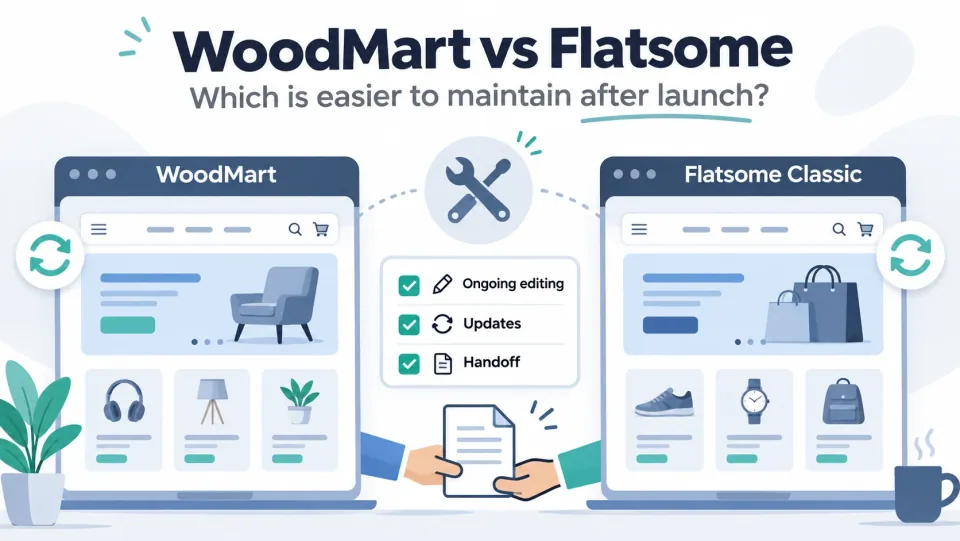
Illustrated comparison of WoodMart and Flatsome Classic ecommerce layouts with ongoing editing, updates and handoff checklist
For a new shop staffed by an Elementor-trained freelancer, WoodMart can reduce retraining—but only if the site actually uses Elementor consistently. For a functioning Flatsome Classic store with trained editors, switching themes solely to simplify maintenance may create more work than it saves.
The key distinction is between routine content edits, updates and troubleshooting, and the ability to move to a different builder later. Different stores prioritize these differently.
Which team should choose which?
CHOOSE WoodMart
Builder choice
Consider when your team has an established Elementor or Gutenberg workflow.
Consider: Page content, theme-specific widgets and layouts still create dependencies.
WoodMart is the more natural shortlist candidate when the maintainer already uses Elementor, prefers Gutenberg, or needs to choose a builder before assembling a new site. Its documentation covers Gutenberg, Elementor and WPBakery, but builder-specific elements and demo content are not interchangeable. WoodMart editor reference.
Flatsome Classic is the safer default for a store already built in UX Builder when the team knows it, the website works, and there is no compelling reason to migrate. The question is whether staff can follow a documented editing routine, not whether another editor is newer.
For an agency handing over multiple stores, standardize the builder and document every nonstandard template or shortcode before choosing either theme. Do not assume a tool is easy for a novice just because an expert can edit it quickly.
For owners planning an exit from proprietary page layouts, test the desired destination builder on representative pages before purchase or rebuild; a different theme alone does not convert existing content.
WoodMart vs Flatsome: the maintenance trade-offs
Swipe to compare all products →
Compare the options that fit your project.
What matters
WoodMartFrom $69 one-time
FlatsomeFrom $59 one-time
Best for
Small and midsize WooCommerce stores with product variations or catalogs that benefit from filtering, plus agencies building a coordinated storefront for one client project.
A WooCommerce store that wants theme-managed merchandising pages and expects to keep using UX Builder, especially an existing Classic site whose team knows the workflow.
WooCommerce integration
Yes · vendor claimed
Yes · vendor claimed
Page builder
Gutenberg, Elementor and WPBakery · vendor claimed
WoodMart documents three editing environments: Gutenberg blocks, Elementor widgets and WPBakery elements. Not every theme element exists in every editor. Flatsome Classic has UX Builder and its own UX Blocks/shortcode content model. Therefore a useful comparison is which editor your staff will actually touch, not how many builders a vendor lists. WoodMart documentation · Flatsome Classic product details.
Global changes and templates
WoodMart provides Theme Settings and a separate header/layout workflow; per-page settings can override global defaults. Flatsome Classic uses its theme settings, UX Builder content and reusable UX Blocks. Check which layer owns a banner, header or product layout before editing. WoodMart settings · Flatsome Classic product page.
Updates and supported versions
WoodMart 8.6.6 (October 27, 2026) and Flatsome Classic 3.20.12 (October 29, 2026) are the latest versions confirmed in the cited vendor changelogs on November 6, 2026. Both projects have recent fixes; neither should be characterized as abandoned. WoodMart changelog · Flatsome changelog.
Migration
WoodMart builder-specific layouts require an inventory before changing tools. Flatsome Classic has an official migrator into the newer Flatsome Site Builder ecosystem, not a promised lossless conversion to arbitrary third-party themes or Kadence Blocks. Official Flatsome migration guide.
Unverified
This research does not establish which theme is faster, produces fewer support tickets, or requires fewer monthly maintenance hours. There is no controlled test across equivalent stores.
What makes a WooCommerce theme easy to maintain?
A useful evaluation starts with a list of real jobs: replace the campaign banner, edit navigation, adjust product-display rules, change a shipping notice, add a landing page, and investigate a broken checkout. For every task, identify the owner, editor, location, permission required, and rollback method.
An easy-to-maintain store is one where the correct person can find and perform a change without guessing which of several plugins, layouts or global settings controls the result. A builder may feel intuitive during setup but hard to hand over if it relies on hidden template conditions or undocumented custom CSS.
Our five-part maintenance test is: (1) routine editability, (2) safe updates, (3) troubleshooting clarity, (4) handoff to a non-developer, and (5) exit cost. Score each area for your team with a real task; do not transfer a published review score to a different store.
If your site is already live, audit the existing workflow before replacing anything. An unfamiliar but stable theme with two documented procedures can be cheaper to maintain than a new theme requiring a full layout rebuild.
Operational maintenance is a sequence of repeatable tasks, not a one-time theme selection.
A practical editing scenario: one small fashion store
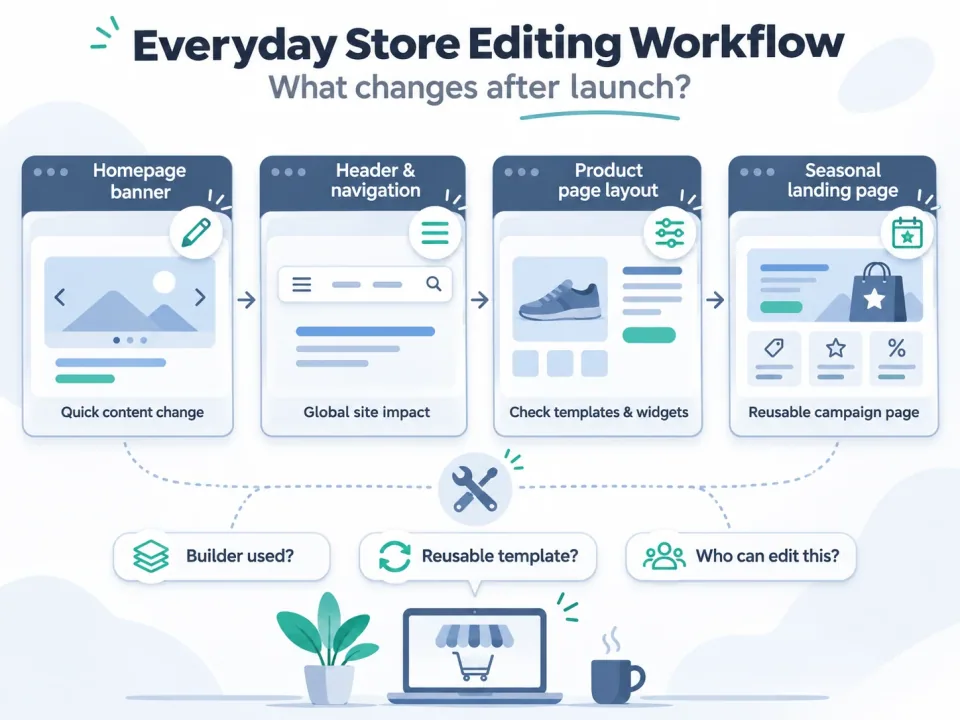
Four common post-launch store editing tasks: homepage banner, header navigation, product page layout and seasonal landing page
Task 1: replace a weekend-sale homepage banner
In WoodMart, determine whether the banner lives in a page built with Elementor, Gutenberg, WPBakery, a reusable HTML block or a slider. In Flatsome Classic, locate the relevant UX Builder element or UX Block. Record the exact admin path and test mobile cropping. The number of clicks is unknown because implementations differ.
Task 2: change the header and navigation
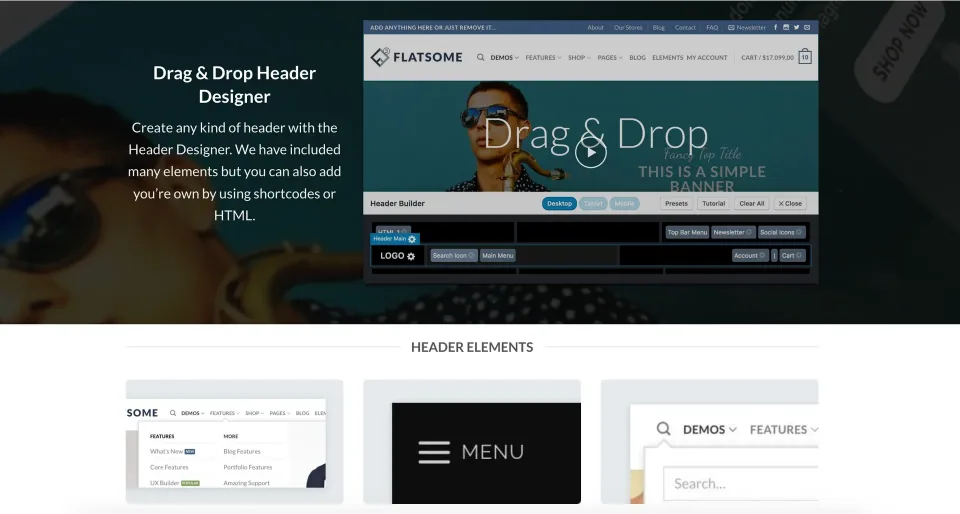
In WoodMart, first identify the Header Builder configuration and whether device-specific versions are used. With Flatsome Classic, check theme/header settings and any UX Blocks used for menus or mega-menu content. Confirm desktop, tablet and mobile behavior before treating the task as complete.
Task 3: create a holiday landing page
Reuse a known page pattern where possible. WoodMart site owners should select the builder consistent with their existing pages; the vendor notes that prebuilt content is prepared for specific builders. Flatsome Classic owners can use existing UX Builder sections rather than mixing editors on an established site. WoodMart setup.
Task 4: repair a product layout that looks wrong
Capture the affected URL and a working comparison URL. Check whether the issue affects all products or one template, then review theme/layout assignments, recent changes, caching and plugin conflicts. Do not blame the theme based on one visual symptom.
The result that matters
For each task, write an internal instruction with four fields: where, what to change, what to verify, and how to undo. If the assistant can execute it on staging without freelancer intervention, the workflow passes that task. This is a proposed evaluation rubric, not an observed result.
Hypothetical worked example—not a hands-on benchmark. Imagine a store with 150 products, one owner, one non-technical assistant and a part-time freelancer.
How to update without breaking the live store
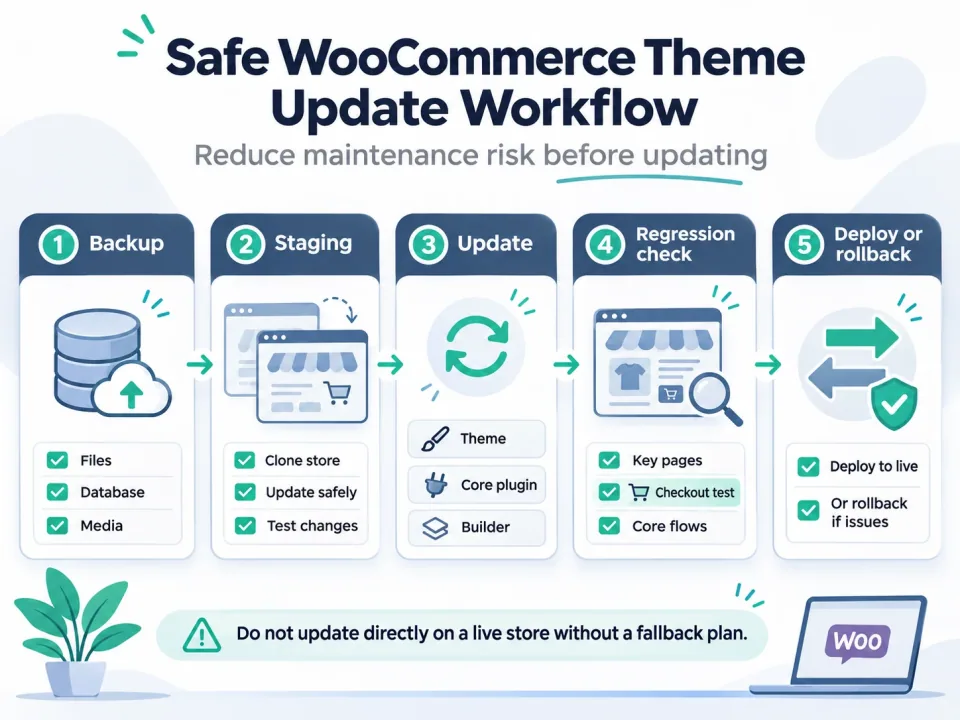
Five-step safe WooCommerce theme update process: backup, staging, update, regression check, and deploy or rollback
WoodMart’s official update guide says to back up files and database, preserve file customizations in a child theme, update the theme, then update Woodmart Core and any required plugins. The vendor says editing parent-theme files directly causes those edits to be overwritten. WoodMart update guide, updated October 1, 2026.
WoodMart 8.6.5 and 8.6.6 included important security fixes in October 2026. This is evidence that updates can be security-relevant, not proof that every WoodMart installation is compromised. Follow current vendor notices and verify your installed version. WoodMart release history.
Flatsome Classic 3.20.12 shipped October 29, 2026 with WooCommerce compatibility and other fixes, according to its listing. Its ThemeForest purchase includes future theme updates while the included author-support period is limited; ongoing support and updates are different entitlements. Flatsome Classic item and changelog.
Run the update on a staging environment mirroring the production PHP, WordPress, WooCommerce and plugin stack. After updating, check product variations, add-to-cart, cart, checkout, account pages, mobile navigation, search, forms and payments in a suitable test/sandbox mode. Only deploy after those checks and keep a rollback plan.
If a builder stops working, compare console errors, plugin versions and one-at-a-time isolation results on staging. A September 2026 individual Reddit report described Elementor scrolling problems on a WoodMart site; the author later attributed the issue to a plugin conflict involving Rank Math. This does not establish a widespread WoodMart defect.
The meaningful comparison is update discipline. Both products have recent compatibility and security changes; neither should be left on an old version without a reason.
A repeatable pre-update and troubleshooting workflow
1
1. Record the baseline
Capture theme and plugin versions, PHP and WordPress versions, active page builder, critical integrations, last backup and the store URLs to test.
2
2. Duplicate to staging
Create a working staging copy with appropriate payment/email safeguards; confirm that a restore can be performed.
3
3. Update in controlled groups
Apply critical security updates promptly, following vendor dependencies. For WoodMart include Woodmart Core and required plugins; check all builder versions and changelogs.
4
4. Test the buying journey
Check variation selection, product options, filters, cart, checkout, transactional emails, account access, mobile header and any language/currency workflows relevant to your store.
5
5. Isolate failures and document the fix
If a regression occurs, note the first failing version and inspect logs. Reproduce with plugins isolated on staging, contact support with evidence, and restore rather than experimenting on production.
6
6. Deploy and monitor
Deploy after approval, recheck critical pages and schedule an observation window. Record the version change and rollback location.
Built-in store features can reduce plugins—but add configuration ownership
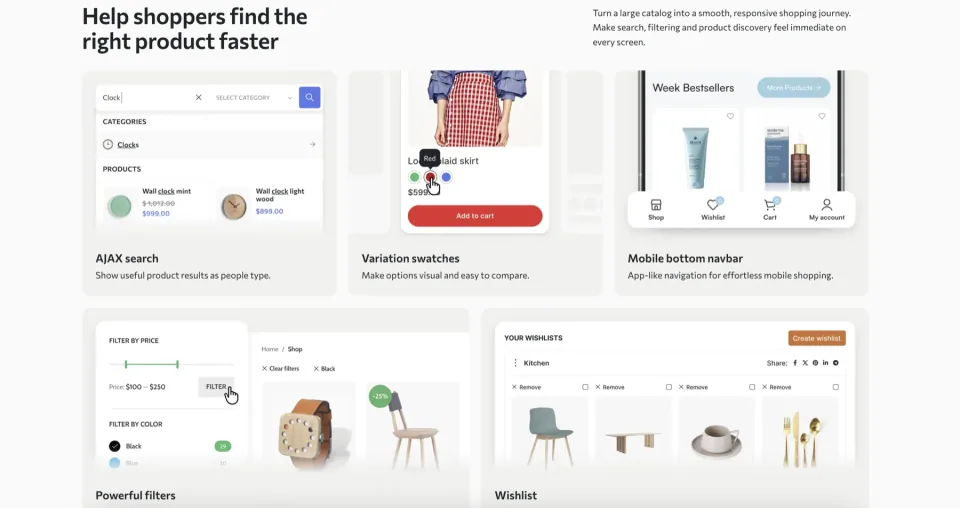
WoodMart advertises and documents extensive store controls, including product/archive layouts, header building, filters and marketing enhancements. Flatsome Classic also provides WooCommerce-oriented design components and UX Builder. The relevant question is not who has the longest feature list, but whether a feature is enabled, documented, and compatible with other extensions in your actual site.
Consider product swatches: choose one implementation, inspect whether WooCommerce, the theme or a separate plugin owns attribute presentation, and avoid enabling redundant options without testing. Repeat this check for wishlists, filters, quick-view panels, popups and checkout enhancements.
WoodMart’s documented editor availability is not universal; a component may require a particular editor, plugin or template type. Add an owner column to the store inventory so the next person knows what controls each feature. WoodMart builder-elements reference.
A practical dependency register contains: feature name, responsible theme/plugin, license owner, critical URL, compatibility notes, update procedure and an alternative if the feature is deprecated. That register is more actionable than a raw plugin count.
Built-in shopping features can replace some separate tools, but their configuration and regression tests still belong to the store’s maintenance process.
A theme feature does not automatically eliminate maintenance. It moves some responsibility from a standalone plugin into the theme and its extension ecosystem.
Client handoff checklist: can the owner run the store?
✓
Access and ownership
Owner has admin access, hosting/domain credentials in their own password manager, license purchase records and a documented support contact.
✓
Editor map
Document the exact location of homepage, header, reusable banners, product templates, menus and global settings. Note whether the site uses Elementor, Gutenberg, WPBakery or UX Builder.
✓
Two real edits
Assistant can update a banner and add a seasonal page without altering the live checkout, then verify the layout on mobile.
✓
Feature inventory
List critical plugins and theme-enabled features, especially filters, swatches, currencies, languages, caching, marketing and payments.
Identify child-theme edits, custom CSS, shortcodes, reusable templates and any one-off developer scripts.
✓
Handoff artifacts
Provide a short walkthrough video, a single-page task sheet, change log and last known-good version snapshot.
Migration and builder lock-in: understand the exit before you buy
WooCommerce product records, orders and customer data are distinct from page-builder layouts, but their presentation and custom templates still require review during a theme change. Exporting products is not the same as reproducing a homepage, mega menu, product-card design or custom checkout.
WoodMart supports multiple editor integrations, which helps when selecting a starting workflow. It does not mean that an Elementor layout can be converted to Gutenberg, or that theme-specific widgets become portable by changing themes. Audit one product page, one category archive and one campaign page before you commit.
Flatsome Classic needs special care because UX Builder content and UX Blocks can contain proprietary layout structures. A 2026 Reddit question from a site owner moving to Gutenberg/Kadence asks how to preserve pages without a manual rebuild. It is a user question, not evidence that conversion is impossible or that any approach has a proven success rate.
Does the new Flatsome Site Builder change the decision?
Yes, but it changes the options, not the historical behavior of Classic. Flatsome’s official documentation describes a block-oriented Site Builder and a Flatsome Migrator for Classic sites. The documented flow is scan, convert, review and apply; it retains original content for rollback, and the vendor specifically recommends a staging backup. This is migration within Flatsome’s ecosystem, not a blanket compatibility guarantee for unrelated themes. Official migration guide.
As of the November 6, 2026 research check, Flatsome’s Site Builder pricing page still displays early-access copy tied to an October 14 offer. Treat launch status and promotions as items to reconfirm with the vendor instead of equating the new Site Builder license with a Classic ThemeForest purchase. Site Builder pricing.
A migration pilot that reveals real effort
On staging, try five representative pages: homepage, landing page, product detail, product archive and cart/checkout. Track whether content remains editable, layout differences, broken shortcodes, menus, global styles, custom CSS and mobile behavior. Only estimate a full-site migration after this pilot.
The editing workflow is part of migration planning. Check how important pages and reusable layouts would be maintained after a theme change.
Maintainability includes the ability to stop using the present theme without losing business-critical content or rebuilding the entire storefront unexpectedly.
Current license prices and a dated ownership example
Includes future theme updates and six months of author support. Support extensions cost extra.
Regular License · Renewal
No annual theme license renewal; extending or renewing author support is optional and paid.
Hosting, domain registration and separately licensed services or premium plugins are not included. Bundled plugins do not automatically include separate direct vendor licenses.
Flatsome Classic — Regular License · License & support
Envato Regular License for a single end product; applicable to a typical publicly accessible WooCommerce storefront.
Flatsome Classic — Regular License · Renewal
No annual theme license renewal. Future author-released updates included; paid author support extension is optional after the included six months.
Flatsome Classic — Extended License · License & support
Envato Extended License for a single qualifying paid-access end product; not a developer or multi-client license.
Flatsome Classic — Extended License · Renewal
No annual theme license renewal; six months of included author support, optional paid extensions and author-released updates.
Prices checked November 9, 2026 on ThemeForest, in USD, before tax and handling. Regular/Extended describe permitted end-product use, not different feature editions. Either license covers one end product. Selling goods in a publicly accessible WooCommerce store ordinarily does not itself require Extended. Six months of UX-themes support are included, with optional paid extension; author-released theme updates do not require annual renewal. Flatsome Site Builder is a separate product/license with different prices and update terms.
Listed prices may exclude taxes. Promotions and vendor terms can change; confirm at checkout.
Prices checked November 6, 2026, in USD excluding taxes and handling. ThemeForest listed a WoodMart regular license at $69 and Flatsome Classic at $59; both included future theme updates and six months of author support. Support renewal is distinct from receiving future theme updates. Confirm license scope and checkout pricing for your project. These figures are not the price of the separate Flatsome Site Builder.
For current profile figures, WoodMart Regular is $69 one-time and Flatsome Classic Regular is $59 one-time. The November 6 observations and hypothetical labor calculation below retain their original assumptions.
For context, Flatsome Site Builder’s pricing page shows a regular one-site price of $89, 12 months of email support and one year of updates, followed by an optional $45 annual renewal; the page also contains dated early-access discount copy. Those terms belong to Site Builder, not Classic. WoodMart purchase page · Flatsome Classic purchase page · Site Builder pricing.
Illustrative cost scenario, not a price quote
Assume two stores with identical hosting, WooCommerce extensions and external developer rates. Store A needs two paid support interventions each year; Store B needs one. If each intervention takes three hours at a hypothetical $50 per hour, A spends 2 × 3 × $50 × 3 = $900 in three years; B spends $450. The difference is $450, much larger than the $10 difference between the observed Classic-theme list prices. These labor assumptions are illustrative, not measured WoodMart or Flatsome outcomes.
Use this cost model for your own case: initial purchase + optional support renewals + third-party builder or extension licenses + annual labor hours × hourly rate + migration/rebuild allowance. If an existing team already knows UX Builder, retraining may cost more than the initial license savings.
A decision matrix that the buyer can actually use
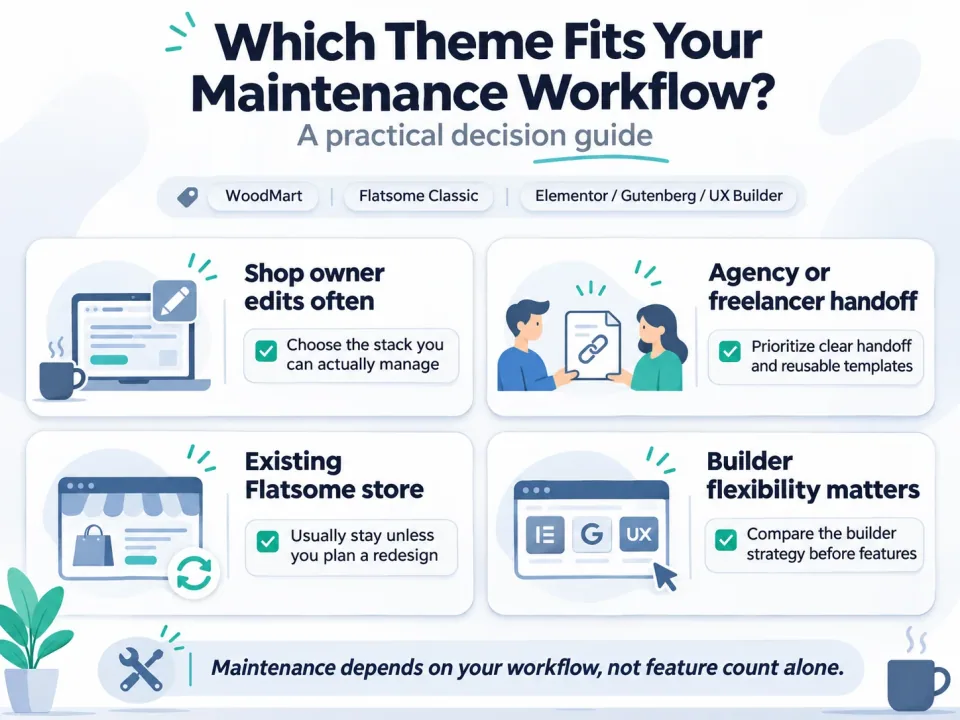
Decision guide for choosing a WooCommerce theme based on shop editing, handoff, existing Flatsome stores, and builder flexibility
Team knows Elementor, new build: shortlist WoodMart; verify that the chosen demo and every critical element support Elementor. Team prefers WordPress blocks, new build: test WoodMart Gutenberg layouts, but also compare independent block-based themes if portability is your top priority.
Existing Classic store, reliable UX Builder workflow: keep Flatsome Classic unless the value of switching is demonstrable. Classic owner exploring blocks: stage a migration pilot using the official Flatsome tool, and separately plan any move outside its ecosystem.
Agency handing over to a non-technical owner: require a two-task handoff demonstration before picking either theme. Highly customized shop: select by compatibility audit and available developer expertise rather than theme popularity.
Decision rule: if the proposed new theme does not remove a documented recurring problem or enable a business requirement, do not migrate solely because its feature list looks better.
Use the highest-priority workflow requirement to make the decision, rather than averaging subjective scores.
How WPToolWatch researched this comparison
This is a source-led editorial assessment checked November 6, 2026. It compares WoodMart 8.6.6 and Flatsome Classic 3.20.12 using vendor changelogs, editor and update documentation, ThemeForest purchase terms, and selected public user discussions.
We verified which editors WoodMart documents, the update sequence for Woodmart Core, vendor-reported recent releases, the distinction between Flatsome Classic and Site Builder, and purchase/support terms displayed publicly. The hypothetical store, handoff rubric and cost scenario are our own analytical examples.
We did not install or benchmark the themes, measure editor task duration, compare live-site performance, verify every third-party plugin combination, or interview the Reddit posters. Individual user reports are not prevalence statistics. Vendor documents support product claims but are not independent usability tests.
The WPToolWatch catalog snapshot (exported November 6, 2026 at 09:30 UTC) identifies WoodMart as WPT-002 and Flatsome as WPT-003. Its published product profiles have limited verified price and claim data; therefore the editorial pricing text points to vendor listings and does not assume the directory cards are updated. A fresh catalog export is required if product data changes before import.
Questions buyers ask after the demo looks good
Is WoodMart easier than Flatsome for beginners?+
There is no reliable universal ranking. WoodMart can feel familiar to someone trained in Elementor; Flatsome Classic can be easier for a store owner already comfortable with UX Builder. Try editing a banner and a mobile header with the actual future maintainer.
Can WoodMart be used without Elementor?+
Yes. WoodMart documents Gutenberg and WPBakery support as well as Elementor. However, some theme elements are editor-specific, and demo content is prepared for particular editors. Choose and verify one workflow rather than assuming pages transfer freely.
Does Flatsome Classic still receive updates in late 2026?+
Yes. The ThemeForest product changelog listed Flatsome Classic 3.20.12 dated October 29, 2026 when checked on November 6, 2026. Check for newer versions before updating.
Can UX Builder content be moved to an unrelated theme automatically?+
Do not assume a lossless conversion. Flatsome documents a migrator into its newer Site Builder ecosystem. For another theme or block collection, pilot representative pages and plan for possible manual rebuilding.
 WoodMart
 Flatsome