
Top List / Best-of
Four WordPress Themes to Shortlist for a Small Business Website
A practical shortlist of Astra, GeneratePress, Kadence and Blocksy, with separate use cases, trade-offs and a checklist for making the final choice.
Read article →Blocksy Free offers visual header and footer builders; GeneratePress Free keeps the foundation restrained. A task-based comparison shows when WordPress core is enough, when companion plugins enter the stack, and when Pro features are worth paying for.
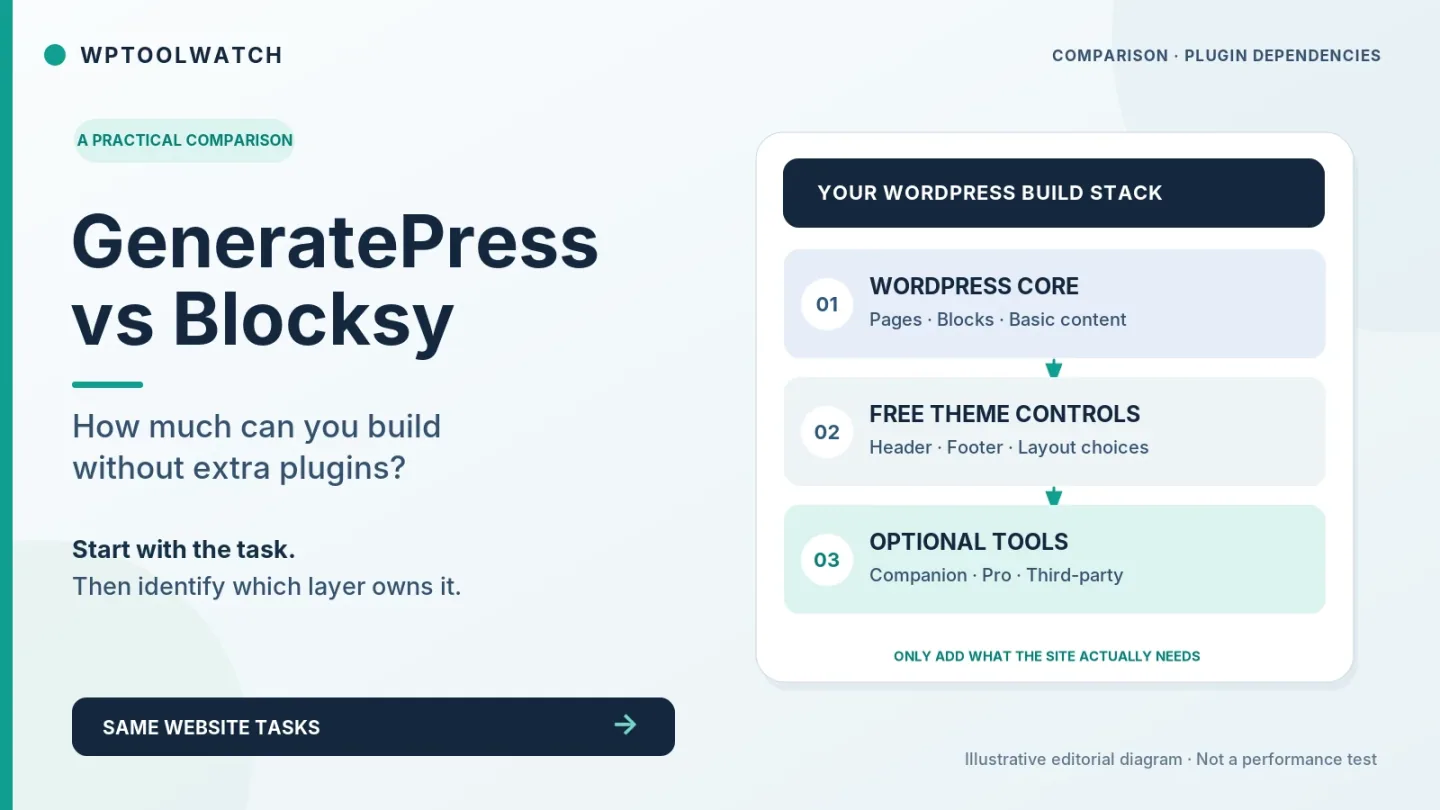
If you want a six-page WordPress site without installing any theme companion plugin, both free themes can work with WordPress core blocks. Blocksy Free offers a more visual header/footer editing experience out of the box; GeneratePress Free favors simpler Customizer controls. Neither free theme gives you unlimited custom, conditional templates. If you are willing to add first-party plugins, both ecosystems expand substantially—and buying one subscription does not mean installing one plugin. I would choose by the pages and edits the site owner actually needs, not by the fewest icons on the Plugins screen.
This is a documentation-led comparison of current product boundaries, not a fresh head-to-head speed benchmark. I've built and maintained WordPress sites, but I am not claiming a controlled current-version test of GeneratePress and Blocksy here.
Three requirements get mixed together: zero additional plugins (WordPress core + the free theme only); no third-party plugins (the theme maker’s companion plugins are allowed); and no paid tools (free companion plugins are fine). They lead to different answers.
WordPress already has a block editor for pages, buttons, images and columns. You do not need to install a block library just to write a service page. But a theme does not magically replace a contact-form workflow, backup process or every service integration.
The distinction matters most once a starter-site demo enters the picture. A demo may rely on a plugin the blank theme does not need. I check that dependency list before importing anything.
Swipe to compare all products →
| What matters |  GeneratePressFree · Pro from $99/year |  BlocksyFree · Pro from $69/year |
|---|---|---|
| Best for | Bloggers, content-site owners and WordPress developers who prefer a lightweight theme and block-based design; freelancers managing multiple sites with shared layouts. | Bloggers, content-led businesses and WordPress site builders who want a free starting point with room for selective upgrades. Business or Agency is the relevant Pro tier when the brief depends on advanced WooCommerce tools. |
| Listed version | 3.6.1 · vendor claimed | 2.1.61 (free theme; checked November 7, 2026) · vendor claimed |
| Last directory update | 2025-12-01 · vendor claimed | 2026-10-30 · vendor claimed |
| Minimum PHP | 7.4 · vendor claimed | 7.0 (directory minimum; use a currently supported runtime for deployment) · vendor claimed |
| Minimum WordPress | 6.5 · vendor claimed | 6.7 (WordPress.org theme listing) · vendor claimed |
| Free version available | Yes · vendor claimed | Yes · vendor claimed |
| Page builder | WordPress block editor, GenerateBlocks; Elementor and other builders supported · vendor claimed | WordPress block editor; Gutenberg or Elementor starter sites depend on the chosen template · vendor claimed |
| License model | Free theme; GeneratePress One 1/10/100-site annual or 100-site lifetime · vendor claimed | Free theme; optional Pro Personal (1 site), Business (10) or Agency (unlimited) · vendor claimed |
| Explore |
Assume you are building a straightforward business website and want the owner to maintain it. Here is what the documentation establishes before we introduce paid extensions.
| Task | GeneratePress Free | Blocksy Free |
|---|---|---|
| Simple service or landing page | WordPress core blocks | WordPress core blocks |
| Logo, menu and header CTA | Customizer + Header widget area; placement may need setup | Visual Header Builder + Button element |
| Standard footer and blog archive | Theme and widget/layout controls | Visual Footer Builder and theme controls |
| Different header on one page | Not a native free conditional-header workflow | Not a native free conditional-header workflow |
| Contact form with delivery | Not provided by the free theme alone | Not provided by the free theme alone |
This table assumes the free theme, WordPress core and no custom development. A header CTA is not the same as a page-specific header; where a tool is described as “not native,” custom code or another plugin may still achieve the result. See the GeneratePress Header guide and Blocksy Header Button guide for the documented free controls.
Both free themes can use WordPress core blocks for headings, images, buttons and layouts. For a modest services page, start there. GenerateBlocks is an optional separate plugin, not a prerequisite for using GeneratePress Free. Likewise, installing Blocksy does not automatically require Blocksy Companion. GenerateBlocks installation · Blocksy installation.
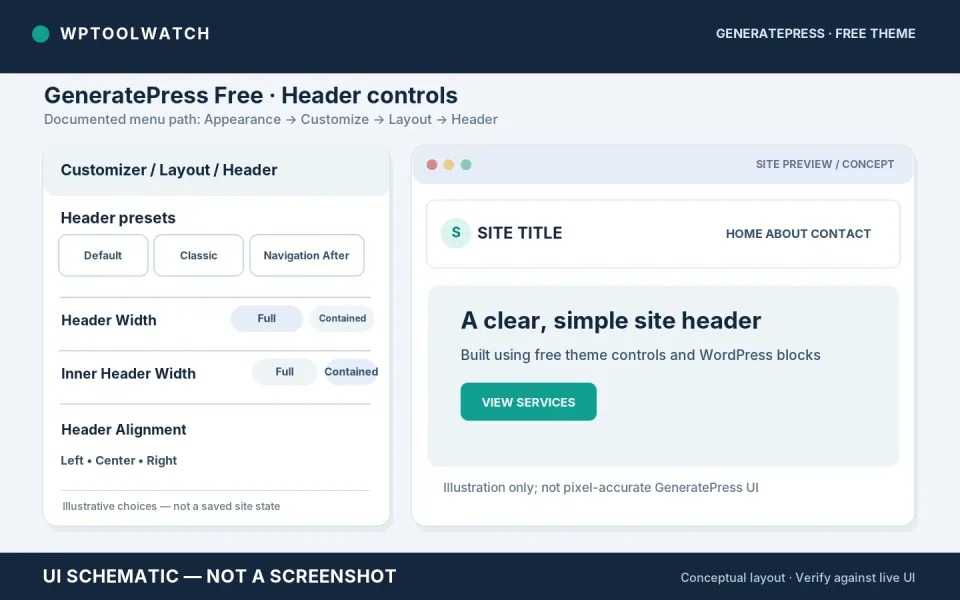
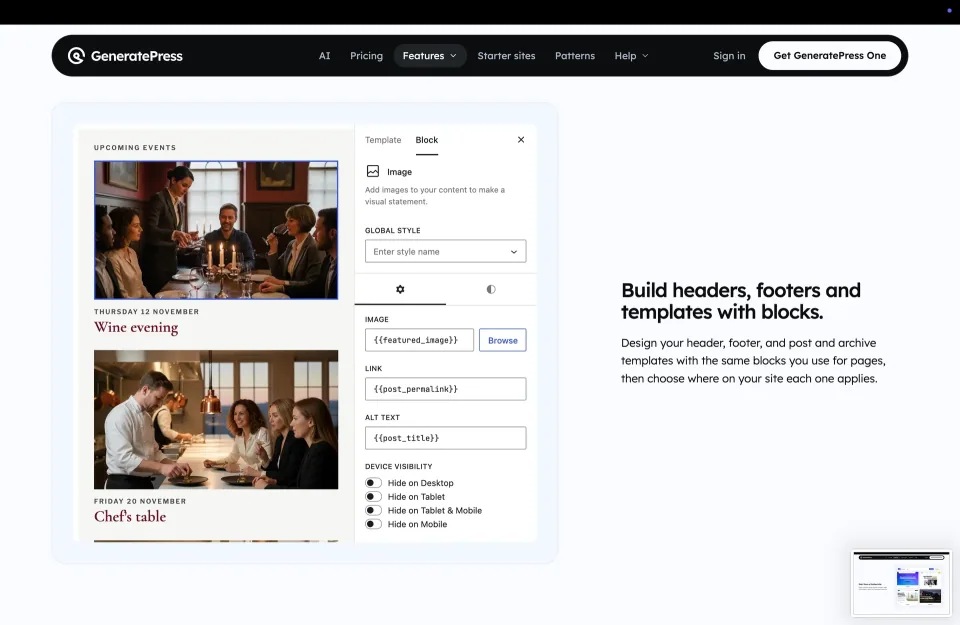
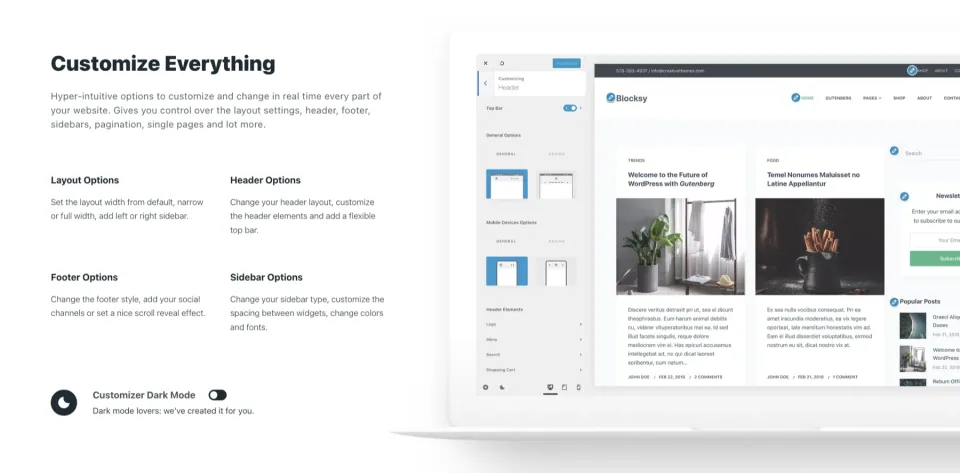
GeneratePress Free provides header presets, width/alignment controls and a Header widget area through the Customizer. You can place a Button block in the widget area for a sitewide CTA, but positioning is less direct than a visual row builder and may need styling. A page-specific, block-built replacement header is a separate GP Premium request. GeneratePress header guide.
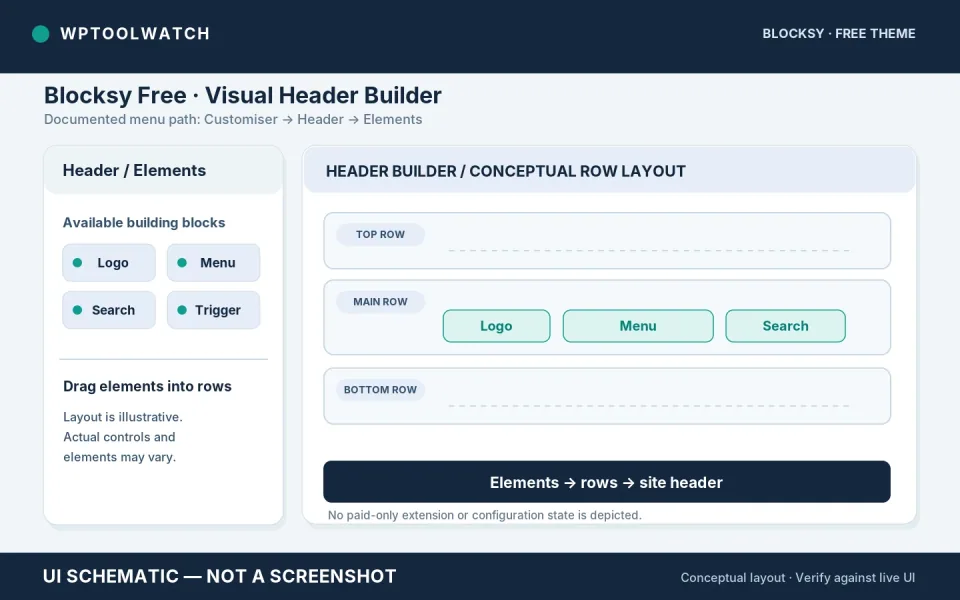
Blocksy Free has a visual Header Builder with drag-and-drop rows, including a configurable Button element for a sitewide CTA. That is a clearer default route for an owner who wants to position header elements. Additional header configurations and conditional display are Pro features; individual elements can also have their own edition or extension requirements. Blocksy Header Builder guide.
Both themes provide footer and archive styling controls without requiring a premium template system for every layout. Blocksy offers its visual Footer Builder; GeneratePress uses theme layout/widget controls. A fully custom archive loop or a footer that changes by page is a separate, more demanding task.
This is where a free header editor stops being enough. GeneratePress uses GP Premium’s Elements module, including Site Header Block Elements with display rules. Blocksy Pro offers two distinct routes: Conditional Headers lets you create another Header Builder configuration and assign it to selected pages; Content Blocks Header Templates lets you design a custom block-based header when the normal builder is insufficient. Neither path is included in the bare free theme. GeneratePress Block Elements.
Both free themes need a separate form solution for validation, submission handling and delivery. A notable paid distinction: GenerateBlocks Pro Forms (included in GeneratePress One) can build contact forms, send notifications, optionally store submissions and apply built-in spam protection. It is a companion plugin, not a feature of GeneratePress Free; external email delivery or marketing services may still be needed for your workflow. Blocksy’s theme/Companion alone should not be mistaken for a complete form processor.
Suppose the accounting firm wants “Book a Consultation” in the header on Services, but keeps a normal header elsewhere. First check whether a Button block inside the Services page content would solve the goal; both free themes can do that with no extra plugin. If the button must sit in a different global header configuration only on Services, the decision changes.
With GeneratePress Free, the Header widget area is intended for regular header content; there is no comparable point-and-click conditional header configuration. The documented premium path is to activate GP Premium’s Elements module, create a Site Header Block Element, and assign its display rules to Services. This replaces the header where that Element applies. GeneratePress Elements and rules.
With Blocksy Free, the Header Builder Button element is convenient for a sitewide CTA, but not for a second header limited to Services. With Blocksy Pro Personal or higher, use Customiser → Header → Headers → Create New Header, configure the CTA and restrict it with display conditions; the Global Header remains the fallback. If the requested header needs a fully custom block layout instead, use a Pro Content Blocks Header Template. These are different workflows, not two names for the same feature. Blocksy Conditional Headers.
I would verify desktop and mobile layouts and visit Services plus at least one unrelated page after configuring the rule. The worthwhile upgrade is the one that makes the specified behavior repeatable for the person maintaining the site—not the one with the most demo layouts.
Consider a hypothetical local accounting firm with Home, Services, About, Fees, FAQ and Contact pages, plus a blog. The owner wants to change a homepage CTA, update the navigation and publish articles without asking a developer.
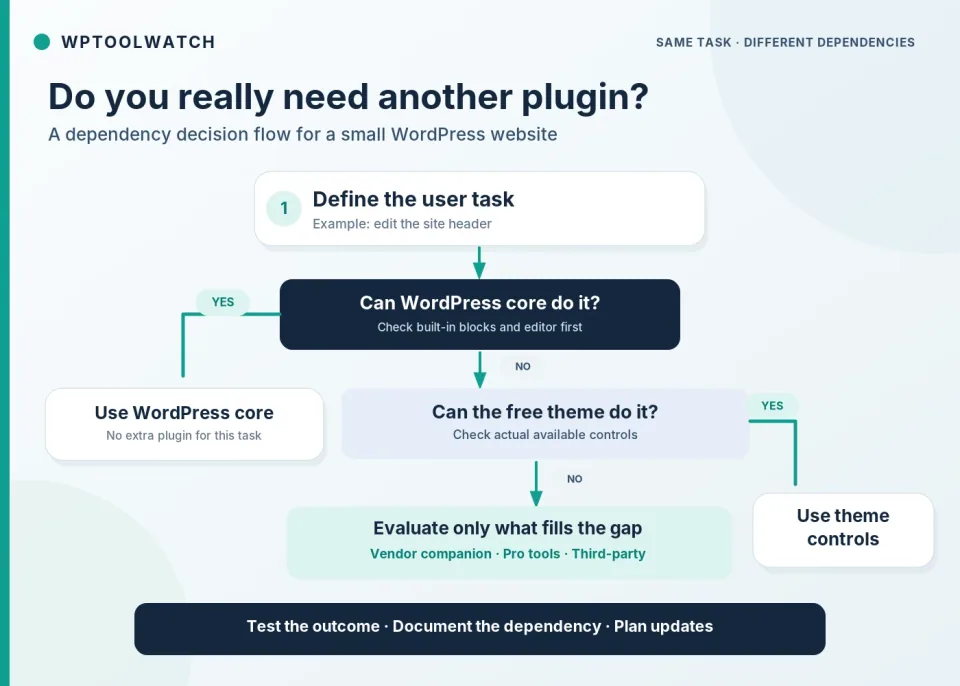
My audit record has four columns: task; component owner; paid/free boundary; update test. It often reveals that the “missing feature” is optional, or that the needed functionality belongs to WordPress itself. I would not convert this hypothetical comparison into plugin-count or setup-time benchmark numbers.
GeneratePress comes as a free theme. Its paid site-building path uses GP Premium, and its block-design ecosystem includes the free GenerateBlocks plugin plus GenerateBlocks Pro when those features are needed. The official GeneratePress One setup guide explicitly installs the free theme, free GenerateBlocks and the two premium plugins for its starter-site workflow. Those are separate installed components even though the purchase is one subscription.
This difference also matters for forms. GenerateBlocks Pro Forms is included in GeneratePress One, so a basic contact form may not require a form plugin from a separate vendor. GenerateBlocks Pro still counts as an installed plugin, and email delivery or third-party integrations need their own configuration.
Blocksy Free works without Companion for the basic theme. Install the optional free Blocksy Companion to access Starter Sites, Theme Blocks and extensions. Upgrading to Blocksy Pro means using Blocksy Companion Pro, which replaces the free Companion rather than requiring both to stay active. Features are still constrained by plan and enabled extension.
For example, Blocksy’s Theme Blocks require Companion, while advanced Content Blocks and conditional template workflows are Pro territory. The relevant question is not “Does this theme have a blocks feature?” but “Which edition, component and update path supply the exact element I plan to use?”
One lesson from a May 2026 Reddit discussion is that even a Blocksy owner can want an additional blocks plugin. In a separate April 2026 thread, a GenerateBlocks learner found the nested-container workflow confusing while another user valued its structure. Those are individual experiences, not measured adoption rates or evidence that either setup is generally difficult.
Write the visitor or editor action the feature must support; skip anything that only looked impressive in a demo.
Can a core block, standard Customizer setting or existing header/footer tool solve it?
Identify whether it is a paid module, companion plugin, block library or unrelated service; check the edition and licence.
Who updates it? After updating, which page, mobile breakpoint and form or menu interaction needs retesting?
If the owner cannot explain its purpose or maintain it, defer the feature instead of expanding the stack.
Historical pricing context recorded on November 8, 2026. GeneratePress changed its pricing for new buyers on October 26, 2026. The current GeneratePress One pricing page lists $99/year for one site, $149/year for 10 and $199/year for 100; a 100-site lifetime option is $596. The bundle includes GP Premium, GenerateBlocks Pro, GenerateCloud and GeneratePress AI. Existing customers may retain earlier licensing, so older GP Premium-only price tables are not a reliable description of a new purchase.
The Blocksy Pro pricing page lists $69/year for Personal (one site), $99/year for Business (10 sites) and $149/year for Agency (unlimited sites), with lifetime options. Features differ, not just license counts: Personal includes Content Blocks and conditional headers/footers; Business adds the Shop Extra and Post Types Extra extensions; Agency adds White Label and unlimited activations. For this six-page services site, Personal is enough for Conditional Headers; the WooCommerce-focused Business features are not inherently needed. Official plan comparison.
Those prices were checked on November 8, 2026, in USD before any applicable tax or promotion. I would budget separately for training, reliable email delivery, upkeep and future layout changes. A form subscription is not automatically necessary if GenerateBlocks Pro Forms meets the requirements, but the Pro plugin and any external service still need configuration and testing.
One more caution: fewer active plugins does not, by itself, prove better Core Web Vitals or fewer compatibility issues. Caching, hosting, the actual page layout and the scripts you enable have to be tested on the same setup. I have not run that benchmark for this comparison.
For the current published profile snapshot, GeneratePress One starts at $99/year for its 1-site tier; Blocksy Personal is $69/year. The November 2026 observations above remain dated context, including any plan not represented in the profile.
Choose Blocksy Free first when a small business owner wants to arrange the header and footer visually and keep the rest of the site on ordinary WordPress blocks. It is the more convenient free-theme starting point for that specific workflow—not a promise that every advanced header or content feature is included.
Choose GeneratePress Free when the brief values a deliberately restrained theme and the site can use core blocks and standard Customizer settings. If the team wants block-built site templates, evaluate GeneratePress One and the Elements/GenerateBlocks workflow as a system rather than assuming the free theme covers it.
Keep your working site if an existing GeneratePress or Blocksy setup already meets the requirements. Rebuilding just to remove one legitimate plugin can cost more than maintaining it.
If editing headers and templates entirely in WordPress core is the priority, consider a block theme with the Site Editor, such as Twenty Twenty-Five, as a third reference point. That changes the editing model; it does not mean you will never need plugins.
For product-specific background, see the GeneratePress profile and Blocksy profile on WPToolWatch; then verify the edition you intend to buy from the vendor.
My decision rule is simple: build one real page, edit the header on a phone-width preview, and identify the owner of any custom template. Whichever system meets those tasks with understandable dependencies is the better fit.
Research reviewed November 7–8, 2026: GeneratePress and Blocksy official setup guides, product documentation, pricing and licensing pages; WordPress documentation; and two independent Reddit discussions. Vendor material establishes the documented feature boundaries, while the community comments are individual reports. The six-page example is hypothetical. I did not perform a fresh same-host, same-content hands-on test, count installed plugins across matched builds, or measure site performance. Product availability and renewal terms should be rechecked at purchase.
Full specifications and supporting references are available in each product profile.
We may earn a commission through some links.
A practical shortlist of Astra, GeneratePress, Kadence and Blocksy, with separate use cases, trade-offs and a checklist for making the final choice.
Read article →
Choose a WordPress theme with a clear business brief, realistic ownership budget and a staging test that includes the people who will maintain the website.
Read article →
Build a practical responsibility map for layouts, forms and store functions before changing a WordPress theme or handing a website to another maintainer.
Read article →