Home / Articles / How to Map Theme and Plugin Responsibilities Before a WordPress Redesign
Knowledge / Explainer · WordPress Basics
How to Map Theme and Plugin Responsibilities Before a WordPress Redesign
Build a practical responsibility map for layouts, forms and store functions before changing a WordPress theme or handing a website to another maintainer.
Before replacing a theme, identify the tool that owns each important page element and visitor task. A short responsibility map helps you test the right things and prevents an unfamiliar setting from becoming a launch-day surprise.
Map what the visitor sees and what the website does
Start with a real page rather than an inventory of installed plugins. On a service page, identify the header, navigation, content layout, enquiry form and footer. On a store page, add product data, variation selection and the checkout route. These items share a screen but may be supplied by different components.
A theme category is only a starting clue. A builder plugin can supply layouts, and a theme can depend on a companion plugin. Record the actual owner of each part of this website instead of assuming every visual element belongs to the theme.
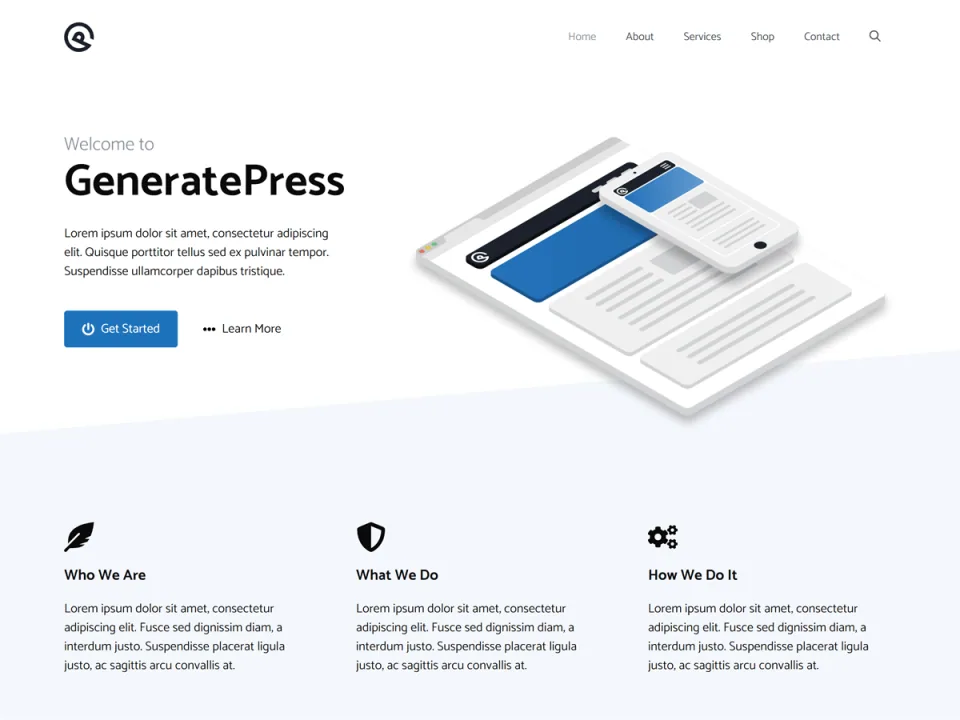
A theme preview illustrates the presentation layer only. The responsibility map below records the actual tools and settings on the site being redesigned.
A responsibility map you can hand to the next maintainer
This is an example worksheet, not a claim about every WordPress installation. Replace the example owners and setting locations with the tools on your site. A builder or companion plugin can change who controls a template.
Element or task
Example owner / setting
Acceptance check
Handoff record
Header and navigation
Active theme or builder; header template and menu settings
Open the phone menu; follow the main service link; test keyboard focus
Template name and person allowed to change it
Contact enquiry
Form plugin; saved form, notification and embed
Submit a test; confirm receipt and the success message
Form ID, recipient inbox and notification owner
Product and checkout
WooCommerce plus payment/shipping extensions
Choose a variation and complete the gateway’s test-order flow
Gateway account owner and extension dependencies
Article layout
Theme or builder single-post template; article editor
Read an old post with headings, media and related links
Template location and what editors may override
Search metadata
SEO plugin; page title and indexing controls
Inspect an important page’s title, canonical and indexing setting
SEO owner and exceptions to defaults
Recovery
Backup service or host; restore tools
Restore a copy in an isolated environment
Backup location, retention and recovery contact
When a row has two plausible owners, resolve that overlap before redesigning it. For example, a header may be controlled by a builder template rather than the active theme’s Customizer. The map should tell a new maintainer where to edit, not merely list installed plugins.
Create the responsibility map
1
Choose representative pages
Use a service page, a content page and any important conversion page. Include an archive or product page when it belongs to the site.
Expected result: The sample covers the tasks the redesign must preserve.
2
Trace each component
Find the setting or editor that controls the header, content, form and footer. Record the responsible tool and a plain-language path to the setting.
Expected result: Another maintainer can locate the control without guessing.
3
Separate data from presentation
Record where page content, form entries or store records live separately from how they appear. Identify dependencies before disabling a theme or plugin.
4
Assign an owner and a verification task
For each important component, name the person responsible and the practical test they will repeat after a change.
Expected result: The map supports a handoff, not just a technical inventory.
A contact page illustrates the boundary
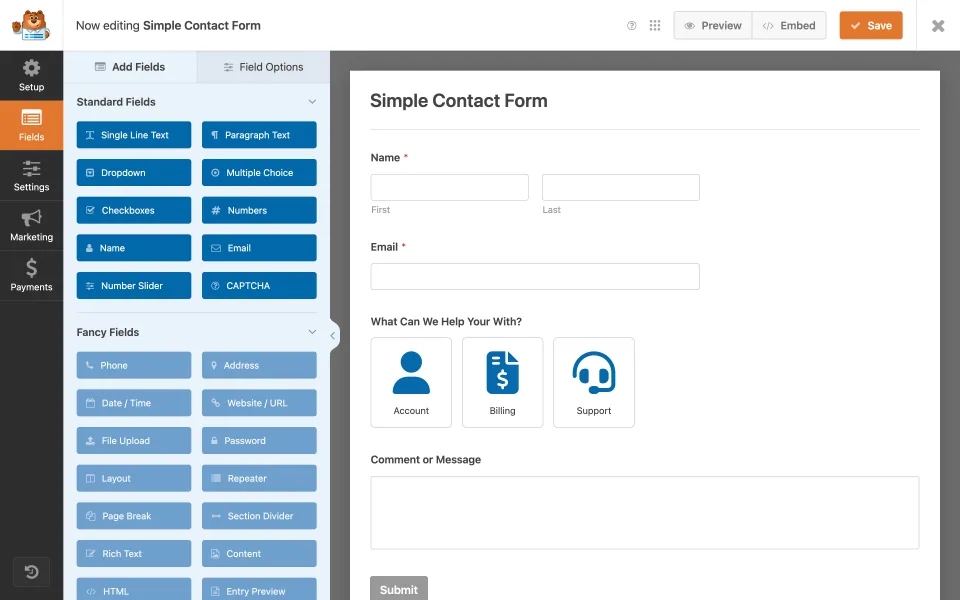
For an enquiry page, WPForms Lite may supply the form while the theme controls the surrounding presentation. The recipient address, confirmation and actual email delivery need their own checks. A form that looks correct after a theme switch has not necessarily passed the complete enquiry test.
A useful handoff note names the saved form, where it is embedded, which inbox should receive a message and who replies. Ask the new maintainer to find those settings and complete a test enquiry. This is more useful than a screenshot with no explanation of what it proves.
The form plugin supplies the enquiry fields and submission workflow. The surrounding page layout and the form’s email delivery need separate owners.
A store requires a wider acceptance test
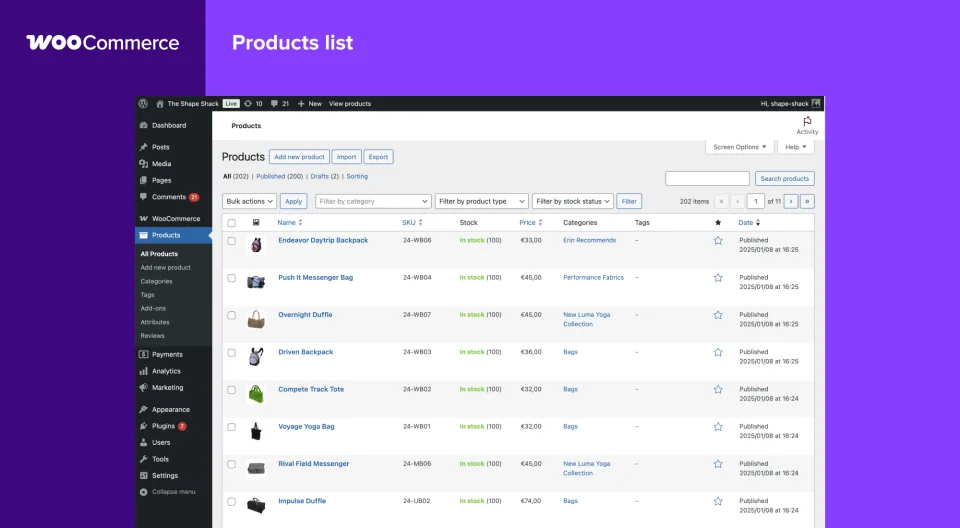
On a store, WooCommerce is part of the operational layer. Trace product records, variations, cart and checkout separately from the theme’s product-page layout. A visual redesign can affect their presentation and integration points even when the underlying records are retained.
Test the whole task: find a product, choose the intended variation, add it to the cart and follow the appropriate test-order procedure for the payment setup. Record the result and keep real customer and payment data out of an improvised experiment.
The product list belongs to the store’s operational layer. A theme redesign should preserve the data and the transaction workflow behind it.
Turn the map into a redesign decision
Now ask what the proposed theme change actually solves. If the problem is a confusing form workflow, replacing the theme may address only the surrounding appearance. If the problem is an inconsistent page layout, adding another operational plugin may introduce an unrelated dependency.
For a candidate such as GeneratePress, evaluate the intended theme and any companion tools as a complete editing setup. The objective is a configuration that meets the brief and remains understandable to its maintainers, not the smallest plugin count at any cost.