I would start with Blocksy Free for a blog, portfolio or straightforward WooCommerce store. Consider Personal when you need conditional headers or Content Blocks; check Business for Shop Extra or Post Types Extra. Agency mainly changes site limits and white-label access. Buy for an identified requirement, not the Pro label. This is a documentation-based review, not a fresh speed benchmark.
Blocksy is a free, block-editor-friendly WordPress theme with optional premium extensions. This review focuses on where a real editing or storefront requirement crosses the Free-to-Pro boundary.
Free theme foundation — Header and footer builders, global colors and typography support an initial site without a Pro purchase.
Block-editor workflow — Use WordPress blocks for content and theme controls for the surrounding website design.
Starter sites — Import a supported Gutenberg or Elementor design; builder, plugin and Pro requirements vary by template.
Best for: Bloggers, content-led businesses and WordPress site builders who want a free starting point with room for selective upgrades. Business or Agency is the relevant Pro tier when the brief depends on advanced WooCommerce tools.
What works well
The free theme includes useful site-design controls, so you can evaluate the workflow before paying.
Header, footer and global styling tools suit content-led business websites as well as stores.
Optional extensions let you enable capabilities as the project needs them.
What to consider
Feature availability depends on the plan; Shop Extra is not part of Personal.
The theme, Companion plugin, enabled extensions and starter-site dependencies need to be understood together.
Some starter sites require a paid plan or additional plugins.
What Free can handle — and the four real upgrade triggers
Blocksy Free handles responsive layouts, header and footer settings, typography and a standard WooCommerce storefront. The WordPress.org theme listing outlines its core capabilities. If Free already covers your site, paying for Pro will not solve unrelated content or maintenance problems.
Find the first feature you cannot deliver
Need a different header on one campaign page? Start with Conditional Headers. Need a notice or template shown only under certain conditions? Review Content Blocks and display conditions. Need shop swatches or a Post Types Extra feature? Check the detailed Pro plan comparison before choosing Business. Agency becomes relevant for unlimited activations or white labeling, not simply because a site has clients.
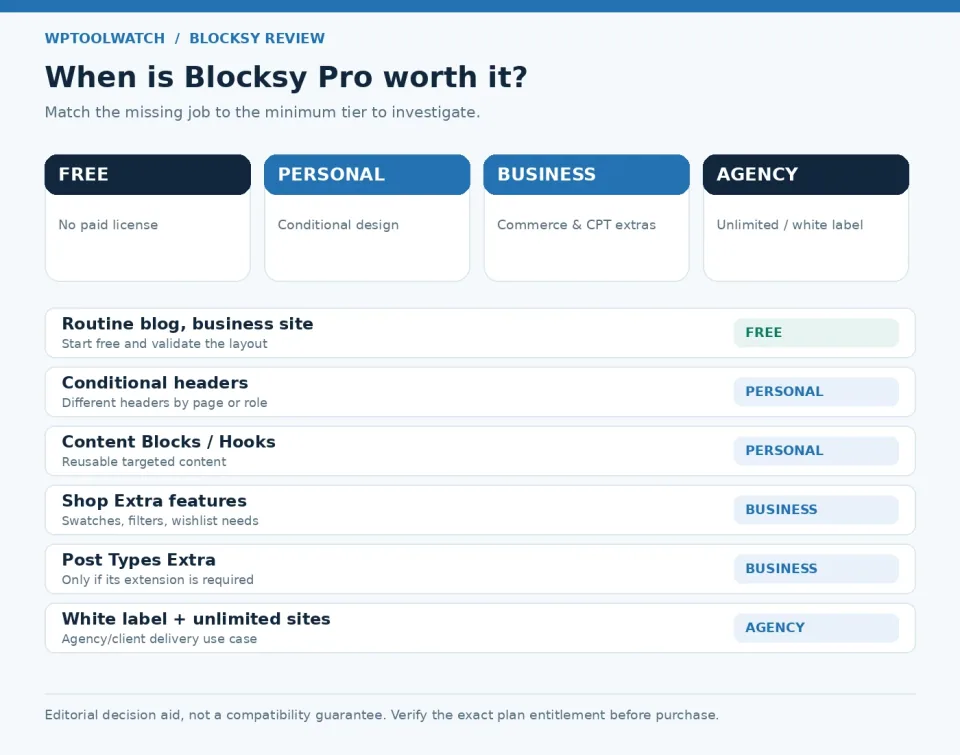
Upgrade triggers by actual requirement: Free for standard sites; Personal for conditional layouts or core Content Blocks; Business for Shop Extra or Post Types Extra; Agency for unlimited activations and white labeling.
WordPress supports custom post types without Blocksy Business. The upgrade case is a specific capability inside Post Types Extra, not the existence of a custom post type itself.
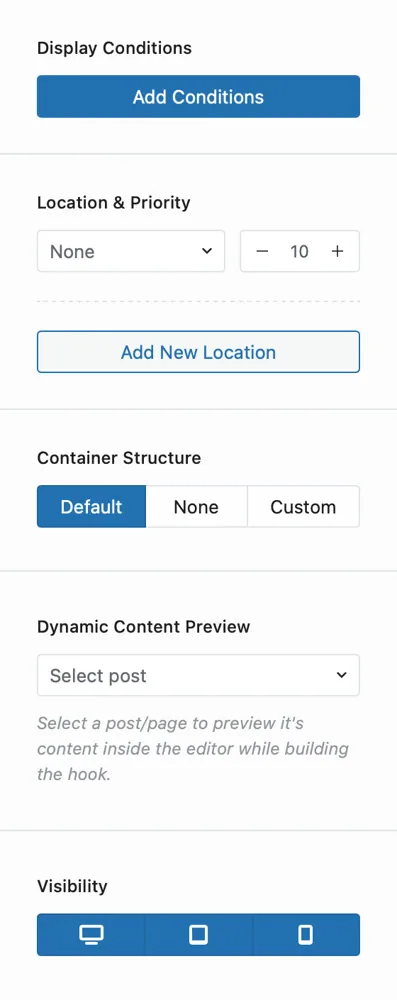
Blocksy Content Blocks settings panel. Available controls depend on the installed edition and version.
Case 1: a different header for one landing page
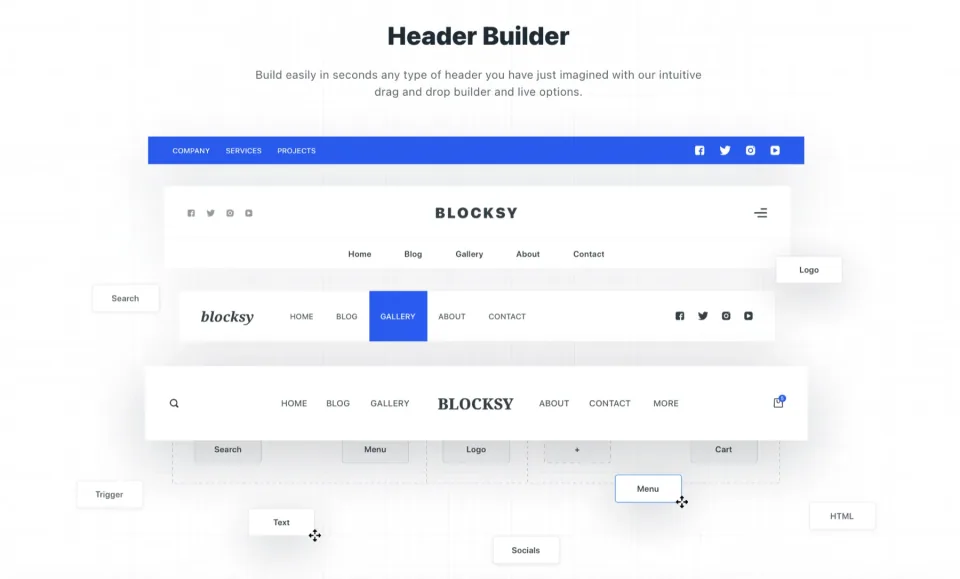
Suppose a service business wants full navigation across its website but a simplified header on a paid-traffic landing page. First check whether hiding a few elements solves the problem. If the requirement really is an independently configured header shown only on selected URLs, Blocksy Pro Conditional Headers is the relevant feature.
The Conditional Headers setup guide shows the workflow under Customizer → Header → Headers → Create New Header. Set the landing page display condition; keep the Global Header elsewhere. Test desktop and mobile, including a page where the condition must not match.
The header preview illustrates layout controls. Confirm the edition and any conditional-display requirements before choosing a paid tier.
This is an illustrative scenario, not a claimed test. In an October 2026 WordPress.org support discussion, a Free user asked about different menus on two pages and support identified a Pro limitation. One thread establishes that question was raised; it does not prove the issue is widespread.
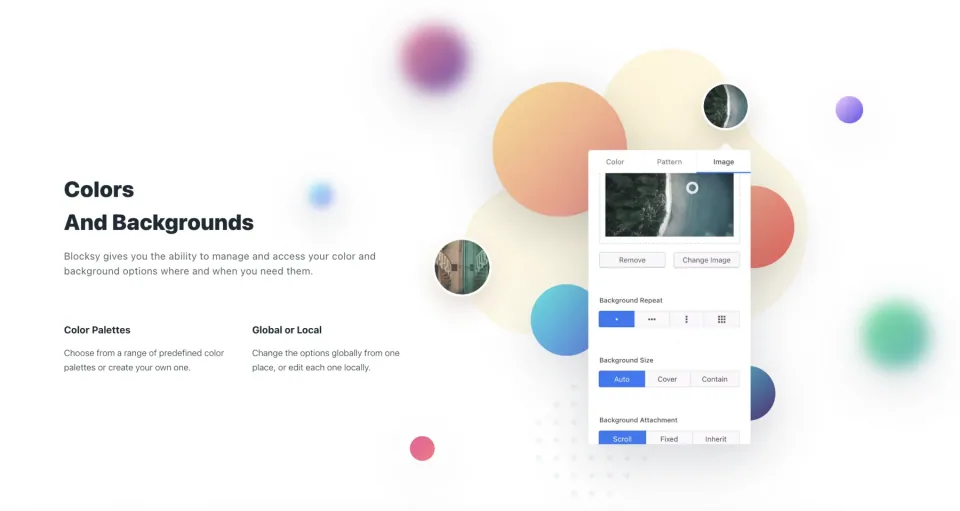
Color and background settings belong to the site’s design workflow. Check how changes affect shared pages as well as the page being edited.
Case 2: a WooCommerce store needs swatches
A clothing store wants color choices displayed as swatches rather than the default selector. That sounds like a small visual change, but the purchase decision is about who owns the functionality. WooCommerce handles variations; Blocksy Shop Extra adds its own swatch interface. Under the current plan comparison, Shop Extra is a Business/Agency entitlement, even on a single store.
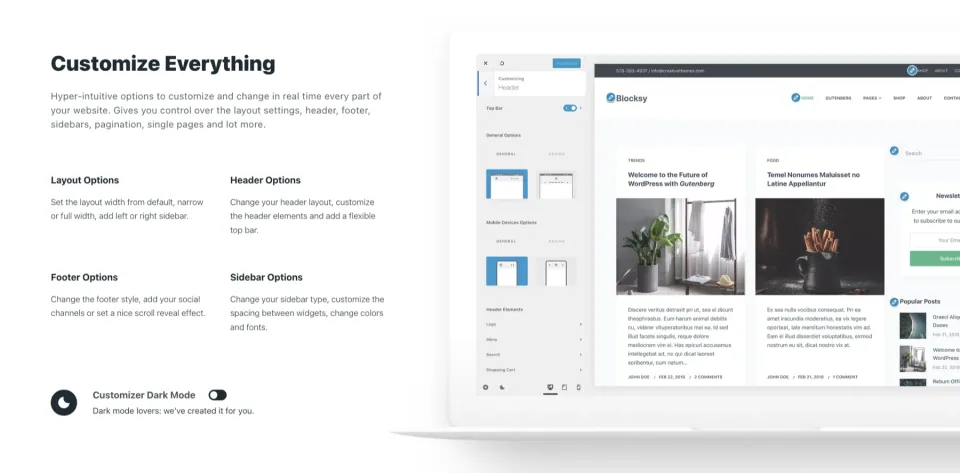
The customization preview is a reference for evaluating the interface. Store-specific features and companion extensions need their own entitlement checks.
Before replacing an existing swatches plugin, check product attributes, variation images, behavior on product archives and single-product pages, and any CSS or filters built around the current plugin. A working plugin may be cheaper to keep than an unnecessary theme upgrade. Conversely, Blocksy’s integrated module may simplify ownership if it replaces a brittle stack of overlapping extensions. Neither outcome is universal.
The official Variation Swatches guide documents activation through Blocksy → Extensions → Shop Extra → Variation Swatches, with color, image, button and mixed types. Test real variable products on staging before switching the live store.
A two-minute upgrade decision
Ask these questions in order
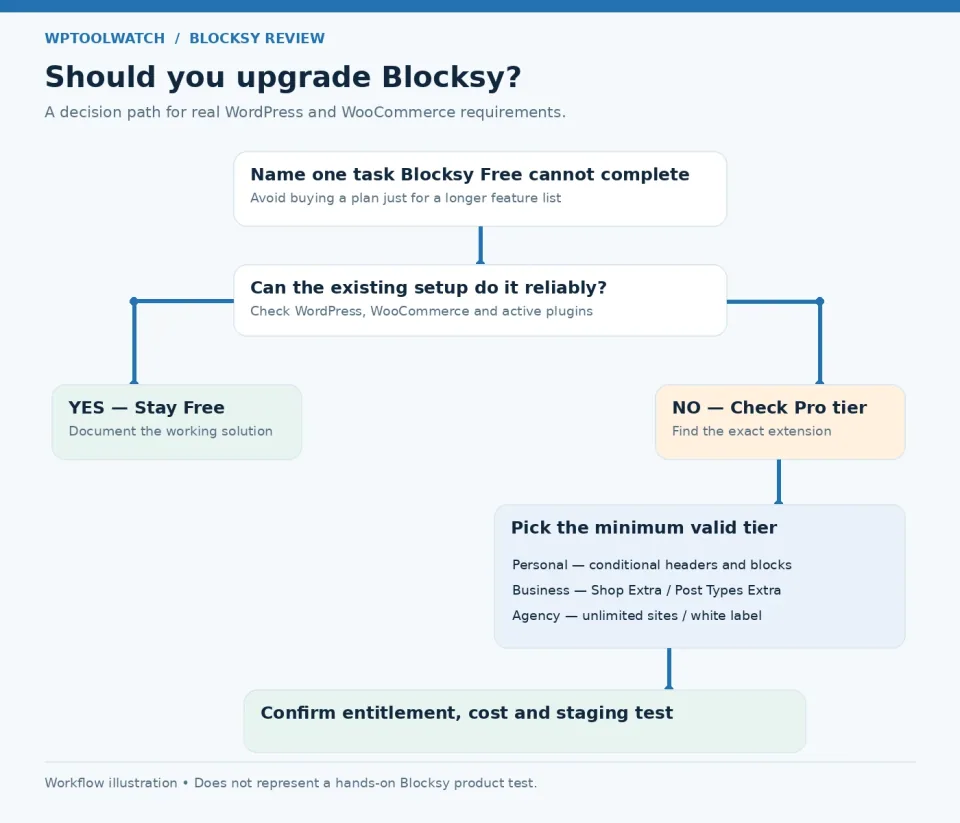
A simple buying workflow: name the missing feature, verify whether Free or an existing plugin already handles it, then choose the least expensive tier that explicitly includes it.
Name the missing feature, check whether a current plugin already solves it, and verify which tier includes it. Test the change on staging before committing to a plan. The diagram is a decision aid, not a compatibility benchmark.
Free WordPress theme. Premium extensions require a separate Pro license.
Free · Renewal
No paid renewal.
Personal, Business · License & support
Annual: one year of Pro updates and support. Lifetime: ongoing Pro updates and support without annual renewal.
Personal, Business · Renewal
Annual plans renew to keep updates and support active; lifetime plans have no annual renewal.
Recognized staging domains do not consume a Pro license seat; production Multisite sub-sites do. An expired annual license leaves the existing site running but stops future Pro updates and support.
Listed prices may exclude taxes. Promotions and vendor terms can change; confirm at checkout.
Use the current published plan cards for the options held in the profile. Choose according to the feature boundary and website allowance, not just a hypothetical payback period.
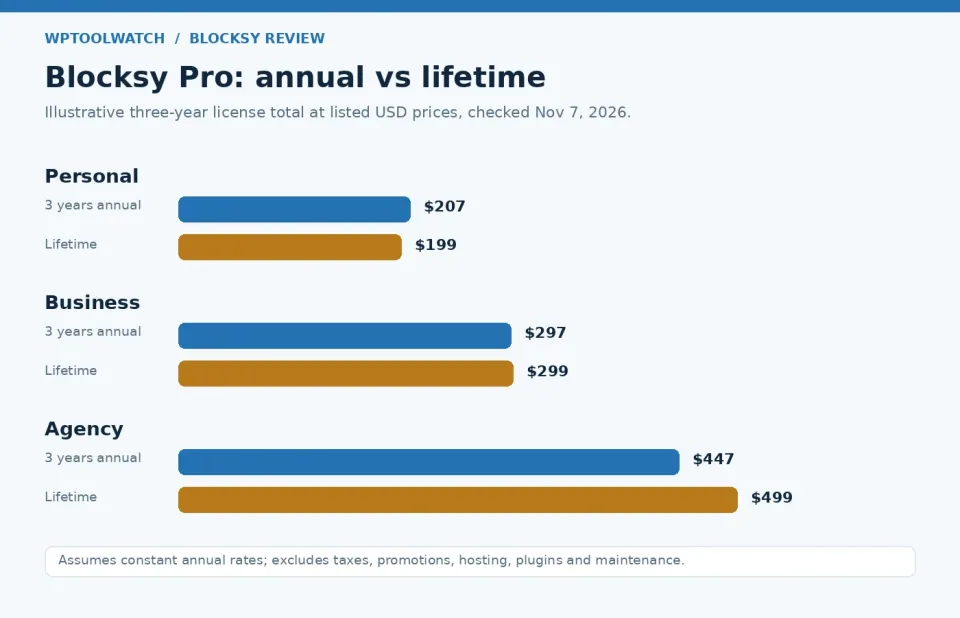
The published Personal plan is $69/year or $199 lifetime; Business is $99/year or $299 lifetime. Confirm live availability and terms with the vendor.
Illustrative chart based on the official published prices checked November 7, 2026. It compares annual renewal totals over three years against each lifetime option.
This is a feature-boundary and buying-workflow review, checked November 7, 2026 against the official theme listing, detailed plan comparison, pricing, Conditional Headers, Content Blocks and Variation Swatches documentation, plus one dated WordPress.org support report. I apply WordPress/WooCommerce project experience to maintenance and handoff trade-offs, without suggesting a new Blocksy installation, controlled speed benchmark or checkout test was performed for this article. Scenarios and three-year calculations are explicitly hypothetical. A single support report is not evidence a problem is widespread.
Dated three-year cost illustration
Check the published product options against the requirements in this review.