A paid WordPress form builder for conditional and multi-step forms. Quform offers one-time licensing, but email delivery and submission handling need proper setup.
I'd shortlist Quform when forms need to respond to different answers, collect attachments or send tailored notifications. For a basic contact form, it may be more plugin than you need. The low upfront price is attractive, but it should not obscure the implementation work: make sure submissions reach an inbox, decide what personal data stays in WordPress, and buy the license that fits the end product. This is a documentation-based assessment, not a hands-on test.
Why this rating?
Quform offers conditional, multipage and notification workflows under a one-time single-project license. It is a reasonable shortlist for substantial enquiry forms, while delivery testing, file handling and retained personal data remain responsibilities that the purchase does not remove.
Research & assessment details
Documentation-based assessment by WPToolWatch Editorial. No hands-on benchmark.
Quform makes sense when a contact form has become a small workflow: a quotation request with changing questions, an application split into steps, or an enquiry routed to different people. Its visual builder combines conditional fields, multi-page layouts, uploads and configurable notifications. For a name-email-message form, that flexibility may be unnecessary. This assessment is based on the developer documentation and marketplace listing, not a hands-on installation.
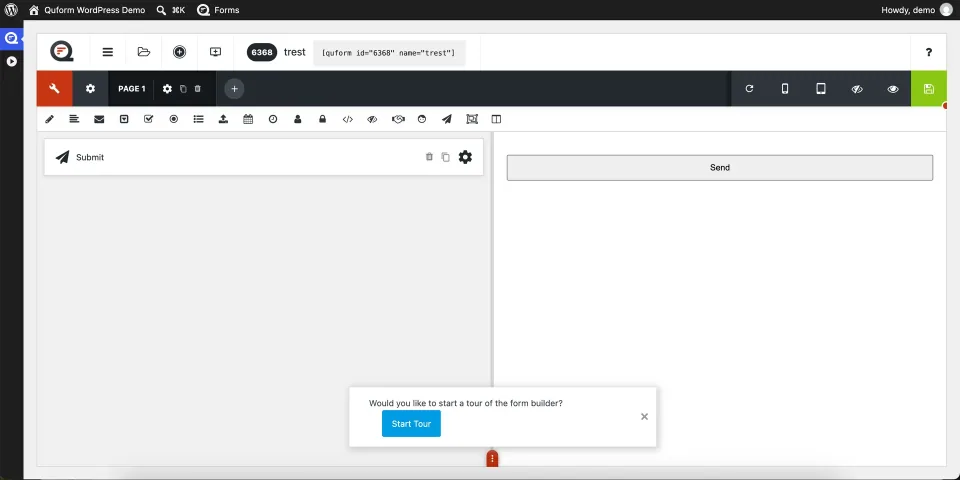
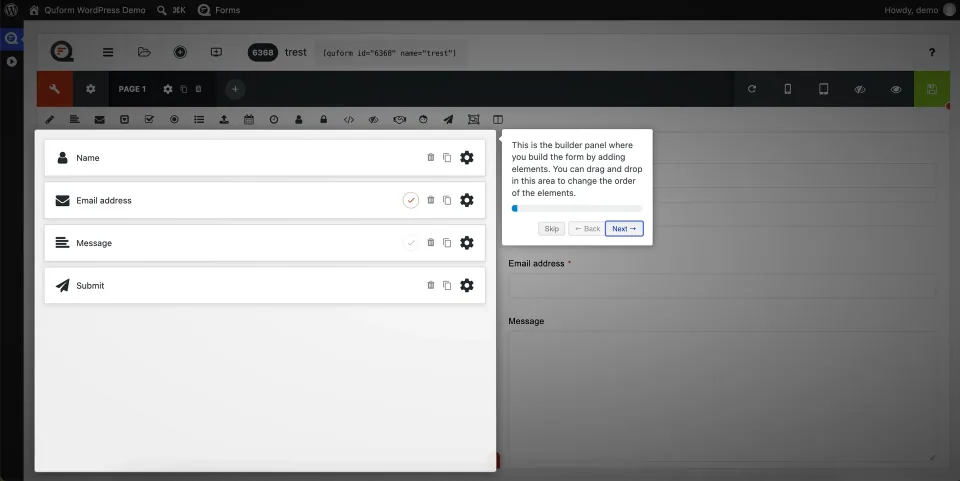
The Quform builder illustrates the field-editing workflow before a form is embedded in a page.The design preview shows how the form’s presentation can be adjusted. Check the finished form inside your own theme.
The useful part is what happens after an answer
You can show a different set of fields based on previous answers, send different notification emails and manage submitted entries in WordPress. That is more valuable than a long list of form elements when a form needs to gather usable information. Mailchimp and Zapier are available through the developer’s add-ons, but third-party accounts and workflow costs are separate. Quform is a form builder, not a replacement for every CRM, booking or checkout system.
Conditional logic changes what follows an answer. Test both matching and nonmatching responses before publishing the form.
One-time pricing has limits
The $34 Regular and $169 Extended licenses cover one end product each. Extended is for the relevant paid end-user use case; it does not buy extra websites or a better feature tier. Envato permits agencies to charge clients for development work under Regular when the end product is free to access. Plugin updates are included, while author support starts with six months. Agencies running multiple client sites should budget a license per project.
Email and personal data need deliberate setup
Quform 2 uses WordPress wp_mail() to send notifications. Before launching, send test submissions to real inboxes and configure SMTP or a transactional-mail service if needed. Submitted entries may be stored in the WordPress database; IP collection is on by default, although it can be disabled. Decide whether to save entries, how long to retain them and who can access uploads. Check file-size limits, validation and spam protection on staging rather than assuming defaults are enough.
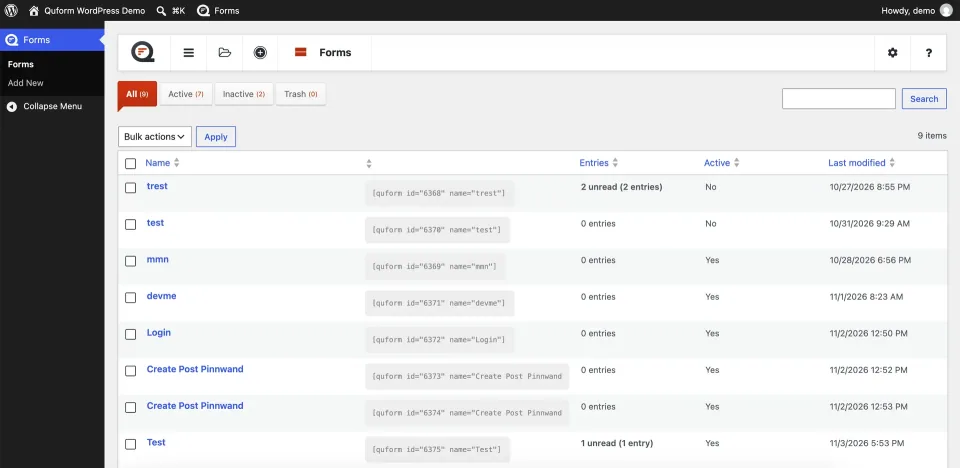
The forms list provides an overview of the forms maintained in WordPress. Review notifications and data handling for each active form.
Compatibility and upgrades
The official changelog lists 2.23.1, released June 22, 2026; the CodeCanyon listing states WordPress 5.2 or later. The current minimum PHP version was not conclusively confirmed, so check it for your hosting environment. Quform 2 is not directly compatible with Quform 1.x: the vendor provides a migration guide, and old email settings or custom hooks may need work. Quform AI is a separate optional credit-based add-on, not part of the core license.
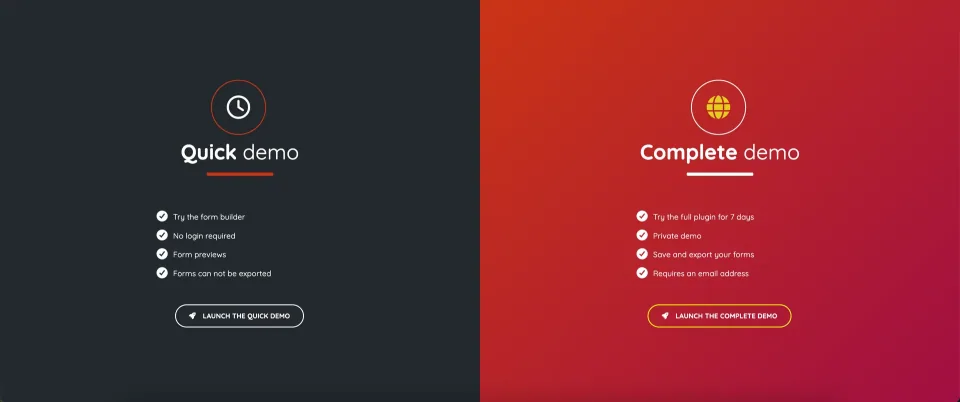
The vendor offers quick and complete demos. Use the relevant demo to inspect the workflow before installing it on a production site.
One free-to-access end product under the Envato Regular License, including a commercial client site when visitors are not charged to access the site.
Regular License · Renewal
No required annual core-plugin subscription. Future updates included; additional author support after the first six months costs extra.
Extended License · License & support
One end product that charges end users for access/use, subject to Envato Extended License terms; not an unlimited-site license.
Extended License · Renewal
One-time core-plugin purchase, with future updates and six months of support. Extra support costs more.
Official prices verified 2026-11-09: $34 Regular and $169 Extended, USD before taxes and checkout fees. Both cover one end product; Extended changes the permitted end-user licensing model, not the number of installations or the feature set. Updates are included; initial author support is six months. Additional end products, support extensions, mail providers, integrations and optional Quform AI credits may add costs. The vendor advertises a seven-day refund offer; review the actual Envato checkout and refund conditions.
Regular and Extended are one-end-product Envato licenses; the difference is end-user access rights, not site count or features. Six months support and future updates included; no unlimited-site license.
Support channel
ThemeCatcher support site and CodeCanyon author support; 6 months included, extension may cost extra.
Conditional logic, multi-page forms and configurable notifications suit non-trivial enquiries and applications
One-time licensing with future updates avoids an annual core-plugin subscription
Entries, forms and uploaded files can be managed inside WordPress
What to consider
One license covers one end product; agencies cannot reuse it across client sites
Six months of author support are included, not indefinite hands-on help
Email deliverability, uploaded files and saved personal data remain operational responsibilities
Best for
WordPress site owners and agencies building conditional enquiry, quote or application forms on a limited number of sites, especially when a one-time license is preferable to an ongoing form-builder subscription.
Consider alternatives if
A site that only needs a basic contact form, agencies seeking a single license for unlimited client websites, or teams expecting built-in payments, CRM processes or guaranteed email delivery without additional work.
BEFORE YOU DECIDE
Frequently asked questions
Does Quform have a free WordPress plugin?
No free installable edition is listed. ThemeCatcher offers online demos for evaluating the builder before buying. The core plugin is a one-time CodeCanyon purchase.
Do I need Regular or Extended for a client website?
A Regular License generally covers one end product that visitors are not charged to access. Charging a client for your design or development work alone does not automatically require Extended. If end users pay to access or use the end product, check the Extended License and the applicable Envato terms. Neither license covers unlimited client sites.
Will I need to pay for Quform every year?
The core plugin is sold as a one-time purchase with future updates. Six months of author support are included; renewing support is optional and may cost extra. A new end product needs a separate license.
What can I build with Quform?
ThemeCatcher documents multi-page forms, conditional fields, file uploads, configurable notifications, saved entries and form scheduling. It is especially useful for quotes, applications and enquiries that change based on visitor answers.
How reliable are Quform email notifications?
Quform 2 sends through WordPress wp_mail(), so inbox delivery depends on the server or connected email service. Test actual submissions and use a suitable SMTP or transactional-mail setup if needed. Receiving a successful form confirmation does not prove the email arrived.
Does Quform store submitted information and IP addresses?
Submitted entries can be stored in the WordPress database, and Quform says it records the visitor IP address by default. You can turn off saved submissions and disable IP collection. Set a retention and consent policy appropriate to your site; the plugin does not make a form legally compliant by itself.
Is the Quform AI form builder included?
No. Quform AI is an optional add-on that requires the core Quform plugin plus its own license and credits. Review the current AI package terms if you plan to use it.
Can Quform 1.x be upgraded without migration work?
Do not assume that. Quform 2 is not directly backward compatible with Quform 1.x. Use the official migration guide, keep a backup, and check any old custom hooks and email settings before switching.
Alternatives & comparisons
Explore other published WordPress products, with matching categories listed first.
WPForms Lite is a free drag-and-drop WordPress form builder for contact requests and basic payments. It relies on email for standard submissions; paid plans unlock local entry management and advanced workflows.
WordPress form builder with generous free tools, including conditional logic and Stripe. Pro adds uploads, multi-step forms and advanced workflows; choosing a license is mostly about features needed and site count.
Paid WordPress form builder for conditional forms, uploads and repeatable data collection. Basic handles core forms; Pro adds payment and automation add-ons; Elite covers Multisite and advanced add-ons.