WordPress form builder with generous free tools, including conditional logic and Stripe. Pro adds uploads, multi-step forms and advanced workflows; choosing a license is mostly about features needed and site count.
I would start with Free for contact, enquiry and simple registration forms; conditional logic alone is not a reason to upgrade. Pro becomes easier to justify when you need multi-step applications, uploads or connected workflows, or when the extra 1.9% fee on Free Stripe payments would outweigh your license cost. For Pro, choose the website limit you actually need; Agency is not automatically better than one or two Single Site licenses. These judgments are based on vendor documentation, not a hands-on performance comparison.
Why this rating?
Fluent Forms provides a broad free feature set, including conditional workflows and entry management, with useful Pro extensions. Consistent paid features and license choices support its value, while payment fees, uploads, delivery and data retention still need to be evaluated for the actual form.
Research & assessment details
Documentation-based assessment by WPToolWatch Editorial. No hands-on benchmark.
Fluent Forms is a WordPress-native builder for contact, lead, registration and payment forms. Its real appeal is how far the free plugin goes: conditional fields, conversational layouts, entry management and Stripe are available without buying Pro. This is a sensible option for a site that wants to keep form setup and submission management inside WordPress rather than subscribe to a separate form service.
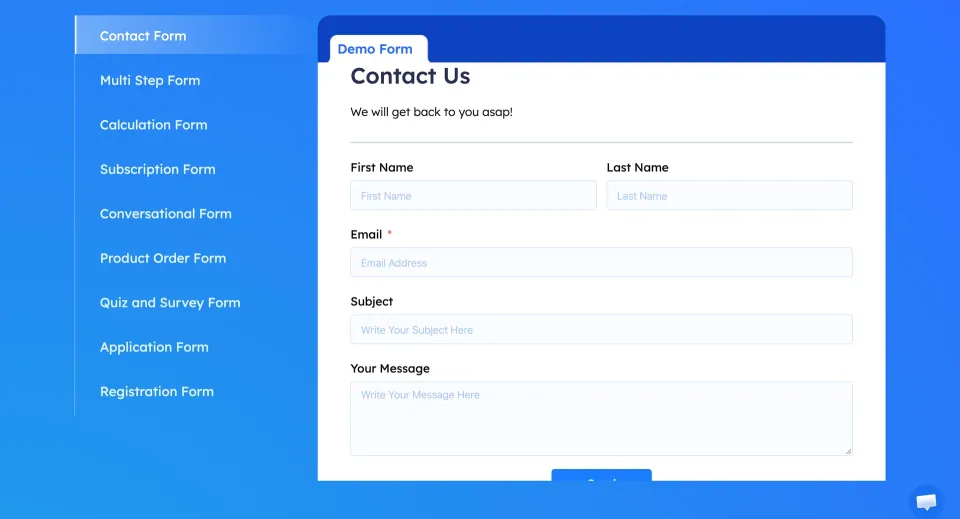
The contact-form demo illustrates the basic form experience. Test notifications and submission handling in your own WordPress setup.
Free is not just a demo
Use Free for contact enquiries, basic sign-ups, event interest and simple forms with conditional questions. The vendor also lists form scheduling, spam protection and basic submission reporting in Free. Pro is not required merely to show different questions based on previous answers. Check the exact restriction or connector you need: the official comparison distinguishes basic controls from more advanced country/IP restrictions and routing.
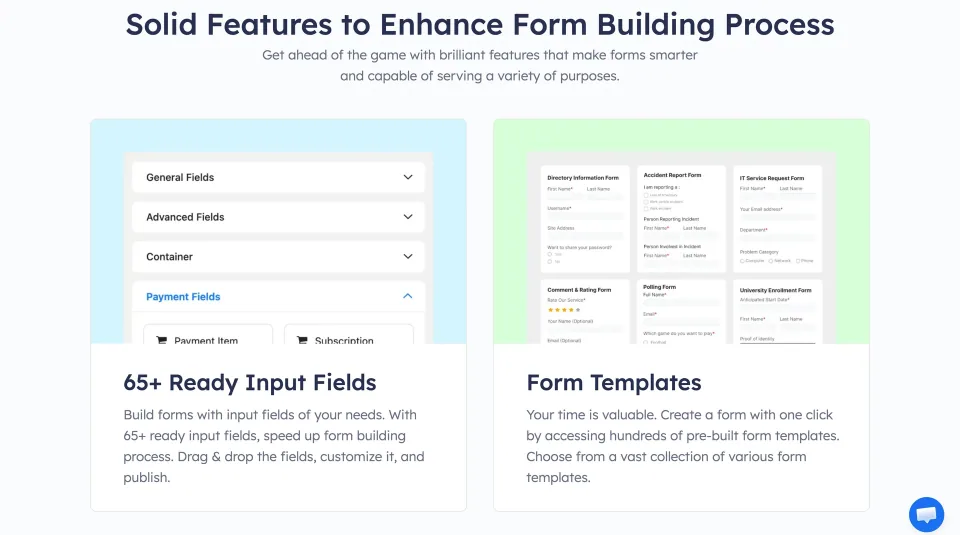
Fields and templates can reduce initial form setup. Check submission handling and notifications before using the form for real enquiries.
Where Pro earns its price
Pro is more compelling when the form becomes a workflow: multi-step applications, uploaded documents, Save & Resume, calculations, advanced email routing, user registration or post creation. Extra integrations also matter when submissions must trigger reliable follow-up in a CRM or another system. I would verify the specific connector and its permissions before committing; “many integrations” is not a substitute for checking the one your team depends on.
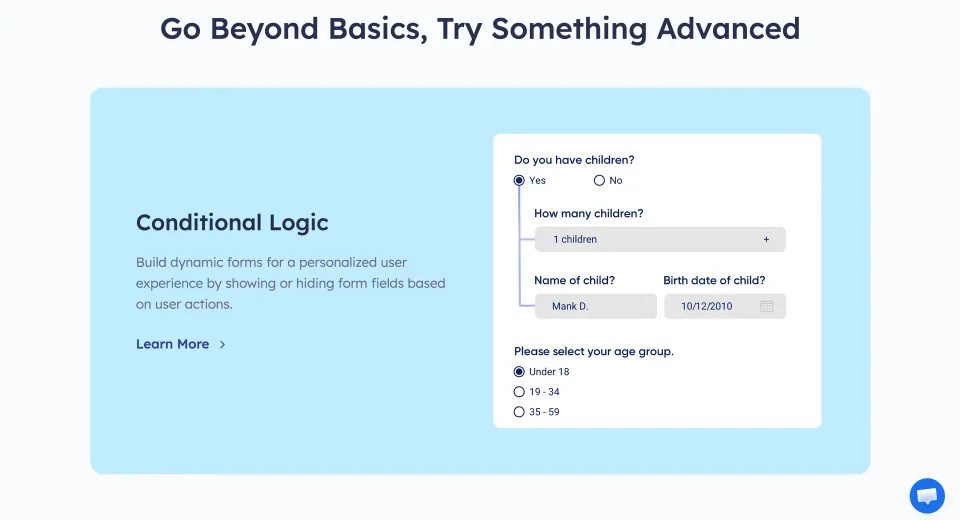
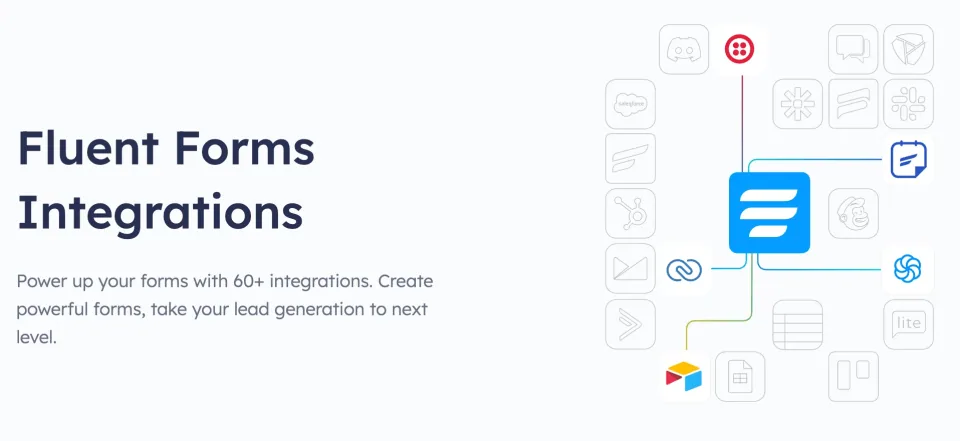
The conditional-logic preview illustrates how responses can control the form workflow. Verify the required capability in your chosen edition.Integrations are a concrete reason to evaluate Pro. Confirm the required service, authentication and license entitlement first.
The Stripe fee can change the decision
Fluent Forms supports Stripe in Free, but the vendor documents an additional 1.9% platform fee on those transactions, on top of normal payment-processor charges. Pro removes the Fluent Forms-added fee. Compare the annual value of that extra charge with the license cost if payments are your main reason to upgrade. Stripe availability, chargebacks and gateway fees still depend on the merchant account and region.
Buy the license for your actual site count
The Single Site, Agency and Unlimited licenses advertise the same Pro feature set; the published domain limits are one, five and unlimited. Do not buy Agency solely because you maintain two sites: compare it with separate Single Site licenses and consider where you expect to grow. Annual plans carry one year of updates and priority support; lifetime plans advertise ongoing entitlements at a larger upfront price. Ignore temporary sale prices when projecting the cost of renewal.
Operational limits before you switch
A submitted form is only useful if its notifications arrive and the resulting data is handled properly. Test real submissions, mail delivery, upload permissions, spam controls and any downstream automation on the actual site. Fluent Forms documents WordPress database tables for form entries; attached files and external connectors may have different storage and retention paths. Neither vendor privacy features nor marketing performance claims replace a compliance review or an independent site test.
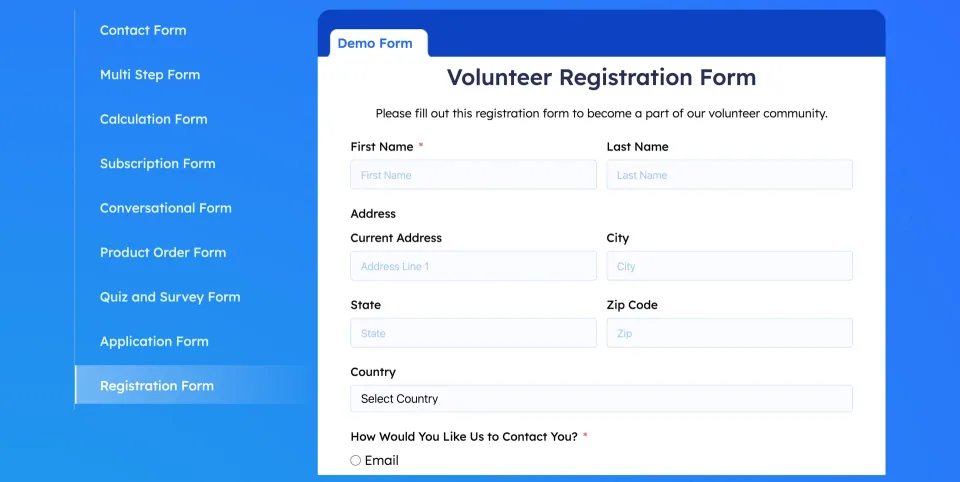
A longer registration form is a useful staging test for required fields, mobile layout, validation and the stored submission.
All Pro functionality; site count is the license-tier difference
Multi-step, file/image upload, Save & Resume and calculations
User registration, post creation, advanced routing and integrations
No extra Fluent Forms platform fee for Stripe; processor charges still apply
License & support
Pro license for one domain; annual or lifetime billing option
Renewal
Annual option includes updates and priority support for one year; continued entitlement requires renewal. Lifetime option is advertised with ongoing updates and priority support, no annual renewal.
All Pro functionality; site count is the license-tier difference
Multi-step, file/image upload, Save & Resume and calculations
User registration, post creation, advanced routing and integrations
No extra Fluent Forms platform fee for Stripe; processor charges still apply
License & support
Pro license for up to five domains; annual or lifetime billing option
Renewal
Annual option includes updates and priority support for one year; continued entitlement requires renewal. Lifetime option is advertised with ongoing updates and priority support, no annual renewal.
All Pro functionality; site count is the license-tier difference
Multi-step, file/image upload, Save & Resume and calculations
User registration, post creation, advanced routing and integrations
No extra Fluent Forms platform fee for Stripe; processor charges still apply
License & support
Pro unlimited-domain annual or lifetime license
Renewal
Annual option includes updates and priority support for one year; continued entitlement requires renewal. Lifetime option is advertised with ongoing updates and priority support, no annual renewal.
Regular undiscounted USD prices checked November 9, 2026; the vendor also displays temporary first-year annual and lifetime promotions. The listed annual prices should not be interpreted as a guaranteed discounted renewal charge. Annual Pro advertises one year of plugin updates and priority support, while lifetime advertises ongoing updates/support. No Pro feature tier differences were found between Single Site, Agency and Unlimited; website limits are 1/5/unlimited. Free Stripe transactions carry an additional 1.9% Fluent Forms platform fee according to the vendor, plus processor charges; Pro removes only the vendor-added fee. Taxes, auto-renewal settings, geographic checkout pricing, and payment-provider terms were not independently verified. Vendor FAQ advertises a 14-day refund policy.
Some links are affiliate links. We may earn a commission.
Listed prices may exclude taxes. Promotions and vendor terms can change; confirm at checkout.
AT A GLANCE
Key features
01
Free includes conditional logic, conversational forms and basic reporting
02
Stripe works in Free, with a vendor-added 1.9% transaction fee
03
Pro unlocks multi-step forms, uploads and operational integrations
04
The Pro license tiers share features; limits are 1, 5 or unlimited domains
05
Annual and lifetime prices should be weighed against usage and renewal terms
Features & compatibility
Vendor-sourced facts are based on published documentation; exceptions are labelled. Sources and check dates are grouped below each section.
The Free edition covers conditional logic, conversational forms, entry management and straightforward Stripe payments.
Pro adds meaningful workflow tools, not just cosmetic upgrades: multi-step, upload, calculation, registration and richer integrations.
Paid site-count licenses advertise the same Pro features, with annual and lifetime choices.
What to consider
Free Stripe payments carry an extra 1.9% Fluent Forms platform fee on top of processor charges.
File uploads, Save & Resume and advanced automation push users toward Pro.
Submissions and integrations require deliberate testing of mail delivery, permissions and data retention; no plugin makes those automatic.
Lifetime plans cost more upfront and depend on continued vendor support.
Best for
WordPress site owners who want a capable free contact or lead form, or businesses that need more advanced form workflows without switching to a separate hosted form service. Paid tiers are particularly relevant when handling applications, uploads, multi-step enrolments or multiple client websites.
Consider alternatives if
Teams that need a form platform outside WordPress, or organizations expecting built-in guarantees for email delivery, privacy compliance or payment processing. If your current free form solution already meets the workflow, there is no compelling reason to pay for Pro.
BEFORE YOU DECIDE
Frequently asked questions
Is Fluent Forms Free enough for a normal contact form?
For many sites, yes. Free offers a visual builder, conditional logic, email notifications, conversational forms, basic spam protection and entry management. Pay only if your form needs a Pro-only field, workflow or integration.
Can I take Stripe payments with Fluent Forms Free?
Yes. The vendor documents an additional Fluent Forms platform fee of 1.9% for Free Stripe transactions; Pro removes that extra vendor fee. Stripe processing charges still apply, and gateway availability depends on the merchant account and region.
Are multi-step forms and file uploads in the free plugin?
No. The current official Free vs Pro comparison lists multi-step forms, file/image uploads and Save & Resume among Pro features. Conditional logic and conversational forms are available in Free.
What is the difference between Single Site, Agency and Unlimited Pro?
According to the vendor, Pro features are the same across all three. The difference is the allowed number of domains: one, five or unlimited. Choose based on the sites that actually need Pro rather than assuming the Agency tier unlocks more tools.
Should I buy the annual or lifetime license?
Annual licenses include one year of updates and priority support, with renewal required for continued coverage. Lifetime is advertised with ongoing updates and priority support for a higher upfront price. Compare how long you expect to use the plugin, and confirm current terms at checkout.
What happens when an annual Pro term expires?
The documented one-year update and priority-support entitlement ends unless renewed. Do not assume an expired license includes future security fixes; confirm the exact installed-plugin behavior and renewal terms with the vendor.
Does Fluent Forms guarantee email delivery or GDPR compliance?
No. Notification delivery depends on the WordPress mail setup and recipient filtering. Form entries are stored in the WordPress site database; other integrations and uploads can have additional data paths. Test delivery and set access, retention and legal controls appropriate to the data you collect.
Can I migrate from another WordPress form builder?
The WordPress.org listing documents migration support for several common form plugins. Verify field mappings, conditional logic, email notifications, integrations and attachments on staging before retiring the old forms.
What are the minimum requirements and current release?
The WordPress.org directory lists WordPress 6.4+ and PHP 7.4+. The vendor changelog dated November 2, 2026 lists Fluent Forms core and Pro 6.2.17; some cached directory pages still show 6.2.16. These are vendor/directory records, not installed-site test results.
Is there a refund window?
The vendor FAQ advertises a 14-day refund policy. Check the current checkout terms for the license and promotion you are buying.
Alternatives & comparisons
Explore other published WordPress products, with matching categories listed first.
A paid WordPress form builder for conditional and multi-step forms. Quform offers one-time licensing, but email delivery and submission handling need proper setup.
WPForms Lite is a free drag-and-drop WordPress form builder for contact requests and basic payments. It relies on email for standard submissions; paid plans unlock local entry management and advanced workflows.
Paid WordPress form builder for conditional forms, uploads and repeatable data collection. Basic handles core forms; Pro adds payment and automation add-ons; Elite covers Multisite and advanced add-ons.