Paid WordPress form builder for conditional forms, uploads and repeatable data collection. Basic handles core forms; Pro adds payment and automation add-ons; Elite covers Multisite and advanced add-ons.
I would not pay for Pro just to get conditional logic, multi-page forms or file uploads; Basic already includes those. Choose Pro when a specific payment or automation add-on earns its place in the workflow. Elite makes sense for WordPress Multisite, unlimited live sites or advanced add-ons such as Survey and User Registration—not merely because a site has lots of forms. If the requirement is only a basic contact form, start by considering a credible free alternative. These are documentation-based judgments, not the result of a hands-on benchmark.
Why this rating?
Gravity Forms is a strong option for substantive forms and integrations, with clear add-on and site-license boundaries. It is less economical for a basic contact form because there is no permanent free edition, and payment or advanced workflows can require higher recurring tiers.
Research & assessment details
Documentation-based assessment by WPToolWatch Editorial. No hands-on benchmark.
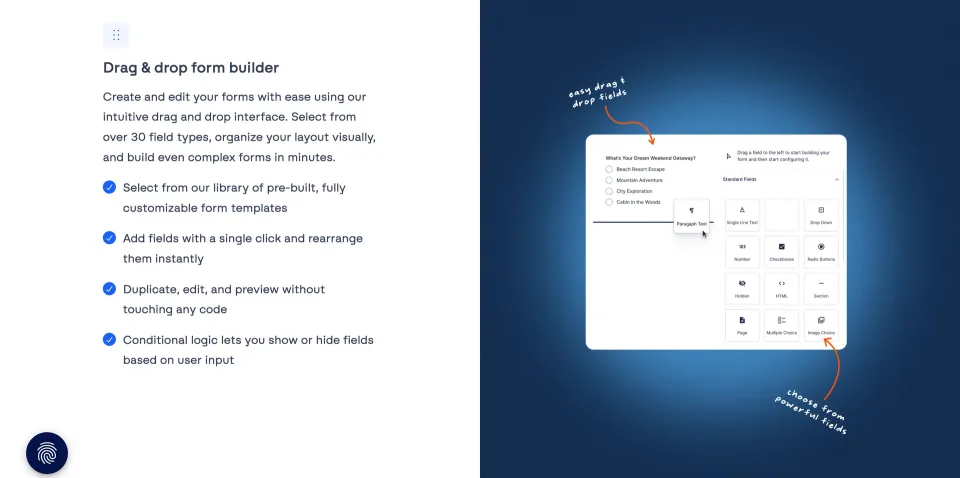
Gravity Forms is a paid WordPress plugin for collecting and routing information through contact forms, applications, event registrations and other structured submissions. Basic already includes conditional logic, multi-page forms, file uploads and entry management; a higher license does not buy a different core editor. Version 3.2 also brought the Repeater field into the visual editor for sets of repeated details, such as multiple attendees. That field has constraints—including limits on conditional logic and nested fields—so verify your exact form design before promising an elaborate workflow.
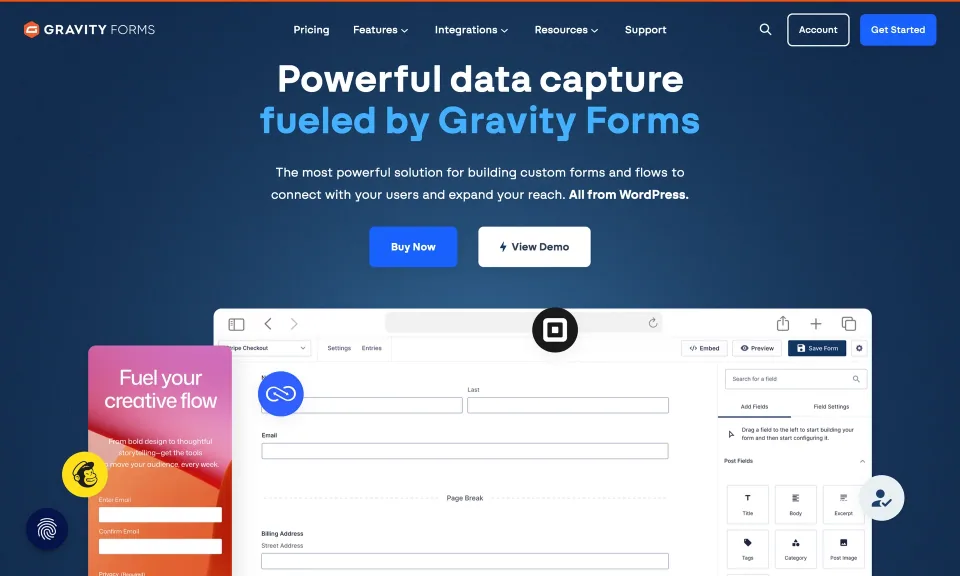
The builder preview illustrates arranging fields visually; license differences chiefly matter when choosing the add-ons needed for a workflow.A form layout can contain several field types. Choose the license by the workflow and add-ons rather than the number of fields alone.
Buy the add-on you need, not the biggest badge
The practical license question is which official integration you must use. Basic covers a single live site with the core builder and Basic marketing add-ons. Pro extends to three sites and adds payment or automation integrations such as Stripe, PayPal Checkout and Zapier. Elite permits unlimited sites, WordPress Multisite and Elite-only add-ons including Survey, Quiz, User Registration and Signature; it also provides priority support. A Multisite network needs Elite even when you only plan to activate Gravity Forms on one subsite. Recognized staging and development URLs can be excluded from site limits, but not every test-domain pattern qualifies.
The payment-integration overview is a checklist for add-on selection, not a claim that every payment option is included in every license.
Understand the paid-license lifecycle
There is no permanent free edition to install on your own WordPress site. You can explore the Elite feature set in a 14-day vendor-hosted demo, but export any forms you need before the demo is deleted. Current licenses generally renew annually unless you stop future billing. Once a license expires, the installed plugin may continue running, but updates, downloads, support and new activations are unavailable. The published 30-day refund policy covers eligible purchase, renewal and upgrade payments; submitting a request immediately invalidates the license. Treat renewals and the refund process as operational decisions, not footnotes.
The form is only one part of delivery and data security
Testing matters most when submissions contain private files, collect money or trigger business actions. Check notification delivery, spam controls, payment gateway callbacks and user permissions in staging. Gravity Forms documents download access controls and upload restrictions, but you still need to protect sensitive attachments and avoid sending their links to unintended recipients. The current 3.2.2 core changelog includes security improvements; keep the plugin and add-ons updated. Core minimums are WordPress 6.5 and PHP 7.4, not an endorsement of older hosting stacks. Native WooCommerce checkout replacement should not be assumed without an explicitly supported bridge.
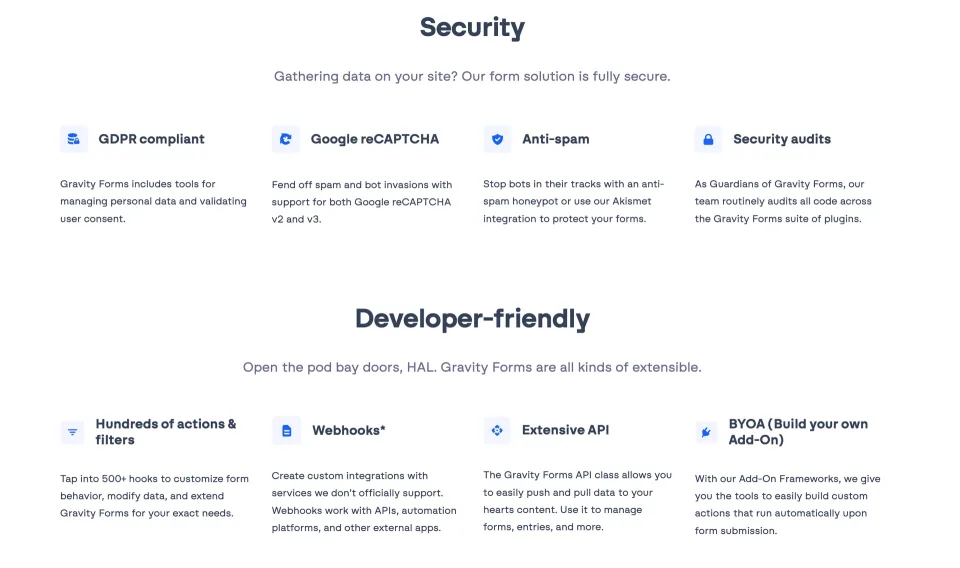
Security features need to be configured as part of the wider submission workflow, including permissions, notifications and data retention.
Commercial annual Basic license; core Gravity Forms and Basic add-ons; not permitted on WordPress Multisite.
Gravity Forms Basic, Gravity Forms Pro, Gravity Forms Elite · Renewal
Annual subscriptions generally auto-renew unless canceled; installed forms may continue after expiry, but updates, downloads, support and new-site activations stop.
Gravity Forms Pro · License & support
Commercial annual Pro license; Basic and Pro add-ons; not permitted on WordPress Multisite.
Gravity Forms Elite · License & support
Commercial annual Elite license with all official Basic, Pro and Elite add-ons.
Undiscounted list prices checked against the main vendor pricing page on November 9, 2026: Basic USD 59/year for one live site, Pro USD 159/year for three and Elite USD 259/year for unlimited sites and Multisite. Different official marketing pages may advertise temporary first-year discounts or historic prices; no discounted amount is assumed to be the renewal rate. Basic/Pro receive standard support; Elite priority support. Current subscriptions generally auto-renew unless future billing is canceled; expiry ends updates, downloads, support and new activations though installed forms may still operate. Recognized staging/development URL patterns can be excluded from site limits. Vendor policy allows eligible refund requests within 30 days but invalidates a license upon submission. Checkout tax, account-specific promotions and payment provider charges have not been verified. No standard lifetime tier or free self-hosted edition is listed.
Covers: Included author support, License model, Support channel
THE TRADE-OFFS
Pros & cons
What works well
Basic includes conditional logic, multipage flows, file uploads and the form editor without a Pro upsell.
The official add-on matrix makes payments, CRM/automation, surveys and registration requirements relatively easy to map to license tiers.
Elite adds unlimited site licenses, Multisite support and priority support for agencies managing several projects.
What to consider
There is no permanently free self-hosted edition.
Payments and Zapier require at least Pro; surveys, user registration and certain advanced add-ons require Elite.
Regular annual renewals are a real maintenance cost, and license expiry removes access to updates and support.
Uploads, notifications and payment integrations still require secure configuration and testing.
Best for
WordPress businesses managing applications, enquiries, registrations or forms that connect to payment and operations systems. Basic suits a single site that mainly needs the core form features; Pro is a better fit when a documented Pro add-on is part of the workflow; Elite targets Multisite networks or Elite-only functionality.
Consider alternatives if
Someone who only needs a free contact form, a team seeking a form service hosted outside WordPress, or a WooCommerce store expecting a built-in replacement for its checkout without verifying a third-party integration. Complex compliance and delivery requirements still need site-level review.
BEFORE YOU DECIDE
Frequently asked questions
Is Gravity Forms Basic enough for forms with conditional logic and file uploads?
Yes. Those are core features available on Basic, along with multi-page forms. Upgrade for a needed official add-on or higher site allowance, not merely for these fields.
What do Pro and Elite add beyond Basic?
Pro adds payment and automation add-ons such as Stripe, PayPal Checkout and Zapier and permits three live sites. Elite adds all official Elite add-ons, unlimited sites, WordPress Multisite and priority support. Check the current add-on matrix before purchasing.
Can I use Basic or Pro on a WordPress Multisite network?
No. The vendor documentation says only Elite, among current direct-purchase licenses, supports WordPress Multisite—even when using the plugin on a single subsite.
Do staging and development sites use up my site allowance?
Some are excluded. The vendor documents specific URL patterns recognized as staging/development; arbitrary domains do not automatically qualify. Verify the exact staging URL against the documented rules.
Does Gravity Forms have a free version or trial?
There is no free edition to keep on your own WordPress website. The official hosted demo runs for 14 days with Elite features and no credit card. Default outbound email is disabled unless you configure supported mail delivery. Export forms before the demo is deleted.
What happens when a license expires or I cancel auto-renewal?
Canceling future renewal leaves an otherwise active license valid until its paid expiry date. After expiry, the plugin and first-party add-ons may continue working, but you lose updates, downloads, support and the ability to register new sites. Future compatibility is not guaranteed.
How do refunds work?
The policy lists a 30-day request window for original purchases, renewals and upgrades, subject to conditions. Submitting a refund request immediately invalidates the license; partial refunds and license downgrades are not offered. Follow the vendor account process.
Can I accept Stripe or PayPal payments with Basic?
Not using the official Pro payment add-ons. Stripe and PayPal Checkout are listed in the Pro add-on tier, so choose Pro or Elite for those integrations. Payment processor fees and account eligibility remain separate.
What should I check when using file uploads or repeater fields?
Restrict upload types and download access, and test notifications containing attachment links. Gravity Forms 3.2 added a visual Repeater field, but conditional logic within repeaters, calculations and certain nested fields such as uploads are restricted. Check those limits before designing the form.
Can Gravity Forms replace WooCommerce checkout?
Not as a guaranteed first-party WooCommerce checkout replacement. An official Gravity Forms community response points to third-party bridges for WooCommerce scenarios. Verify the exact integration and payment/order synchronization before committing.
Which version and server requirements are documented?
The official changelog lists core 3.2.2 dated November 5, 2026. Minimum documented requirements are WordPress 6.5 and PHP 7.4; recommended hosting is newer. Individual add-ons can have their own requirements.
Alternatives & comparisons
Explore other published WordPress products, with matching categories listed first.
A paid WordPress form builder for conditional and multi-step forms. Quform offers one-time licensing, but email delivery and submission handling need proper setup.
WPForms Lite is a free drag-and-drop WordPress form builder for contact requests and basic payments. It relies on email for standard submissions; paid plans unlock local entry management and advanced workflows.
WordPress form builder with generous free tools, including conditional logic and Stripe. Pro adds uploads, multi-step forms and advanced workflows; choosing a license is mostly about features needed and site count.