I would shortlist FlyingPress for a site whose bottlenecks include uncached pages, heavy CSS/JS and image delivery—and whose owner wants one paid place to manage them. Starter is the rational entry for one live site; move up only when more licenses are needed. I would not buy it on the promise of a higher PageSpeed score alone, or replace a well-tuned host cache without measuring the current site first. The deal-breaker is the recurring license: treat it as part of operations, then budget FlyingCDN separately if you need it.
Why this rating?
FlyingPress combines page and front-end optimization into a coherent paid workflow, with documented commerce and license behavior. Cloud dependencies, continuing license costs and optional CDN charges matter, so it is strongest when those tools replace work the site actually needs.
Research & assessment details
Documentation-based assessment by WPToolWatch Editorial. No hands-on benchmark.
FlyingPress: a paid optimization workflow, not a magic speed switch
FlyingPress puts WordPress page caching, automatic preload, CSS/JavaScript cleanup, image optimization and real-user performance monitoring in one interface. It works with Apache, NGINX and LiteSpeed-family servers. That breadth is appealing when a site has several front-end bottlenecks; it does not fix slow database queries, weak hosting or poorly built third-party plugins by itself.
The purchase includes an operational dependency. FlyingPress uses remote processing for parts of its optimization workflow, and its terms say the plugin cannot be used after the license expires. That is a different commitment from buying a plugin you can keep running unchanged after support ends.
FlyingPress brings several optimization tasks into one workflow. Enable changes incrementally so a broken page can be traced to its cause.
Choose the license for the sites you actually manage
The public plans cover one, three, 25 or an unlimited number of live websites. They advertise the same core workflow rather than a separately verified faster algorithm at higher tiers. A 14-day trial is available, and staging/development activations do not use live-site slots. Use the structured pricing table for current amounts instead of relying on a price quoted inside a review paragraph.
For one live website, I would start with Starter. Pro only becomes more sensible when the second or third site needs its own activation. Agencies should read the license terms: client work under an ongoing consulting relationship is allowed, but sharing or reselling keys—and bundling FlyingPress into a hosting product—is not. Unlimited refers to sites owned or managed by the same entity, not a transferable pool of licenses.
What the optimizer changes
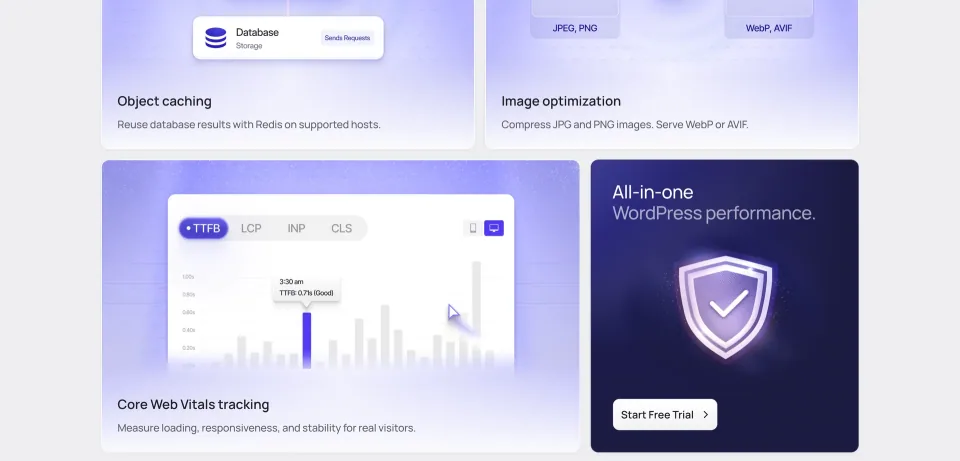
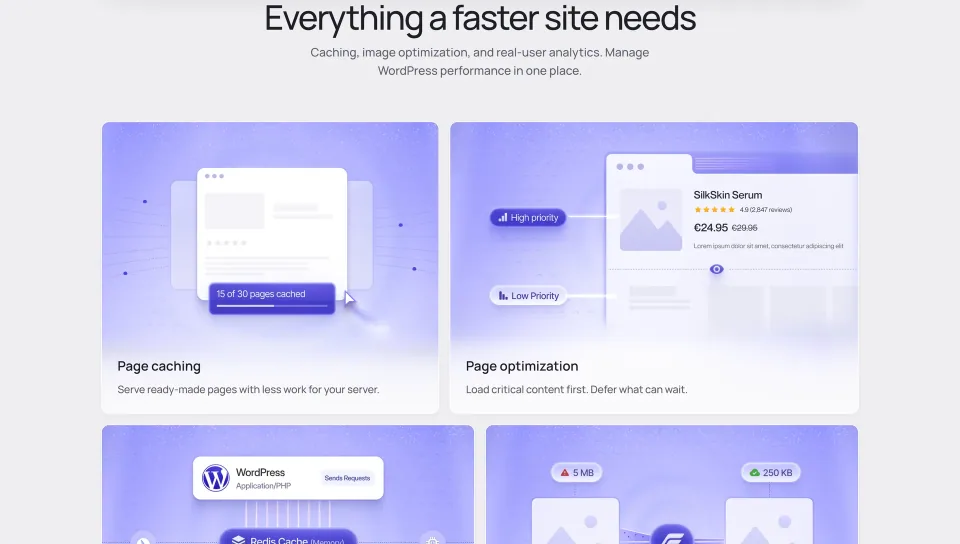
FlyingPress can generate cached HTML, preload after content updates, manage unused CSS, minify or delay scripts, and defer offscreen media. Its image optimizer handles eligible JPEG/PNG files and can create WebP or AVIF output. Original images are retained by default; deleting them permanently removes the built-in path back unless you have your own backup.
Its Core Web Vitals panel reports field metrics such as LCP, INP, CLS and TTFB from real visitors. Those measurements can help determine whether a change matters. They are not an independent guarantee of faster pages or better rankings; site traffic, hosting, third-party scripts and measurement windows still matter.
The optimization overview illustrates the settings to review. Check CSS, scripts, images and fonts against real pages after changing them.
WooCommerce: good defaults, but test the moving parts
FlyingPress excludes WooCommerce Cart, Checkout and My Account from page caching and purges product-related cached pages after updates. That protects common journeys, not every customized store. A theme that fails to update the mini-cart through AJAX may need a cookie bypass; this also reduces the cache hit rate. Currency switchers, user-specific prices and checkout extensions deserve separate checks.
Make a baseline first, then enable the more aggressive script and CSS controls gradually. Test an anonymous product visit, adding to cart, a logged-in account, checkout, forms and payment callbacks on desktop and mobile. Verify consent and analytics events too. Running two overlapping full-page caches or delay/minification stacks makes failures much harder to diagnose.
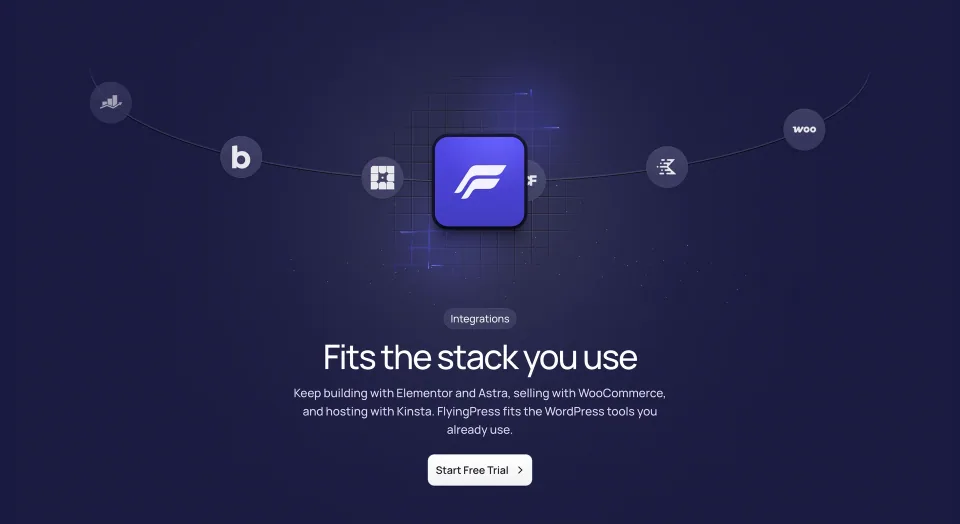
Integration logos are a starting point for compatibility checks. Test the moving parts of the actual store, including cart and checkout.
FlyingCDN and requirements are separate decisions
FlyingCDN is an optional delivery service, not an included feature of a plugin license. Its per-domain monthly charge and bandwidth increments are listed in pricing notes and the vendor CDN documentation. Do not confuse buying FlyingPress with subscribing to FlyingCDN; calculate both recurring costs before committing.
The published minimums are WordPress 4.7, PHP 7.4 and MySQL 5.6 or MariaDB 10.0, but maintained runtime versions are the sensible production choice. FlyingPress expects writable WordPress paths and public site accessibility for cloud tasks. A staging license slot may be free while a password-protected staging site still cannot complete cloud optimizations; test public production jobs rather than assuming staging results transfer.
My take
FlyingPress earns consideration when you want one accountable optimization workflow and can maintain an annual license. The 14-day trial is a chance to compare before/after behavior on your own site; check cart accuracy, field vitals and the renewal obligation—not only a synthetic speed score. If your hosting cache already solves the bottleneck, adding another optimization layer may cost more attention than it saves.
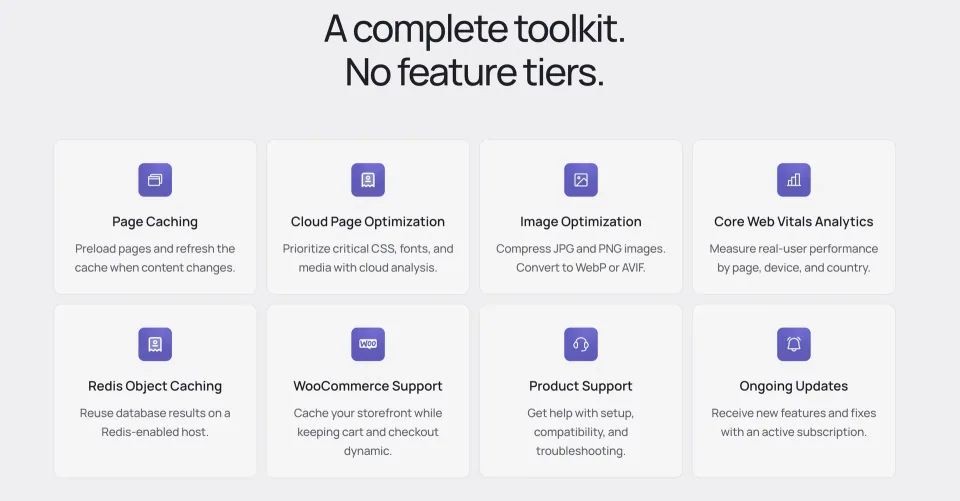
The toolkit overview is useful for matching the product to a maintenance workflow. Measure the resulting site rather than assuming an advertised speed outcome.
Annual FlyingPress site-based subscription. An active license is required for continued use and cloud processing. Staging/development activations do not count toward the plan’s live-site limit.
Renewal
Renews automatically after one year unless canceled. Expiry ends usage under the vendor terms; optional FlyingCDN is a separate service. Review account-specific renewal and tax before checkout.
Annual FlyingPress site-based subscription. An active license is required for continued use and cloud processing. Staging/development activations do not count toward the plan’s live-site limit.
Renewal
Renews automatically after one year unless canceled. Expiry ends usage under the vendor terms; optional FlyingCDN is a separate service. Review account-specific renewal and tax before checkout.
Annual FlyingPress site-based subscription. An active license is required for continued use and cloud processing. Staging/development activations do not count toward the plan’s live-site limit.
Renewal
Renews automatically after one year unless canceled. Expiry ends usage under the vendor terms; optional FlyingCDN is a separate service. Review account-specific renewal and tax before checkout.
Annual FlyingPress site-based subscription. An active license is required for continued use and cloud processing. Staging/development activations do not count toward the plan’s live-site limit.
Renewal
Renews automatically after one year unless canceled. Expiry ends usage under the vendor terms; optional FlyingCDN is a separate service. Review account-specific renewal and tax before checkout.
Official plan prices and site limits verified 2026-11-09; all four plans renew annually, and the pricing page offers a 14-day full-feature trial (cancel before the first charge). Staging/development activations do not consume live-site slots, but cloud optimization needs a publicly accessible website. License terms restrict Unlimited use to sites owned or managed by one entity; active consulting relationships are allowed, while license resale and bundled hosting deployments are prohibited. An expired license means FlyingPress is no longer usable under the vendor terms, not merely that updates cease. Optional FlyingCDN is a separate bill: $10/root domain/month for 100 GB total traffic, then $5 per extra 100 GB. Accidental-charge refund policy: full within 24 hours, less a 20% processing fee from 24 hours to 7 days, none thereafter. Check actual checkout, taxes and account-specific renewal price before purchase; no checkout was performed.
Some links are affiliate links. We may earn a commission.
Listed prices may exclude taxes. Promotions and vendor terms can change; confirm at checkout.
AT A GLANCE
Key features
01
A single optimization workflow for page cache, preload, CSS/JS, eligible images and real-user performance data.
02
Annual tiers primarily scale live-site activations (1, 3, 25 or Unlimited); 14-day trial before the first charge.
03
The active license is operationally important; cloud processing is not a perpetual offline feature.
04
FlyingCDN costs extra, and WooCommerce personalization still needs regression testing.
Features & compatibility
Vendor-sourced facts are based on published documentation; exceptions are labelled. Sources and check dates are grouped below each section.
Covers: Included author support, License model, Support channel
Testing & evidence1 item
Independent performance benchmark
Not independently tested
Sources & verification for Testing & evidence
UnverifiedNo source attached
Covers: Independent performance benchmark
THE TRADE-OFFS
Pros & cons
What works well
Combines full-page caching, cache preloading, script and CSS controls, eligible image optimization and real-user vitals.
Runs across Apache, NGINX, LiteSpeed and OpenLiteSpeed hosting.
WooCommerce integration excludes cart, checkout and account pages from page cache by default.
Staging and development activations are excluded from published license site limits.
Official docs explain license, CDN, image restoration and cache edge cases.
What to consider
Active annual license is required for continued use under published terms; cloud processing is a dependency.
Optional FlyingCDN is separately charged per domain and bandwidth.
Cloud jobs depend on public accessibility and working site endpoints.
Aggressive JS delay and caching can disrupt cart widgets, personalization or analytics without testing.
No independent benchmark in this profile establishes a speed or conversion gain.
Best for
Owners of public-facing WordPress sites who want caching, resource optimization and real-user monitoring in one paid workflow; agencies with an ongoing relationship to managed client sites; WooCommerce operators who can validate carts and checkout.
Consider alternatives if
Buyers who need a free or lifetime-license cache tool; staging-only, local or authentication-protected sites that depend on cloud preprocessing; teams with an existing cache stack that already meets field-data goals; stores unable to test dynamic pricing and checkout; hosting resellers planning to distribute one shared license.
BEFORE YOU DECIDE
Frequently asked questions
Is FlyingPress free?
There is no permanently free version advertised. The vendor offers a 14-day full-feature trial before the initial subscription charge; cancel in time if it does not fit.
Which FlyingPress plan should I choose?
Choose by live-site count rather than assuming a faster optimization engine at higher tiers: Starter 1 site, Pro 3, Business 25, Unlimited for sites owned or managed by one entity. Staging and development activations do not count toward that limit.
What happens if I cancel or let my FlyingPress license expire?
Cancellation prevents the next automatic renewal, but the license remains active until its paid term ends. The official terms say FlyingPress cannot be used after expiry. Do not plan on continued offline use of all plugin functions without an active license.
Is FlyingCDN included?
No. FlyingCDN is optional and separately billed. Vendor documentation currently lists $10 per root domain each month for 100 GB of total bandwidth, plus $5 for each additional 100 GB; verify current rates and usage in your account.
Can agencies use an Unlimited license for client websites?
The terms cover sites owned or managed by one entity and permit client sites when the license holder has an ongoing consulting relationship. They prohibit sharing or reselling keys and integrating a license into a hosting service offered to customers.
Does FlyingPress work with WooCommerce and dynamic carts?
It excludes Cart, Checkout and My Account from caching by default and purges product pages after updates. AJAX mini-carts usually work, but some themes need an items-in-cart cookie bypass. Test cart counts, prices, taxes, checkout and personalized content on your own store.
Can I use FlyingPress with an existing page-cache plugin?
Avoid having two tools manage the same full-page cache and overlapping script/CSS optimizations. Coordinate with your host or disable conflicting features before switching, then test the public site and logged-in sessions.
Will cloud optimization work on a local or password-protected staging website?
Not reliably. Vendor requirements say local and authentication-protected environments can block cloud processing. Staging license exemptions concern activation counts, not guaranteed cloud access.
Can FlyingPress optimize and later restore my images?
Eligible JPG/JPEG and PNG images can be optimized into WebP, AVIF or original format. Original images remain unless you explicitly delete them. Once originals are permanently deleted, restoration requires a separate backup.
What are the minimum server requirements?
The documented minimums are WordPress 4.7+, PHP 7.4+, MySQL 5.6+ or MariaDB 10.0+, appropriate writable file permissions and public accessibility for cloud operations. These are minimums, not recommended versions for a new production site.
Does the 14-day trial guarantee a refund after a charge?
No. Cancel during the trial to avoid the charge. The published policy for accidental charges is a full refund when requested within 24 hours, a refund less a 20% processing fee from 24 hours to 7 days, and none after 7 days.
Does FlyingPress guarantee better Core Web Vitals or search rankings?
No. It offers real-user vitals tracking and optimization controls, but gains depend on site conditions. Compare field metrics and critical user journeys before and after changes; this profile contains no independent hands-on benchmark.
Alternatives & comparisons
Explore other published WordPress products, with matching categories listed first.
Paid WordPress caching and front-end optimization plugin that favors quick setup. Useful when one workflow replaces scattered tools, but the gain depends on your hosting, dynamic content and existing stack.
Free WordPress optimization plugin with server-level page caching on LiteSpeed-powered infrastructure or QUIC.cloud. Check hosting requirements, WooCommerce safety and service costs.
WPBakery is a shortcode-based WordPress content builder with frontend and backend editors. A practical choice for existing WPBakery sites; new block-first projects should weigh migration costs.