Spectra now has two separate WordPress block plugins: Blocks for new builds and maintained Legacy for existing sites. Compare Free, Pro, migration and license costs.
For a new Gutenberg site, Spectra Blocks Free is the sensible starting point. Buy Pro for a clearly identified control, workflow or support need—not because “newer” automatically means faster. For a functioning Legacy site, the safer default is to stay maintained until a page-by-page rebuild has a clear business payoff. Count staging activations and optional ZipAI costs before committing to a toolkit.
Why this rating?
Spectra offers a useful free extension of the native block editor and a paid path for specific design or workflow needs. Existing Legacy layouts and the newer product track require a considered migration decision, while bundled services and activation limits complicate comparisons.
Research & assessment details
Documentation-based assessment by WPToolWatch Editorial. No hands-on benchmark.
Spectra now refers to two separate WordPress block-editor plugins. Spectra Legacy is the original builder used by existing sites; Spectra Blocks is the rebuilt plugin where Brainstorm Force is adding new features. The split matters more than the product name: installing Blocks does not upgrade or replace Legacy, and their blocks and settings are not interchangeable.
New site or existing site? Make that decision first
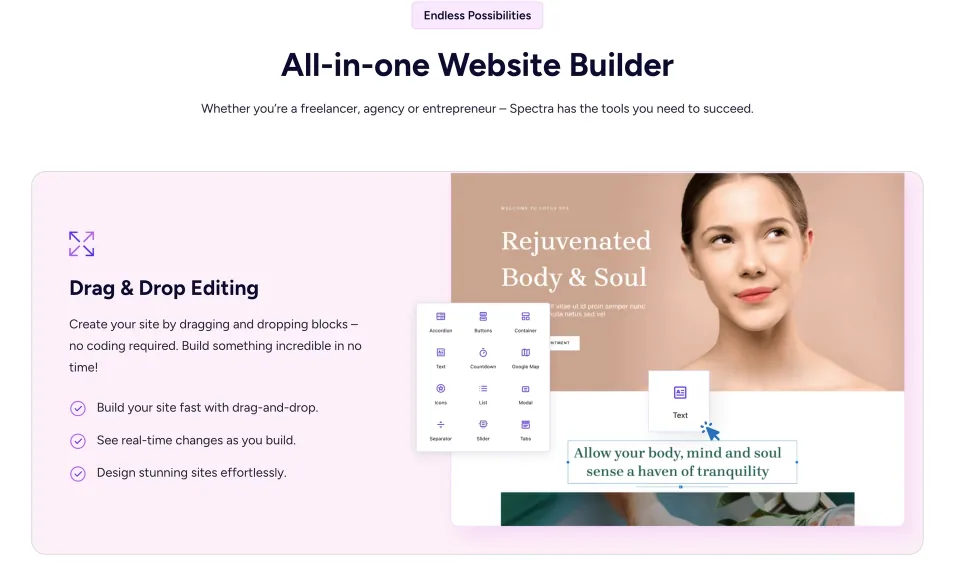
The block-editing preview illustrates Spectra’s approach. Match the controls to Spectra Blocks or Legacy rather than assuming both share an identical interface.
For a new Gutenberg-based website, I would start with Spectra Blocks Free. It keeps work in the native WordPress editor, and you can see whether its controls are enough before buying Pro. If your live pages already use Spectra Legacy, keep Legacy running unless the newer architecture fixes a specific problem worth rebuilding for. The vendor continues to maintain Legacy with security and compatibility releases.
What Spectra Blocks Free actually gives you
The new free plugin offers flexible containers, layout and styling extensions, responsive controls, patterns, modals and other composable blocks inside Gutenberg. It suits landing pages, editorial layouts, service pages and ordinary business websites that do not need a separate visual-builder canvas. Not every older Legacy block exists as an identical new block; some layouts must be assembled from smaller core and Spectra blocks.
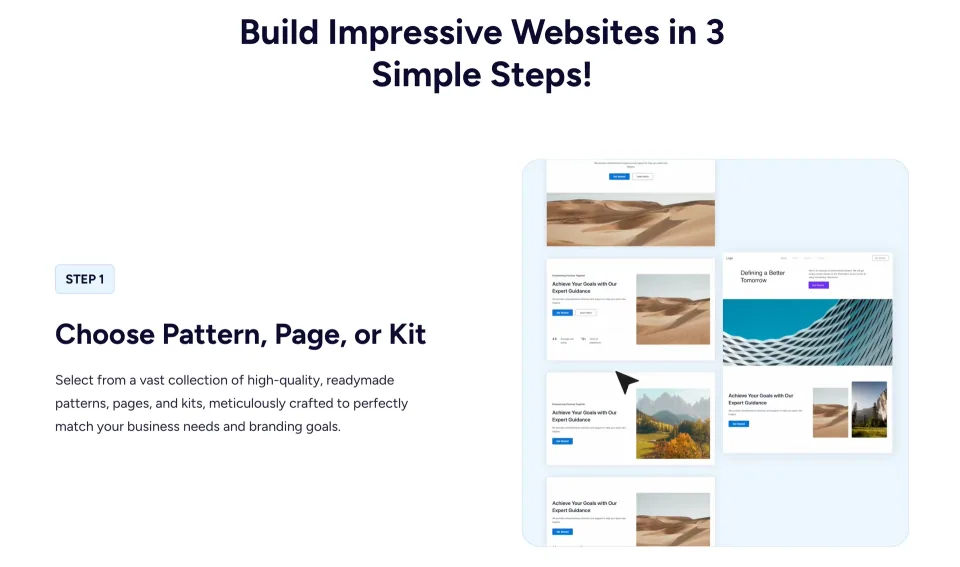
Patterns and site kits provide starting layouts. Check that the chosen assets match the Spectra architecture installed on the site.
Where Pro becomes useful
Pro is worth evaluating when a particular design depends on documented premium controls, advanced interactions or direct support. For example, the Modal documentation distinguishes basic modal behavior from Pro-only automatic triggers and certain placement options. Check each needed feature against the newer Spectra Blocks Pro documentation rather than assuming a Legacy Pro screenshot describes the new plugin. Buying a toolkit just to unlock basic blocks is unnecessary for many sites.
The license cost is broader than the sticker price
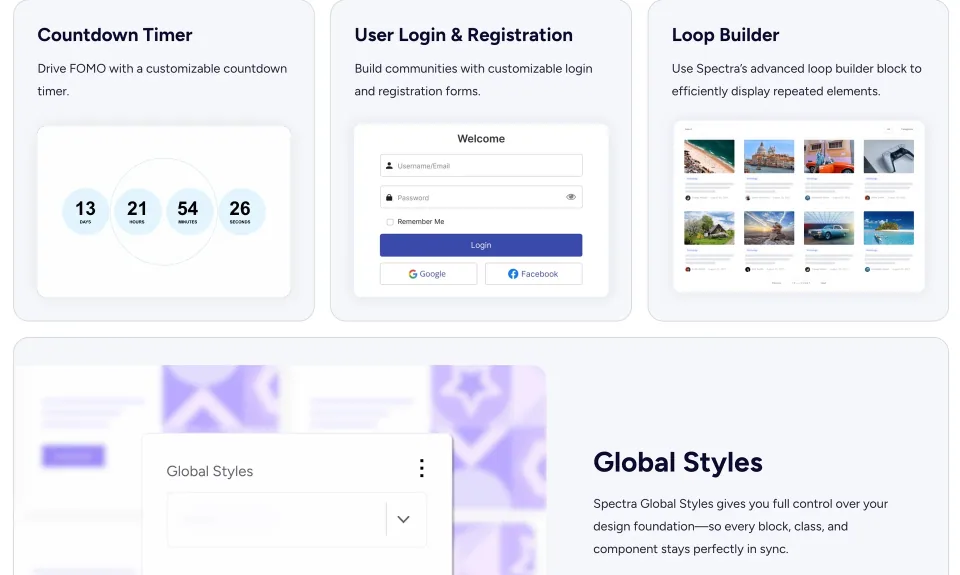
The Pro feature preview helps identify a concrete reason to upgrade. Confirm feature availability for Spectra Blocks or Legacy before buying.
The pricing page advertises standalone Spectra Pro for three activated sites; Essential Toolkit expands the bundle to ten and Business Toolkit to 1,000. Annual promotions and lifetime offers sit alongside renewal prices and time-limited extras. Importantly, the vendor counts local development, staging, subdomains and multisite sub-sites as separate activations. An agency should count all working environments, not just public client domains, before choosing a tier.
ZipAI is optional—and metered
Spectra Blocks can be used without signing in or paying for AI. AI-generated pages, sections and HTML-to-block conversions use the separate ZipAI service and consume credits. Spectra Pro access does not mean unlimited generations; bundles advertising AI, hosting or domains have their own allowances and durations. The vendor also cautions that the AI design workflow is optimized for Spectra One, so verify output with another theme before promising clients an automated layout.
Legacy maintenance is not a forced migration deadline
Spectra Legacy 2.20.6 was released November 3, 2026 with security and compatibility fixes. Existing pages and saved blocks remain supported while the plugin stays active. “Legacy” is not the same as “unsupported,” although new design features are developed in Spectra Blocks. Keeping an up-to-date, tested Legacy site may be the lower-risk decision for projects with many bespoke templates or integrations.
Migration is a rebuild, not an import switch
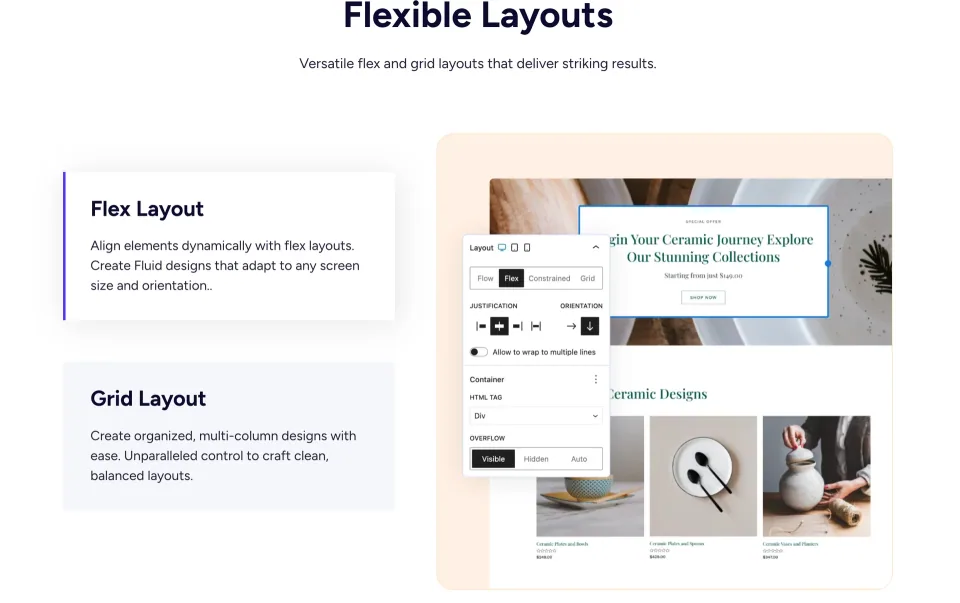
Layout controls are a useful staging checklist when maintaining or rebuilding pages. Existing spacing and breakpoints still need to be verified.
There is no one-click converter from Spectra Legacy to Spectra Blocks. The vendor supports running both plugins temporarily while pages are recreated one by one. Global colors, typography, patterns and CSS selectors targeting older blocks do not automatically transfer. Back up the site, rebuild one representative page on staging, verify mobile breakpoints and published markup, then decide whether the remaining conversion work is justified. Do not deactivate Legacy while published content still relies on its blocks.
Check WordPress, commerce and multilingual constraints
Spectra Blocks requires WordPress 6.6+ and PHP 8.1+; Legacy lists WordPress 5.6+ and PHP 7.4+. For WooCommerce layouts, Blocks uses WooCommerce’s own blocks rather than dedicated Spectra product blocks. The vendor confirms WPML testing, while Polylang and multisite compatibility are not yet confirmed in its FAQ. These are practical checks for shops and agencies; “works with WordPress” does not guarantee your exact editor, theme and extension combination.
The purchase decision I would make
Use Spectra Blocks Free on a new site and build an actual page first. Upgrade only when you can name the premium capability or support you need, then check renewal and activation limits across production and staging. For a Legacy site, keep the maintained setup unless a planned migration provides enough value to offset rebuilding. No independent speed benchmark or production migration was performed for this profile; vendor performance claims are not evidence of a measured gain.
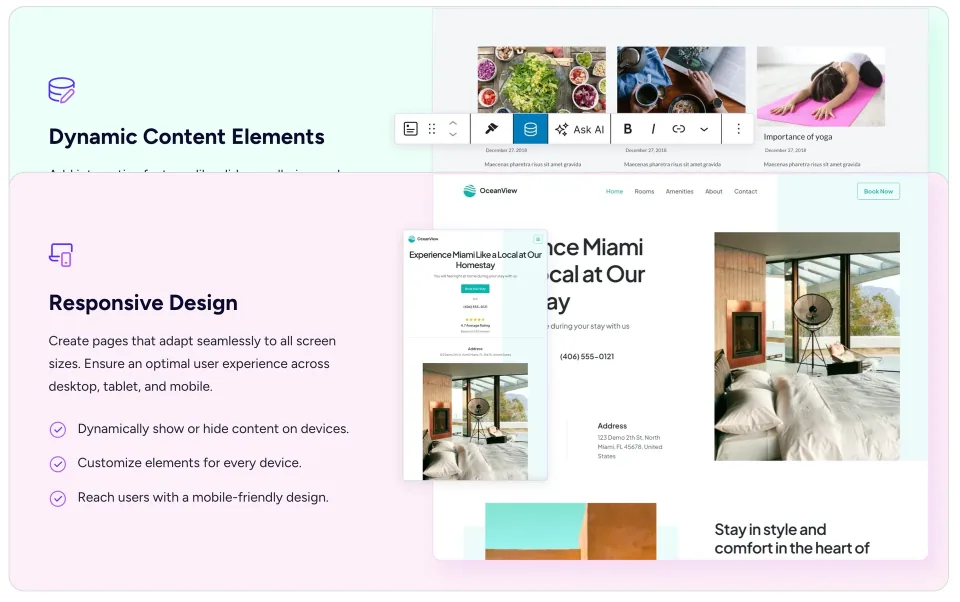
Dynamic content and responsive previews are inputs to the buying decision, not a substitute for checking the finished page on a phone.
Pro features for the Spectra builder, including enhanced advanced block and design controls
Shared eligible license key for Spectra Blocks Pro or Spectra Pro Legacy
Paid support and product updates during valid entitlement
No premium starter pattern/kit bundle or ZipAI credit allowance assumed
License & support
Paid license covers Spectra Blocks Pro and Spectra Pro Legacy; install the Pro plugin that matches your chosen free base plugin.
Renewal
The public page lists $69/year for the 3-site plugin license and a promotional $319 one-time lifetime option (reference $349). Lifetime covers eligible plugin updates/support, not unlimited ZipAI. Confirm checkout and any taxes.
Premium patterns and kits, unlike standalone Spectra Pro
Selected AI platform, blueprint/sandbox and hosting extras subject to published service allowances
License & support
Bundle includes Spectra Pro, Astra Pro, Ultimate Elementor Addons and premium starter templates, plus advertised AI platform offerings.
Renewal
Public offer: $199 introductory year, then $299/year; promotional lifetime $549 (reference $899). AI, hosting, domain and other service extras have separate allowances and time limits. Verify terms at checkout.
Spectra Pro access for up to 1,000 website activations
Astra Pro, starter kits and additional business tools
Expanded blueprint/sandbox site allowances and vendor AI platform
VIP support as advertised; hosted sites/domain extras have finite duration/limits
License & support
Broader Brainstorm Force toolkit bundle including Spectra Pro plus Astra Pro, templates, other tools and AI/workflow services.
Renewal
Public offer: $279 introductory year, then $429/year; promotional lifetime $799 (reference $1,299). Lifetime plugin rights are distinct from time-limited AI/hosting/domain services. Verify terms at checkout.
Verified against the vendor public pricing and WordPress.org listings on 2026-11-09 (not through a completed checkout). Spectra Blocks Free is a separate free plugin with no paid activation limit. Paid Spectra Pro: $69/year or promotional $319 lifetime for 3 activations. Essential Toolkit: $199 introductory annual, $299 renewal; promotional $549 lifetime for 10 activations. Business Toolkit: $279 introductory annual, $429 renewal; promotional $799 lifetime for 1,000 activations. All are USD public offers and may vary by promotion, region or tax. The vendor counts each local, staging, test, subdomain or multisite instance against paid license limits. Qualifying Pro entitlement covers the appropriate Pro plugin for Legacy or Blocks; it does not include unlimited ZipAI usage. Annual expiry leaves an installed plugin usable but ends updates and one-to-one support. Lifetime plugin entitlement does not make optional AI, hosting or domain services perpetual. Original profile had no pricing plans; four IDs introduced in the previous revision are preserved.
Some links are affiliate links. We may earn a commission.
Listed prices may exclude taxes. Promotions and vendor terms can change; confirm at checkout.
AT A GLANCE
Key features
01
New site: start with Spectra Blocks Free. Existing site: keep Legacy until migration solves a real need.
02
Legacy remains maintained; moving to Blocks is a manual page-by-page rebuild, not an automatic upgrade.
03
Eligible Spectra Pro licenses cover the appropriate companion for either plugin, but environments count toward site activations.
04
ZipAI generation requires credits; lifetime plugin entitlements do not guarantee lifetime AI or hosting.
Features & compatibility
Vendor-sourced facts are based on published documentation; exceptions are labelled. Sources and check dates are grouped below each section.
Requirements & updates5 items
Listed version
Spectra Blocks 1.0.12
Last directory update
Spectra Blocks 1.0.12 published October 20, 2026
Minimum WordPress
Spectra Blocks: WordPress 6.6+
Minimum PHP
Spectra Blocks: PHP 8.1+
Recommended PHP memory
256 MB+ recommended for Spectra Blocks; not a hard minimum
Covers: Included author support, License model, Support channel
Testing & evidence1 item
Independent performance benchmark
Not independently tested
Sources & verification for Testing & evidence
UnverifiedNo source attached
Covers: Independent performance benchmark
THE TRADE-OFFS
Pros & cons
What works well
Spectra Blocks Free provides useful layout and styling controls without a paid license.
The original Legacy plugin continues to receive security and compatibility fixes.
Editors work in native Gutenberg rather than a separate page-building canvas.
Eligible Spectra Pro licenses cover the correct Pro companion for either branch.
Paid tiers offer distinct multi-site allowances and lifetime options.
What to consider
Legacy-to-Blocks conversion requires page rebuilding and retesting.
Spectra Blocks needs PHP 8.1+, while some Legacy sites run on older environments.
Not every Legacy block or global setting has a direct counterpart in Blocks.
Staging, localhost and test sites count toward paid license activations.
AI credits and some toolkit services have additional costs or finite terms.
Polylang and multisite compatibility were not yet confirmed in the vendor FAQ.
Best for
New WordPress builds using the native block editor; content teams designing service and landing pages; freelancers who prefer Gutenberg and can justify Pro only for specific features. Existing Spectra Legacy users can keep their maintained setup without rebuilding.
Consider alternatives if
Teams requiring one-click conversion of Legacy content; environments below WordPress 6.6/PHP 8.1 that cannot upgrade to Spectra Blocks; buyers expecting dedicated Spectra WooCommerce product widgets, guaranteed third-party multilingual support or unlimited AI generation.
BEFORE YOU DECIDE
Frequently asked questions
Is Spectra Blocks free, or do I need to sign up?
Spectra Blocks Free and Spectra Legacy Free are separate WordPress.org plugins. Core block editing does not require a paid license or account. ZipAI-powered generation is an optional service that may prompt you to sign in and use credits.
What changed when Spectra split into Legacy and Blocks?
Legacy is the original plugin, now receiving maintenance, security and compatibility updates. Blocks is a separate rebuild using modern WordPress core-block APIs and is the focus of new feature development. An update to Legacy will not turn it into Blocks.
Should I choose Spectra Blocks for a new website?
Usually yes if you want to build within Gutenberg and meet WordPress 6.6+/PHP 8.1+. Start with Free and test the blocks you need. Choose Legacy only when you require a Legacy-only block or integration not yet available in Blocks.
Is there a one-click migration from Spectra Legacy?
No. As checked November 9, 2026, vendor documentation calls for rebuilding pages manually. Existing global settings, saved patterns and custom CSS may need separate work. Keep Legacy active until its blocks are no longer used.
Can Spectra Legacy and Spectra Blocks run together?
Yes. The vendor supports using them side by side during migration. Each renders its own blocks, although the editor may carry additional overhead. Running both indefinitely is generally unnecessary once all Legacy content is replaced.
How much is Spectra Pro?
The public page checked November 9, 2026 displays standalone Spectra Pro at $69/year or a promotional $319 lifetime for three activations. Essential Toolkit shows $199 introductory annual/$299 renewal or $549 lifetime for ten; Business Toolkit shows $279 introductory annual/$429 renewal or $799 lifetime for 1,000. Verify offers, taxes and checkout terms before purchase.
Does my current Spectra Pro license cover Spectra Blocks Pro?
A valid plan that includes Spectra Pro covers both plugin families through their matching Pro companions. Use Spectra Pro Legacy with Spectra Legacy, or Spectra Blocks Pro with Spectra Blocks; download the correct package from the vendor account.
Are AI-generated pages included with Spectra Pro?
The AI workflow uses ZipAI credits even when you hold a Pro license. Bundles may include time-limited AI platform benefits, but no plan should be treated as unlimited AI generation unless the specific credit allowance is confirmed at checkout.
Can I use Spectra Blocks with WooCommerce?
Yes, alongside WooCommerce’s own blocks. Spectra Blocks does not provide dedicated WooCommerce product blocks according to its vendor FAQ. Test product layouts, cart and checkout flows with your theme and installed plugins.
What are the minimum WordPress and PHP requirements?
Spectra Blocks requires WordPress 6.6+ and PHP 8.1+. Spectra Legacy lists WordPress 5.6+ and PHP 7.4+. These are separate plugins with different requirements; check your actual server before installing.
Do local, staging and test sites use license activations?
Yes. The vendor pricing FAQ says each localhost, staging, subdomain, test site and multisite sub-site activation counts separately. A license can be moved by deactivating it at the old site first; count your working environments before purchasing.
What happens when an annual Spectra Pro license expires?
The vendor says the installed plugin can keep functioning, but updates and one-to-one support are no longer available. A lifetime license covers eligible plugin updates and support, not automatically perpetual third-party AI, domain or hosting services.
Is there a Pro trial or a refund window?
The vendor does not advertise a free Pro trial. It advertises a 14-day new-purchase refund guarantee, subject to the published terms and exclusions. Check the applicable refund rules for renewals and bundled services.
Alternatives & comparisons
Explore other published WordPress products, with matching categories listed first.
WPBakery is a shortcode-based WordPress content builder with frontend and backend editors. A practical choice for existing WPBakery sites; new block-first projects should weigh migration costs.
A premium extension for websites already built with WPBakery, adding visual elements, icon tools and background effects. WPBakery is required separately.