I would not buy PRO just to edit titles or publish XML sitemaps; SEOPress Free already does that. The paid license starts to make sense when redirects, local SEO, structured data or WooCommerce controls would replace other tools or regular manual work. Choose one site for a single project. If you expect to manage a second site, the five-site tier is a relatively small step up, with no feature difference. Judge it by the workflow you need, not a promise of better rankings.
Why this rating?
SEOPress offers a capable free foundation and consistently scoped Pro features across site-count tiers. It is an attractive value choice for practical SEO management, with the main caveats in migration checks and the separate costs of rank tracking or AI usage.
Research & assessment details
Documentation-based assessment by WPToolWatch Editorial. No hands-on benchmark.
SEOPress handles WordPress SEO settings such as titles and descriptions, canonical URLs, sitemaps, social metadata and on-page checks. Its Free edition offers more than a trial: a small publishing site can manage those essentials without buying a license. The plugin also works through the WordPress editor and supported page-builder interfaces.
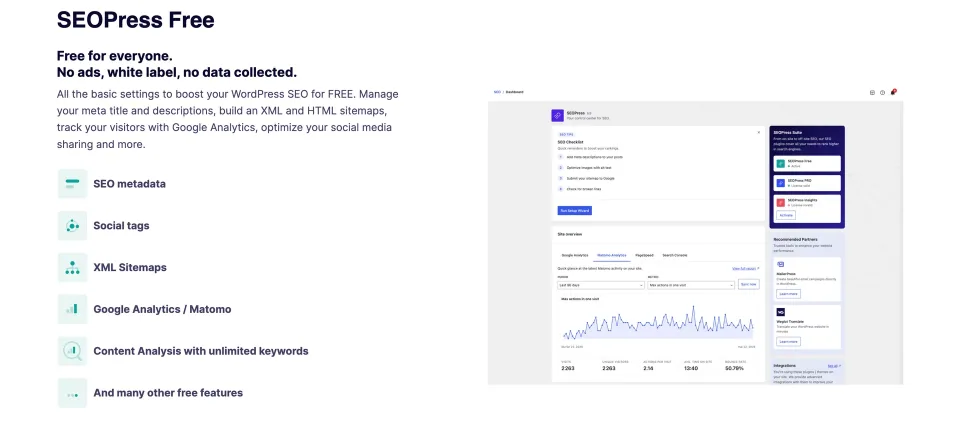
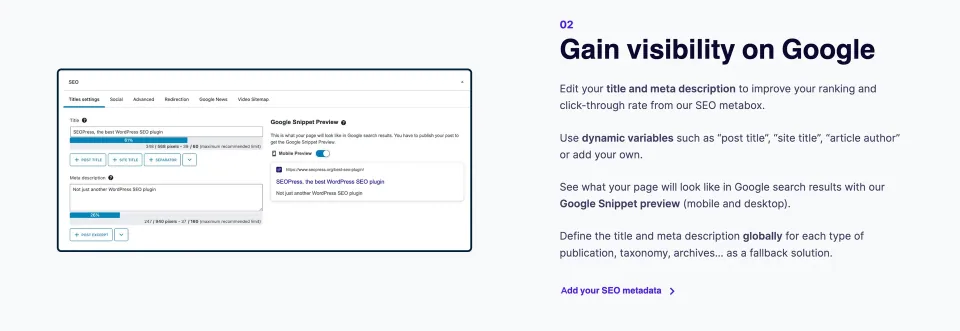
The Free-edition overview illustrates the starting configuration rather than a promise of improved rankings.Search-appearance controls help define how content is described. Verify the rendered metadata after configuration.
The Free-to-PRO decision
The upgrade is easiest to justify when you have a specific job to do: manage redirects and 404 errors, configure advanced schema, optimize local-business pages or use deeper WooCommerce SEO controls. PRO also adds site audits and News/video sitemaps. Those are useful capabilities, but content-analysis scores are guidance—not proof of higher Google rankings.
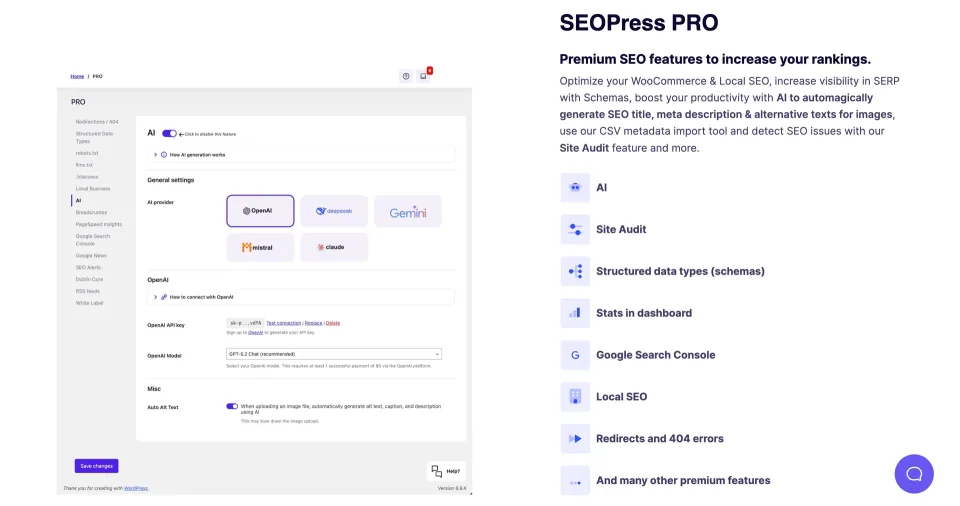
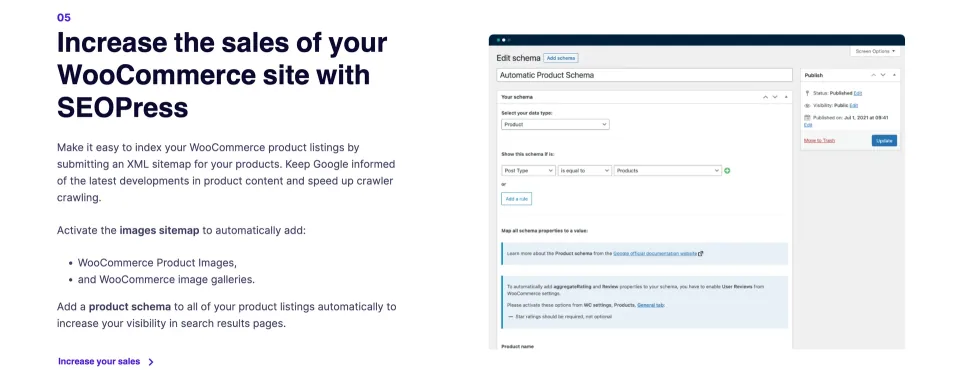
The PRO preview helps identify paid workflow tools. Choose an upgrade for the specific capability your site needs.A store-specific SEO workflow can justify an upgrade. Check the required product metadata and schema rather than buying on a broad feature label.
Which license is worth paying for?
All PRO tiers include the same feature set; the meaningful difference is how many websites you can activate. A single-site project usually needs the entry license. The five-site option is worth considering for freelancers or owners planning another site, while unlimited sites is mainly an agency decision. Compare the plan limits above instead of assuming a higher tier improves the SEO tools.
PRO runs alongside the Free plugin, and an active subscription is needed for updates and paid support. SEOPress Insights is a separate rank-tracking and backlink product. For AI generation, you use a supported provider key or buy SEOPress AI Credits, with charges outside the base PRO subscription. Check the renewal and checkout terms, especially during promotions.
What to check before switching
SEOPress offers migrations from popular SEO plugins, including Yoast SEO and Rank Math. Still, a successful import is not the end of the job: back up first, compare a sample of page titles, canonicals, schema and sitemaps, then check that old and new plugins are not outputting competing tags. Keep a list of existing redirects because metadata migration is not a guarantee that every custom rule will carry over.
Compatibility and maintenance
The WordPress.org listing and vendor installation guide set the minimum at WordPress 6.5 and PHP 7.4. SEOPress 10.4 was released on October 29, 2026; update the base plugin and PRO add-on with their release notes in mind, ideally after a staging check on customized sites. These observations are based on documentation, not a fresh performance or support-response test.
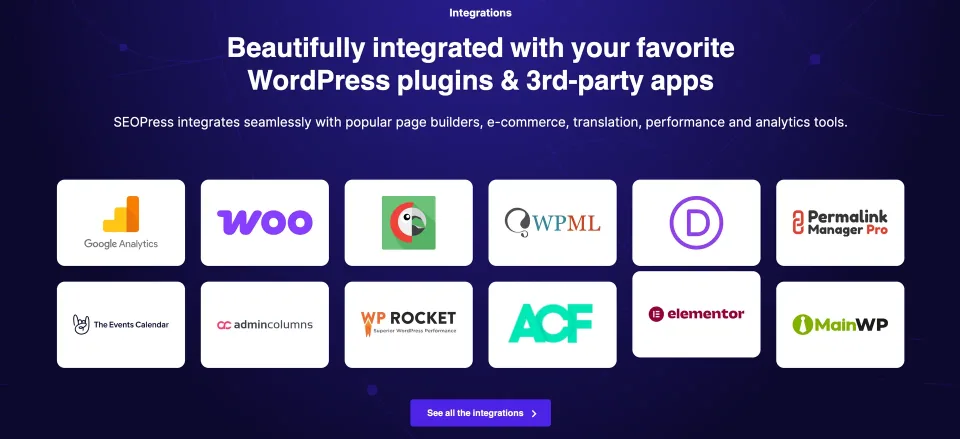
The integration overview provides a shortlist to check against your site’s builder, store and multilingual plugins.
Prices are USD annual list prices before applicable VAT/tax (checked November 9, 2026). The three PRO plans have the same features but different site limits. SEOPress says a standard auto-renewing subscription renews at the purchase price, while special promotions can carry different terms; the vendor advertises a 14-day refund period. PRO requires SEOPress Free. Cancelled/expired PRO installations may still run, but premium updates and support end. Insights and AI Credits are separate products; third-party AI API usage can also cost extra. No lifetime PRO license is offered.
Some links are affiliate links. We may earn a commission.
Listed prices may exclude taxes. Promotions and vendor terms can change; confirm at checkout.
AT A GLANCE
Key features
01
Free covers titles, canonicals, sitemaps and on-page analysis
02
PRO adds managed redirects, local SEO and advanced schema
03
PRO feature set is the same across 1-, 5- and unlimited-site tiers
04
Insights rank tracking and AI-provider usage are not included in the PRO fee
Features & compatibility
Vendor-sourced facts are based on published documentation; exceptions are labelled. Sources and check dates are grouped below each section.
The Free edition covers essentials that many small sites would otherwise pay for.
PRO adds practical site-management tools—redirects, 404 monitoring, local SEO and more detailed WooCommerce/schema controls.
All three PRO tiers provide the same features, making license selection mostly a matter of site count.
What to consider
PRO is an add-on to SEOPress Free and needs a paid renewal for updates and support.
Daily rank tracking and backlink monitoring require the separate Insights product.
AI generation may involve separate provider or SEOPress AI Credits charges; it is not an unlimited entitlement.
Migration still needs checks for duplicate metadata, sitemap output and redirects.
Best for
Site owners who need metadata and sitemap controls without an immediate subscription; agencies or WooCommerce/local-business sites that can make specific use of PRO redirects, schema and advanced settings.
Consider alternatives if
Teams looking primarily for an all-in-one keyword-research/rank-tracking platform, or sites already satisfied with their existing SEO stack and without a concrete reason to switch.
BEFORE YOU DECIDE
Frequently asked questions
Is SEOPress Free enough for a small website?
Often, yes. It includes editable titles and meta descriptions, canonical settings, XML/HTML sitemaps, social metadata and on-page analysis with unlimited target keywords. Upgrade only when a PRO-only workflow actually matters to your site.
Do I need to keep SEOPress Free installed after upgrading?
Yes. PRO is an add-on to the Free plugin. SEOPress says that activating PRO can automatically install and activate the required Free base plugin if it is not already present.
Does the five-site license include more PRO features than the one-site license?
No. The published feature list is the same across the one-site, five-site and unlimited-site PRO plans. Choose based on the number of sites you need to activate.
Does a PRO subscription include rank tracking or unlimited AI generation?
No. Daily keyword positions and backlink monitoring are provided by SEOPress Insights, sold separately. PRO integrates with supported AI providers via your key or SEOPress AI Credits; those services can have separate usage costs.
Can I keep using PRO if I cancel renewal?
SEOPress says the installed PRO plugin can continue to run, but future premium updates and support stop when the license is no longer active. Its standard renewal-price promise has exceptions for special promotions.
Can I move from Yoast SEO or Rank Math?
SEOPress provides migration tools for both. Before disabling the previous plugin, back up your site and compare representative titles, descriptions, canonicals, structured data, sitemaps and redirects; do not assume every custom setting transfers.
Is there a lifetime SEOPress PRO license?
No. The vendor currently sells annual PRO licenses rather than lifetime licenses.
Alternatives & comparisons
Explore other published WordPress products, with matching categories listed first.
WordPress SEO plugin with a capable free edition, paid Schema and rank tracking, and a separately priced AI suite. Compare license limits before upgrading.
Yoast SEO combines WordPress metadata, sitemap and structured-data controls with on-page guidance. Free covers the essentials; paid plans add automation, WooCommerce tools and AI workflows.
WPBakery is a shortcode-based WordPress content builder with frontend and backend editors. A practical choice for existing WPBakery sites; new block-first projects should weigh migration costs.