Home / Plugins / Product Filter for WooCommerce (XforWooCommerce)
Product Filters & Shopping UX
Product Filter for WooCommerce (XforWooCommerce)
WordPress plugin · By XforWooCommerce
WooCommerce product filtering with presets, AJAX and custom meta/range controls for classic shop archives and shortcode grids; its legacy integration is a trade-off for block-based stores.
Start with WooCommerce’s own Product Filters block if your catalog is built with Product Collection blocks and the standard filters cover the job. Consider XforWooCommerce when a classic archive or shortcode store needs more control over presets, custom metadata and numeric ranges. Its feature depth is useful, but I would validate the exact product loop and a realistic set of filters before buying or rolling it out.
Why this rating?
XforWooCommerce offers useful filter presets and granular metadata or range filtering for classic WooCommerce archives. Legacy integration paths, theme-query dependencies and overlap with newer native product-filter blocks narrow its appeal for a fresh block-based store.
Research & assessment details
Documentation-based assessment by WPToolWatch Editorial. No hands-on benchmark.
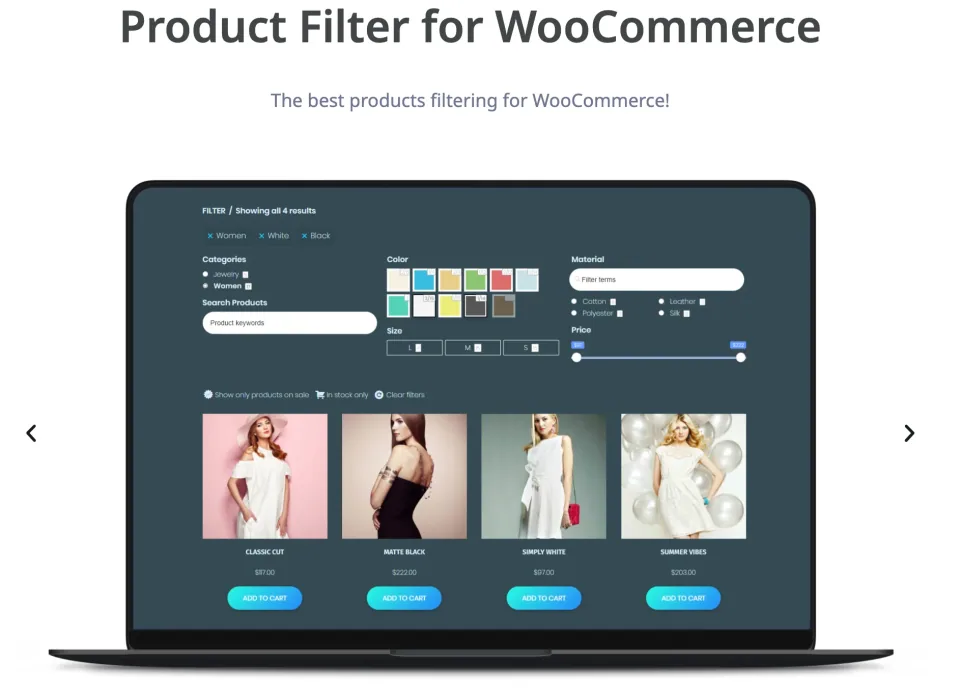
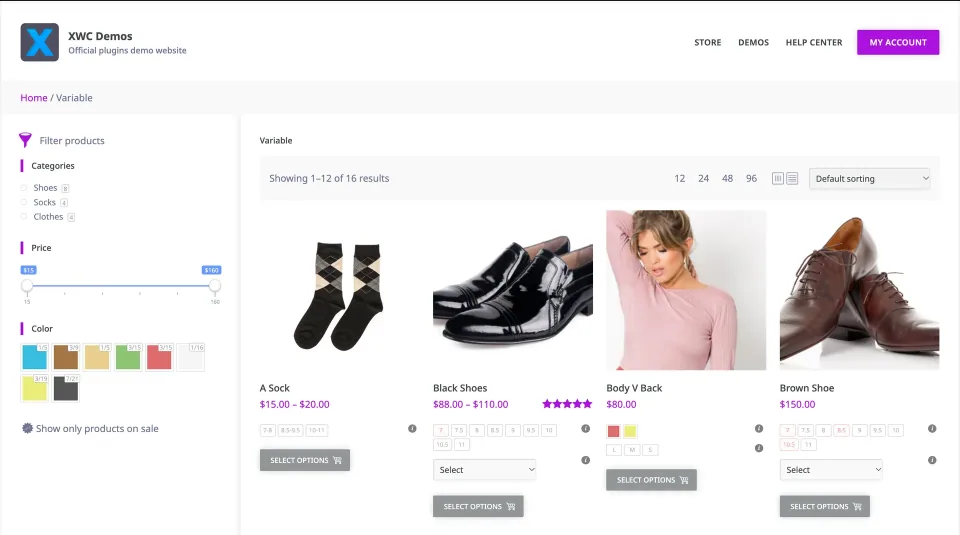
XforWooCommerce Product Filter adds presets, AJAX options and granular product criteria to WooCommerce catalogs.
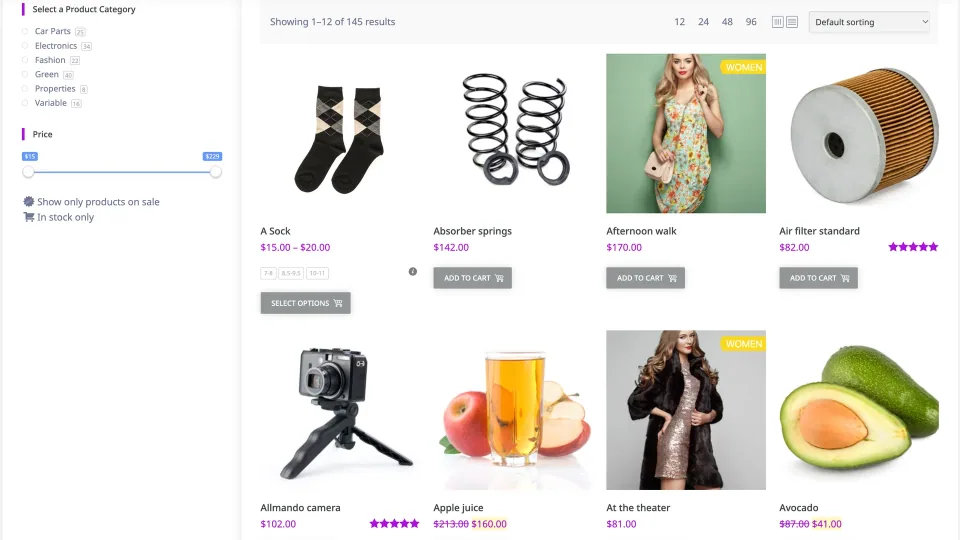
XforWooCommerce Product Filter adds presets, AJAX options and granular product criteria to WooCommerce catalogs. It makes most sense when shoppers need to combine attributes, stock, prices or custom metadata in a traditional Shop/archive view or a [products] shortcode grid. It is the standalone plugin, not the full XforWooCommerce module bundle.
Start with the catalog you already have
It already covers common price, rating, availability and taxonomy filters.
If your store runs Product Collection blocks, try WooCommerce’s own Product Filters block first. It already covers common price, rating, availability and taxonomy filters. Paying for a separate plugin becomes easier to justify when you need reusable presets, particular meta or numeric-range filters, or a classic archive workflow that the built-in interface does not cover.
The integration trade-off
Validate filtering against the actual product loop, including pagination, sorting, variable-stock combinations and mobile layout.
XforWooCommerce documents conventional WooCommerce Shop and product archives as its preferred setup. For Elementor, WPBakery and Gutenberg pages, the recommended custom-page route uses the native [products] shortcode. Its PHP/legacy widget approach should not be mistaken for guaranteed compatibility with every Product Collection block, bespoke query or headless storefront. Validate filtering against the actual product loop, including pagination, sorting, variable-stock combinations and mobile layout.
Presets and adoptive filters come with a cost
There is no independent speed benchmark in this profile.
Presets help organize different catalog views. Adoptive filtering can hide unavailable choices after a shopper selects a filter, but the developer explicitly notes that scanning product terms consumes processing time. Enable it where it improves navigation, then check query load and cache behavior on a representative catalog. There is no independent speed benchmark in this profile.
License, updates and buying decision
Enable it where it improves navigation, then check query load and cache behavior on a representative catalog.
CodeCanyon sells Regular and Extended licenses for one end product; the distinction is paid access to that finished site, not whether the store sells merchandise. Both list future author-issued updates and six months of initial support. XforWooCommerce’s own storefront advertises a lower price but sends buyers to CodeCanyon, so verify the actual checkout. The vendor documented Product Filter 9.1.2 in October 2025; the newer marketplace update timestamp does not identify the binary version delivered.
One-time purchase; future author-issued item updates and six months of author support included initially. Support extensions are separately priced.
CodeCanyon Extended License · License & support
Envato Extended; one end product with charged user access under Envato terms, not an unlimited-site or agency license.
Prices checked 2026-11-09 on CodeCanyon: Regular $39, Extended $229 (USD, one-time; taxes/handling extra), each covering one end product rather than multiple client sites. Regular may cover a publicly accessible store selling goods; Extended is for paid access to the finished end product under Envato terms. Both include six months of author support and future author-issued updates; support extensions cost extra. The vendor’s Product Filters page still shows $21, but its purchase button leads to CodeCanyon at $39; no separate $21 checkout was confirmed. The separately sold full XforWooCommerce suite is not included. The current downloadable plugin build has not been verified; check your purchase package and compatibility before deployment.
Preset management, granular meta/taxonomy/range filters, AJAX options and documented classic WooCommerce integrations. A one-time Regular license is available for a conventional publicly accessible store.
What to consider
Legacy PHP/widget-dependent paths require careful block/theme compatibility checks; adoptive filtering adds query work; storefront and marketplace prices disagree; the current downloadable build is not publicly identified by the marketplace update date.
Best for
WooCommerce stores with classic Shop/category archives or native [products] grids that need reusable filter presets, custom-meta or numeric-range criteria beyond their existing catalog controls.
Consider alternatives if
New Product Collection block storefronts that can meet their needs with WooCommerce’s built-in Product Filters block; headless or heavily customized loops without budget for integration testing; buyers expecting proven gains in large-catalog speed or SEO landing pages.
BEFORE YOU DECIDE
Frequently asked questions
Should I use XforWooCommerce or WooCommerce’s own Product Filters block?
Start with WooCommerce’s built-in Product Filters block if your site uses Product Collection blocks and you only need price, rating, stock, attribute or taxonomy filters. Consider XforWooCommerce for a classic archive/shortcode workflow that needs reusable presets, meta filters or numeric ranges.
Does XforWooCommerce Product Filter work with Elementor, WPBakery and Gutenberg?
The vendor documents custom pages using WooCommerce’s native [products] shortcode inside these editors. That does not prove compatibility with every custom loop or Product Collection block. Test your actual templates before relying on it.
Can it filter variable products and stock availability?
The developer advertises variation-aware stock filters. Check real size/color combinations, out-of-stock variations and backorder settings on staging; no hands-on verification is claimed here.
How is adoptive filtering different from ordinary filters?
It updates the available filter terms to reflect the current result set. The developer warns that term scanning adds processing time, so enable it selectively and test performance with realistic catalog data.
Does the plugin update results without a full page refresh?
The vendor documents AJAX filtering. Whether pagination, sorting, counts and browser navigation remain consistent depends on the installed theme and product-query integration.
Do I need an Extended License for a store that sells physical products?
Not solely because the store takes orders. Envato’s Regular License can cover a publicly accessible ecommerce site; Extended concerns charged access to the resulting end product. Both ordinarily cover one end product, not unlimited client sites.
Why does the vendor show $21 while CodeCanyon shows $39?
The XforWooCommerce storefront displays $21 for the standalone filter, but its purchase button links to CodeCanyon, which displayed $39 Regular on November 9, 2026. A separate $21 checkout could not be verified.
What plugin version is available now?
The public vendor changelog names Product Filter 9.1.2 dated October 12, 2025, while CodeCanyon says its listing was updated June 8, 2026. The current downloadable plugin-header version is not established by those two public dates; verify the package offered to your account.
How do updates and support work?
CodeCanyon lists future updates that the author releases and six months of initial author support; extensions are separately priced. Installation, customization and compatibility troubleshooting may exceed the standard support scope.
Will filtered URLs automatically become SEO landing pages?
No such complete indexable faceted-page system was independently verified for this plugin. If SEO landing pages are essential, plan canonical/indexation rules and test crawl behavior separately.
Alternatives & comparisons
Explore other published WordPress products, with matching categories listed first.
Faceted search and AJAX filtering for WooCommerce stores and WordPress content. Free covers ordinary archives; Pro is for custom queries, variation-aware filters and deliberate SEO landing pages.
WPBakery is a shortcode-based WordPress content builder with frontend and backend editors. A practical choice for existing WPBakery sites; new block-first projects should weigh migration costs.
Add personalization fields, conditional choices and calculated add-on prices to WooCommerce products. A strong fit for complex order options; simple variants rarely need this much configuration.