WordPress plugin · By Andrii Stepasiuk (Stepasyuk)
Faceted search and AJAX filtering for WooCommerce stores and WordPress content. Free covers ordinary archives; Pro is for custom queries, variation-aware filters and deliberate SEO landing pages.
WooCommerceProduct filtersFaceted searchFree version
I would install Free first. Buy Pro when custom WP_Query support, reliable variation-level filtering, more Filter Sets or deliberate SEO Rules are requirements you can name. The direct $69/$199/$299 offers are useful reference points, but the Agency allowance and license language vary between official page snapshots; inspect the actual checkout. This is a documentation-based recommendation, not a hands-on benchmark.
Why this rating?
Filter Everything provides a capable free archive-filtering route and paid tools for custom queries and deliberate filter landing pages. Its breadth is attractive, but theme-query compatibility, variation behavior and crawl control need a clear implementation plan rather than automatic assumptions.
Research & assessment details
Documentation-based assessment by WPToolWatch Editorial. No hands-on benchmark.
Filter Everything lets visitors narrow WordPress posts, directories and WooCommerce products by attributes, taxonomies and custom fields instead of opening category after category. Its appeal is flexible filtering within existing archive layouts, with AJAX results, sorting and search. It is most useful when shoppers genuinely combine criteria, such as size, availability and price. A small catalog with a few categories may need no dedicated filter plugin at all.
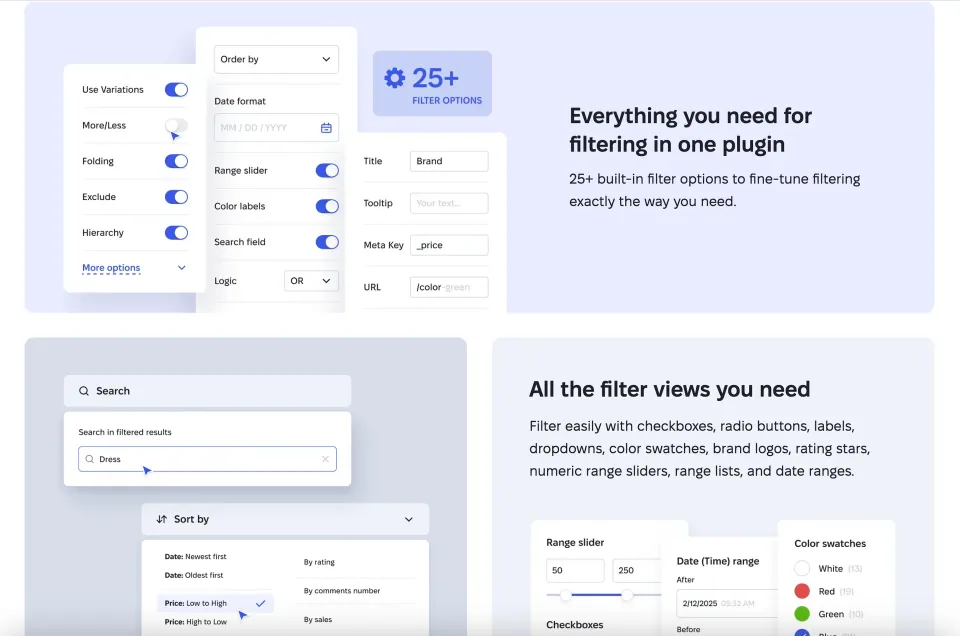
A faceted listing example shows filters narrowing a collection. Your own taxonomy and query structure determine the results.
Start with Free, not the pricing table
The free edition handles ordinary content and product archives, including taxonomy and custom-field filters, AJAX updates, search and sorting. That is enough for many stores. The published cap on Free Filter Sets is inconsistent: the pricing page says two per post type, while the Free-versus-Pro guide says three. Treat the cap as unresolved until you check the installed release or ask support; do not build a multi-archive workflow around either number without checking.
Compare the required filter controls with the free edition before deciding that a paid license is necessary.
When Pro becomes a sensible purchase
I would pay for Pro only when the requirement is specific: filtering custom WP_Query output, matching WooCommerce variation attributes and stock status reliably, removing the Filter Set cap, or controlling which faceted URLs can be indexed. Pro also adds advanced mobile/filter display tools and import/export options. The benefit is more control over complex listings, not a guarantee that every custom query or theme template will work untouched.
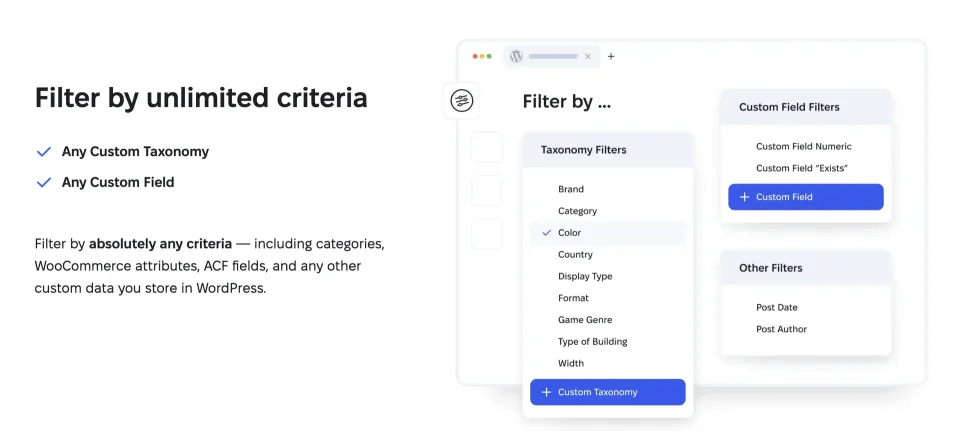
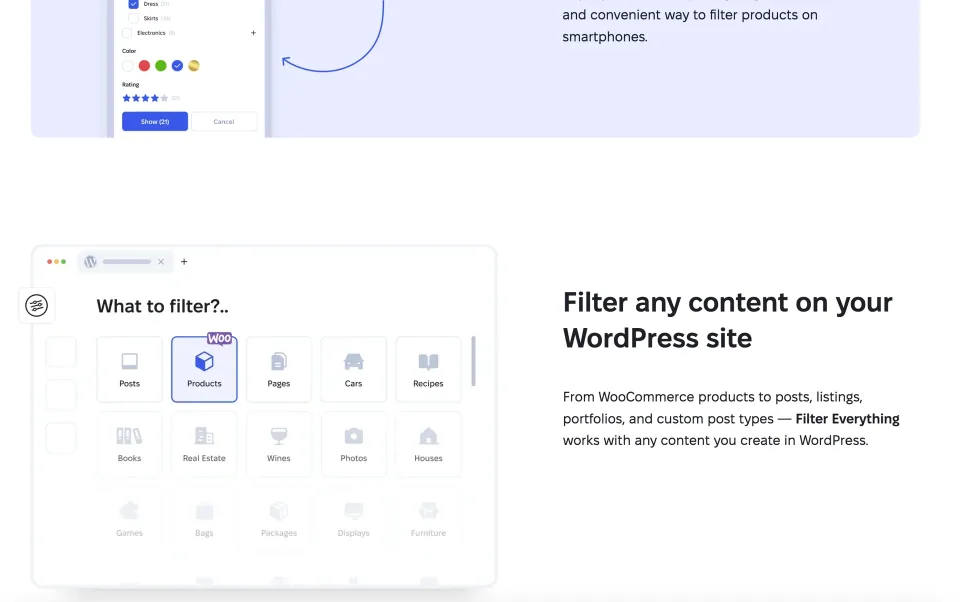
The vendor’s filter-criteria overview illustrates the data sources to map before configuring a more complex filtering workflow.
A WooCommerce implementation needs testing
Before buying, reproduce the difficult cases on staging: a variable product with different sizes in stock, sale prices, AJAX pagination, and any builder-specific product grid. An attribute on a parent product is not the same as a matching, purchasable variation. Verify that the correct results container refreshes and that filters persist after pagination; the vendor documents compatibility but no hands-on test was performed for this profile.
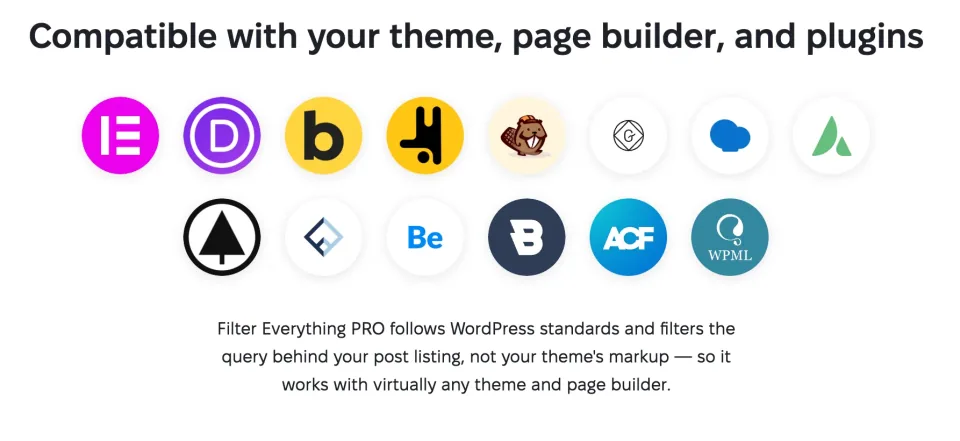
The vendor lists compatibility with several WordPress tools. Your actual theme, builder, store query and AJAX behavior still need a staging check.
SEO Rules need deliberate choices
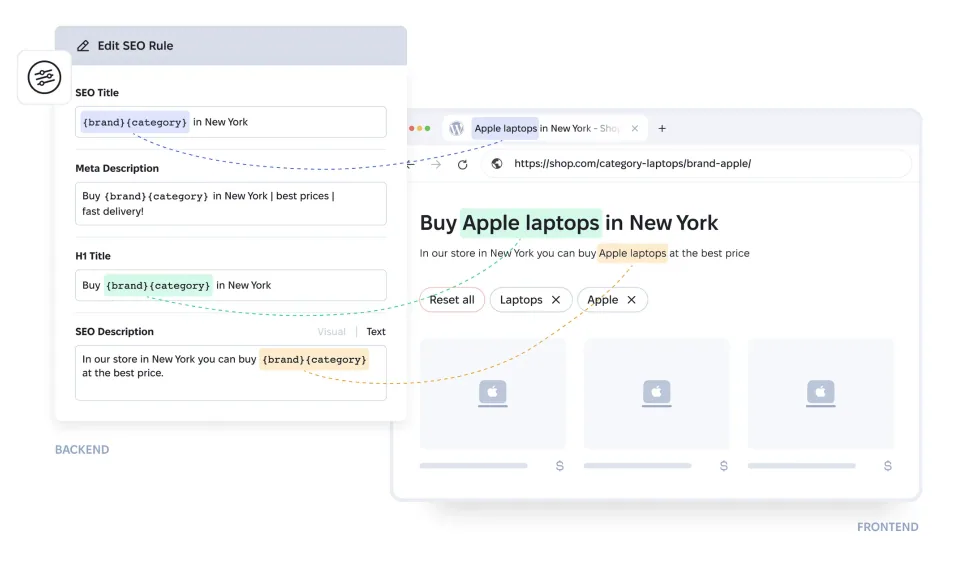
Pro can generate clean filtered URLs and SEO Rules for selected combinations, with controls for indexed filters, indexing depth and search metadata. It does not create valuable ranking pages automatically. Index only combinations that represent useful search intent and have enough distinct inventory; leave low-value permutations out. Free has bot-crawling controls added in version 1.9.6, so basic crawl protection alone is not a persuasive reason to upgrade.
Filtered pages need deliberate indexing rules. Inspect the resulting URLs and content rather than treating a filter interface as an SEO configuration.
License routes are not interchangeable
Developer-direct plans show Personal for one production site plus a development site, Freelancer for ten plus ten, and Agency advertised for unlimited sites in a recent pricing crawl. The latest indexed offer shows $69, $199 and $299 per year respectively, but older official page snapshots show $349/50 sites for Agency. The direct pricing page states one year of updates/support and optional renewal; older vendor terms and product archives contain different lifetime/perpetual wording. Confirm the actual checkout agreement before relying on either.
CodeCanyon, refunds and update coverage
CodeCanyon sells separate Regular and Extended licenses for one end product, not an Agency license. Its listing shows future item updates and six months of author support; Extended is for qualifying end products that charge end users, not simply any commercial shop. Developer-direct refunds can be requested within 30 days for a valid reason after allowing troubleshooting. These terms, support windows and renewal rules matter more than a superficial one-time-versus-annual price comparison.
My verdict and the current release
My recommendation is to configure Free first against the real archive and then upgrade for a documented limitation—not because the store has WooCommerce. The Free changelog lists version 1.9.8 on November 2, 2026, with a security fix affecting Filter Set/filter data permissions and access; operators should confirm their installed release and update through the appropriate channel. I have assessed official product, pricing and changelog sources, not tested performance, compatibility or security on a live installation.
WooCommerce variable-product and out-of-stock controls
SEO Rules, clean URLs and XML sitemap for chosen filter pages
Mobile filters, import/export and priority support
License & support
Vendor-direct Personal Pro license with the complete PRO feature set.
Renewal
Direct pricing advertises 1 year of updates/support; renewal optional. Older terms conflict about perpetual rights. Confirm binding license and renewal amount at checkout.
Envato/CodeCanyon Regular License for one end product; separate from direct-site plans.
Renewal
One-time Envato purchase; marketplace advertises future item updates and 6 months author support. Check actual package/version and any support extension charge.
Envato/CodeCanyon Extended License for an end product that can charge end users; does not mean unlimited sites.
Renewal
One-time Envato purchase; marketplace advertises future item updates and 6 months author support. Check actual package/version and any support extension charge.
Official direct-pricing search content checked 2026-11-09 listed Free $0, Personal $69/year (1 live + 1 dev), Freelancer $199/year (10 live + 10 dev) and Agency $299/year (advertised unlimited). However, an older cached rendering of the same pricing page displays Agency $349/year for 50 live + 50 dev sites. Plan figures and entitlements remain vendor-advertised reference data; checkout, taxes, and renewal quote were not independently completed. Pricing advertises one year of updates/support and renewal as optional, while older cached terms and the product archive contain conflicting perpetual/lifetime-update language. Confirm the binding terms at purchase. CodeCanyon separately showed Regular $169 and Extended $369 paid once for one Envato end product, with future updates and six months of author support; this is not interchangeable with the direct multi-site plan. The Free Filter Set limit is also disputed in vendor documentation (pricing: 2 per post type; Free/Pro article: 3); do not rely on either without verifying your installed build. Vendor-direct 30-day refunds require a valid reason and cooperation with troubleshooting; not unconditional. Checked against official public material on 2026-11-09; no checkout or license activation was performed.
Some links are affiliate links. We may earn a commission.
Listed prices may exclude taxes. Promotions and vendor terms can change; confirm at checkout.
AT A GLANCE
Key features
01
Free already provides AJAX filtering, sorting and search for standard WordPress/WooCommerce archives
02
Pro adds custom WP_Query support, variation-aware filtering, unlimited sets and selective SEO Rules
03
Direct Personal/Freelancer/Agency purchases differ from CodeCanyon end-product licensing
04
Free Filter Set cap and Agency site allowance conflict across official page snapshots; confirm before paying
Features & compatibility
Vendor-sourced facts are based on published documentation; exceptions are labelled. Sources and check dates are grouped below each section.
Free WordPress.org edition; direct Pro advertises 1-year updates/support and optional renewal (older terms differ); separate Envato end-product licenses
Support channel
WordPress.org support forum for Free; priority developer support for paid licenses during the covered term
Capable Free filtering for common WooCommerce and WordPress archives, with AJAX, sorting and search
Pro supports custom queries, variations and carefully selected indexable filter pages
Multiple direct-site license tiers for individual stores, freelancers and agencies
Useful documentation on filter behavior and SEO Rules
What to consider
Advanced query, variation-aware and SEO Rule workflows need Pro
Actual results depend on the site’s theme, query and AJAX container; compatibility is not automatic
Official sources disagree on the Free Filter Set limit and some Agency/license terms
A larger number of filter URLs can increase crawl and maintenance complexity if poorly configured
Best for
WooCommerce catalogs or WordPress directories where visitors combine several meaningful criteria, especially sites that need custom query filtering or careful variation handling.
Consider alternatives if
Small catalogs with simple category browsing, teams expecting automatic SEO or performance improvements, and projects unable to test custom grids and AJAX pagination before launch.
BEFORE YOU DECIDE
Frequently asked questions
Is Filter Everything Free enough for a typical WooCommerce store?
Often, yes. The Free plugin handles standard product archives, AJAX filtering, taxonomies/custom fields, sorting and search. Upgrade when a specific requirement—such as variation-level matching or a custom WP_Query listing—is not covered.
Does the Free plugin allow two or three Filter Sets per post type?
The developer’s pricing page currently lists two, while the Free-versus-Pro guide lists three. Neither figure is safe to treat as universal. Check the exact Free version installed or confirm with support before designing a setup that relies on the maximum.
Do I need Pro to filter WooCommerce variations accurately?
Pro is the safer documented choice for variation-aware matching and advanced out-of-stock behavior. Test a variable product with combinations that are not all purchasable; ordinary parent-product attributes may produce different results.
Will Filter Everything work with Elementor, Bricks or a custom product grid?
The developer documents integrations with major builders, but not every third-party query loop is a standard WordPress archive. Pro expands filtering to custom WP_Query; confirm the query target, results container and AJAX pagination on staging before promising compatibility.
Does Pro automatically make filtered pages rank in Google?
No. SEO Rules let you select indexable filter combinations, control indexing depth and generate metadata or clean URLs. These are implementation tools, not proof of organic traffic gains. Keep low-value parameter combinations out of the index.
Which direct Pro plan should I choose?
Personal targets one live plus one development site; Freelancer targets ten live plus ten development sites; recent pricing search results advertise Agency for unlimited production/development sites. An older page cache shows Agency with 50+50 sites instead, so check the final checkout entitlement before purchase.
What happens if a direct Pro license is not renewed?
The latest direct-pricing language provides one year of updates/support and calls renewal optional; a recently indexed terms page says the plugin can keep running without further updates/support. Older official legal/product pages contain different perpetual or lifetime wording. Confirm the binding terms in your purchase flow rather than assuming either arrangement.
Is a CodeCanyon Extended License required for any commercial WooCommerce store?
Not automatically. Envato distinguishes a single end product for which end users are not charged for access (Regular) from one for which end users can be charged (Extended). Selling products in a store does not, by itself, mean visitors pay to access the site. Check Envato’s license terms for the actual end product.
Does the vendor offer an unconditional 30-day refund?
No. The developer accepts requests within 30 days for a valid reason and asks to investigate technical problems first. A change of mind may be refused. CodeCanyon orders follow a separate Envato refund procedure.
What security update should administrators check?
The WordPress.org changelog lists Free version 1.9.8 (November 2, 2026) with a security correction involving access/storage permissions for filters and Filter Sets. Confirm the installed build and update from the appropriate official distribution; this is not an independent security audit.
Alternatives & comparisons
Explore other published WordPress products, with matching categories listed first.
WooCommerce product filtering with presets, AJAX and custom meta/range controls for classic shop archives and shortcode grids; its legacy integration is a trade-off for block-based stores.
WPBakery is a shortcode-based WordPress content builder with frontend and backend editors. A practical choice for existing WPBakery sites; new block-first projects should weigh migration costs.
Add personalization fields, conditional choices and calculated add-on prices to WooCommerce products. A strong fit for complex order options; simple variants rarely need this much configuration.