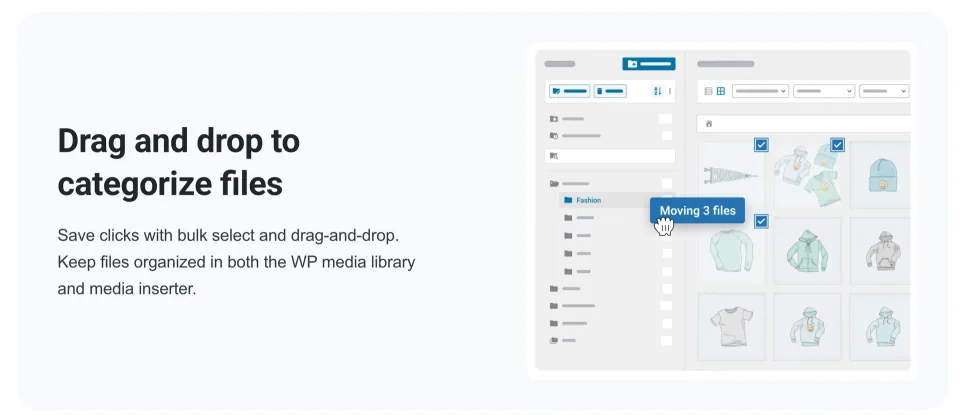
FileBird gives WordPress editors virtual folders for media without changing file URLs. Start with Free; Pro adds WooCommerce/CPT organization and premium builder workflows.
My default choice is FileBird Free for ordinary media-library cleanup. Its unlimited nested media folders make a paid license unnecessary for that use case. I would buy Pro when a documented requirement—WooCommerce or custom post types, a premium page builder, or ZIP folder exports—changes the workflow. Check the purchase channel and renewal terms, not only the headline sale price. This recommendation is based on official documentation, not hands-on testing.
Why this rating?
FileBird's free virtual media folders solve a common organization problem without moving public file paths. Pro is best justified by a specific export, builder or content-type workflow, while virtual organization should never be mistaken for physical file management or a backup.
Research & assessment details
Documentation-based assessment by WPToolWatch Editorial. No hands-on benchmark.
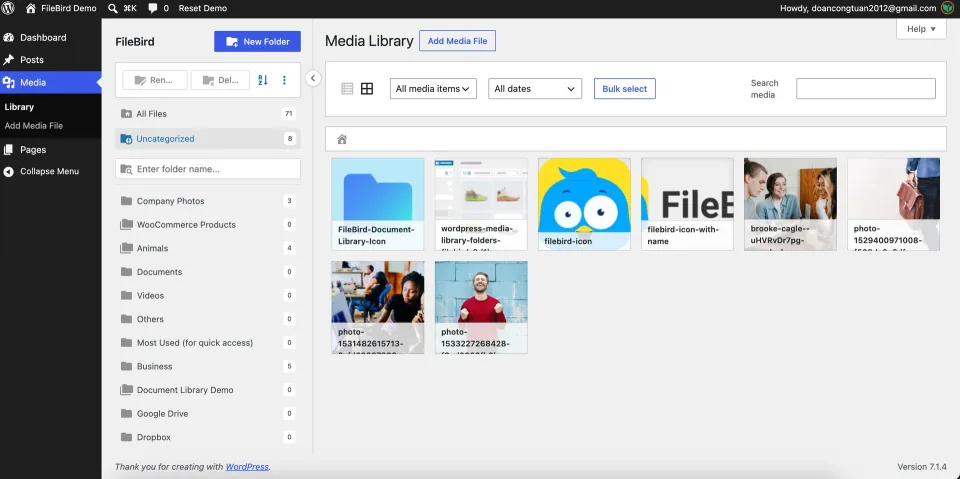
When a WordPress site has hundreds of images, PDFs and reusable assets, finding the right upload becomes the problem. FileBird adds a folder tree and drag-and-drop organization inside the Media Library. The folders are virtual: moving an image between them does not relocate the file on the server or change its public URL. It makes WordPress easier to manage; it is not a filesystem manager or a replacement for backups.
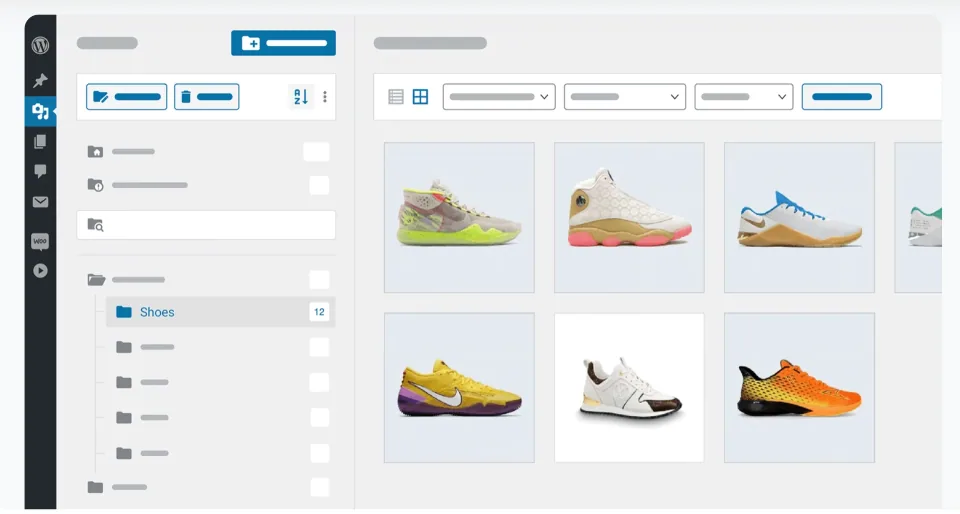
FileBird adds folder navigation to the WordPress media workflow without making the folders a new public file structure.
Start with the free plugin
FileBird Free already supports unlimited media folders and subfolders, so there is no reason to buy Pro just to create a larger folder tree. It also supports basic, one-level folders for standard posts and pages, added in version 6.5.3. That matters because an older NinjaTeam feature matrix still labels posts/pages folders as Pro-only. The newer dated WordPress.org changelog and FAQ are the better guide to what Free can do today.
Folder navigation can make an existing media library easier to browse. It does not require moving each public file into a matching directory.
What Pro is for
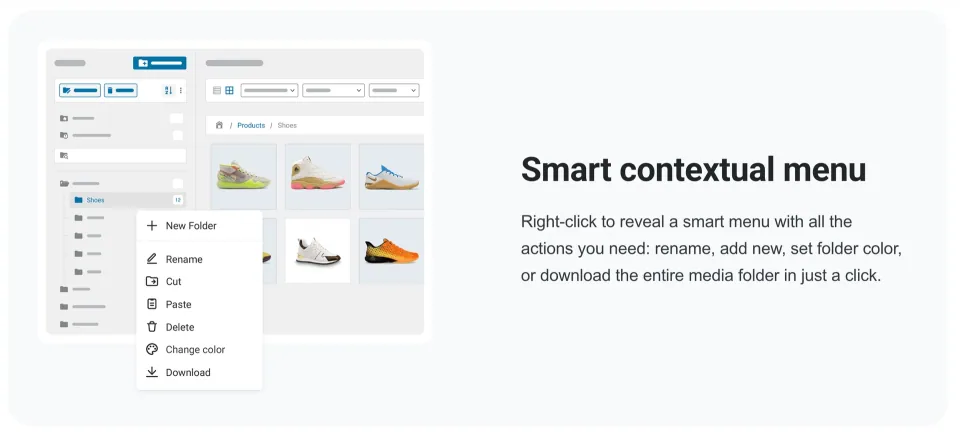
The real upgrade case is organizing more than media: WooCommerce products and coupons, custom post types, and work inside premium builders such as Divi, WPBakery and Elementor Pro. Pro also adds features such as folder colors, advanced sorting and downloading media folders as ZIP files. If an editorial team only needs to find and reuse standard WordPress uploads, the free edition may cover the entire job.
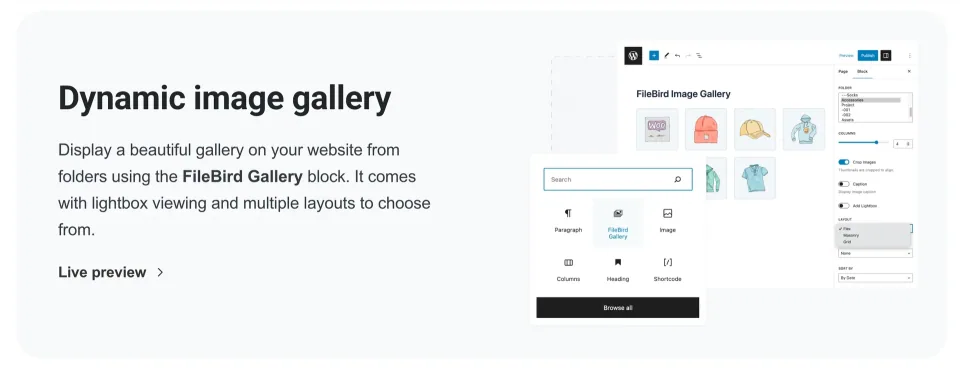
The vendor’s gallery preview represents a publishing workflow to evaluate separately from basic media-folder organization.
Buying direct versus CodeCanyon
NinjaTeam sells direct licenses for one, five or unlimited sites with annual and lifetime payment options. CodeCanyon sells the same product under separate Envato Regular/Extended end-product terms, not the direct-sale multi-site scheme. Compare the license scope before paying, and check annual renewal amounts and lifetime support conditions rather than assuming a discounted first payment stays the same. The structured pricing plans below reflect the NinjaTeam direct route; the marketplace option is described separately.
Migration and the limits of virtual folders
FileBird can import folder organization from supported plugins and export its own folder mapping. That is not the same as a complete WordPress backup. Deactivating FileBird leaves the media files available in WordPress, but the admin folder view goes away. Back up the site and folder mapping before uninstalling, clearing plugin data or moving to another installation. FileBird Cloud and Document Library are separate products, not default benefits of FileBird Pro.
Folder actions help organize a busy media library. Check migration behavior separately from day-to-day folder management.
My recommendation
I would install Free first and organize assets around recurring editorial needs—products, campaigns, downloads, and reusable graphics. Move to Pro when a specific paid integration or cross-content workflow saves enough administrative work to justify the license. I would not pay for Pro simply because a media library is large. This is an assessment of documented capabilities, not a claim that I have benchmarked FileBird on a live site.
Drag-and-drop organization is worth testing with a representative batch of your own media before reorganizing a large library.
Advanced builder integrations, sorting, folder ZIP download
License & support
NinjaTeam direct-sale FileBird Pro license; annual or lifetime payment, not the Envato/CodeCanyon license.
Renewal
Annual renewal amount after a promotional first payment is not confirmed on the visible pricing page. Lifetime is billed once; verify eligibility for updates and paid support in the final terms.
NinjaTeam direct-sale prices rechecked 2026-11-09 in USD; special prices shown on the page, not confirmed evergreen list or renewal prices. One site: $39 annual (crossed-out $49), $99 lifetime (crossed-out $149). Five sites: $99 annual, $199 lifetime (crossed-out $299). Unlimited sites: $199 annual, $499 lifetime (crossed-out $599). Check checkout taxes, annual renewals, the advertised 30-day money-back policy and lifetime support/update scope. NinjaTeam publicly advertises lifetime updates, but exact paid support entitlements were not established. Separately, the CodeCanyon listing rechecked 2026-11-09 showed Regular $149 and Extended $299 under Envato licensing, with future item updates and 6 months author support. This alternative channel has different license semantics, so it is not silently merged into the four vendor-direct pricing plans; its marketplace purchase link should be reviewed separately. Free folder-structure export is not a complete backup; FileBird Cloud and Document Library are separate offers. No production license activation tested.
Listed prices may exclude taxes. Promotions and vendor terms can change; confirm at checkout.
AT A GLANCE
Key features
01
Free includes unlimited nested Media Library folders and basic one-level Posts/Pages folders
02
FileBird uses virtual folders, so organizing media does not rewrite public file URLs
03
Pro unlocks WooCommerce/CPT organization, selected premium builders and media-folder ZIP download
04
NinjaTeam and CodeCanyon are separate license routes with different site allowances and support terms
Features & compatibility
Vendor-sourced facts are based on published documentation; exceptions are labelled. Sources and check dates are grouped below each section.
Covers: Listed version, Last directory update, Minimum WordPress, Minimum PHP
Builders & integrations2 items
Page builder
Free: core Gutenberg and Elementor Free media integration. Pro: premium builder integrations including Elementor Pro, Divi and WPBakery (vendor-documented).
WooCommerce integration
Yes
Sources & verification for Builders & integrations
Unlimited nested Media Library folders are available without a paid license
Virtual organization keeps existing media paths and public URLs intact
Pro extends folder management into WooCommerce, CPTs and premium builder workflows
Direct plans offer one-, five- and unlimited-site purchasing choices
What to consider
Free has only basic one-level folders for posts/pages and lacks WooCommerce/CPT folder management
Virtual folders cannot reorganize physical uploads or replace a real backup
The Free/Pro documentation has a dated discrepancy about posts/pages support
Two sales channels and promotional pricing complicate license and renewal comparisons
Best for
WordPress editors, content teams and WooCommerce catalog managers who frequently reuse uploads and want consistent back-office organization without disturbing media URLs.
Consider alternatives if
Teams seeking physical server directories, a cloud asset manager, secured front-end downloads, or a complete site-backup and migration solution.
BEFORE YOU DECIDE
Frequently asked questions
Do I need FileBird Pro for unlimited Media Library folders?
No. FileBird Free supports unlimited folders and subfolders for media. It is a practical starting point even for large libraries of images, PDFs and other uploads.
Can the free plugin organize WordPress posts and pages?
Yes, with a one-level folder structure for standard posts and pages. That feature arrived in Free 6.5.3 on May 11, 2026. Multi-level post/page organization and folders for WooCommerce or custom post types belong to Pro.
Which FileBird features actually require Pro?
Pro is the relevant purchase for WooCommerce product/coupon and custom-post-type folders, premium page-builder integrations, folder colors, additional sorting and downloading a media folder as ZIP. Core nested media folders do not require Pro.
Will changing FileBird folders break image URLs or front-end pages?
Moving media between FileBird virtual folders does not move the physical uploads or rewrite attachment URLs. It only changes how assets are grouped in the WordPress admin area.
Can FileBird exports replace a WordPress backup?
No. FileBird folder-structure export is organization data; the Pro folder-ZIP option downloads media from selected folders. Neither replaces a full backup of WordPress files and the database, especially before migration or uninstalling.
What are the direct-purchase FileBird Pro prices?
NinjaTeam displayed one-site annual $39 (discounted from $49) and lifetime $99 (from $149); five-site annual $99 and lifetime $199 (from $299); unlimited-site annual $199 and lifetime $499 (from $599), checked November 9, 2026. These displayed offers can change. Annual renewal charges and exact support terms need confirmation at checkout.
Does a FileBird lifetime payment guarantee lifetime support?
Do not assume so. NinjaTeam advertises lifetime updates on its product page and sells one-time lifetime licenses, but the accessible public pages do not clearly establish every plan’s support entitlement. Verify the precise purchase agreement, including renewal and activation rules.
How is buying on CodeCanyon different from buying from NinjaTeam?
CodeCanyon uses Envato end-product licensing: its listing showed Regular $149 and Extended $299 on November 9, 2026, with future updates and six months of author support. Regular versus Extended concerns whether end users are charged for access to the end product, not simply whether a business uses the site. NinjaTeam direct licenses instead advertise one, five or unlimited sites. Do not treat them as interchangeable.
What happens if I stop using FileBird?
WordPress media files remain accessible, but the FileBird admin folder structure no longer appears when the plugin is deactivated. Preserve full site backups and export folder metadata before uninstalling, resetting or clearing FileBird data.
Does FileBird Pro include FileBird Cloud or a public PDF document library?
Do not assume either add-on is bundled. NinjaTeam markets FileBird Cloud and FileBird Document Library separately; evaluate their licenses if cloud-file integration or front-end document browsing is essential.
Alternatives & comparisons
Explore other published WordPress products, with matching categories listed first.
UberMenu adds multi-column, tabbed and dynamic WordPress mega menus for large content sites and WooCommerce stores. Flexible, but theme integration and keyboard/mobile testing matter.
WPBakery is a shortcode-based WordPress content builder with frontend and backend editors. A practical choice for existing WPBakery sites; new block-first projects should weigh migration costs.
Add personalization fields, conditional choices and calculated add-on prices to WooCommerce products. A strong fit for complex order options; simple variants rarely need this much configuration.