The standalone Divi visual builder plugin for existing WordPress themes. Compare Elegant Themes memberships, plugin limitations, and Divi 5 availability before buying.
I would buy the standalone Divi Builder only when keeping an existing theme matters and the site benefits from Divi’s editing model. Start with Divi Yearly if you are still validating the workflow; Lifetime is more sensible for a proven long-term commitment. Pro is not necessary just for basic page building. Most importantly, confirm the version of the independent plugin your membership provides—Divi 5 Theme marketing is not a substitute for that check.
Why this rating?
The standalone Divi Builder is useful when retaining an existing theme and adopting Divi editing are both priorities. Membership value can be attractive across several sites, but builder dependency and uncertainty about standalone-plugin parity with theme marketing require care.
Research & assessment details
Documentation-based assessment by WPToolWatch Editorial. No hands-on benchmark.
Divi Builder is the standalone visual editor sold through an Elegant Themes membership. It lets you use Divi-designed pages and documented Theme Builder tools while keeping a separate WordPress theme. If you already use Divi Theme, you already have its integrated builder and do not need this plugin. Keeping the theme is a practical benefit, but theme styles, plugin templates and custom code still have to work together.
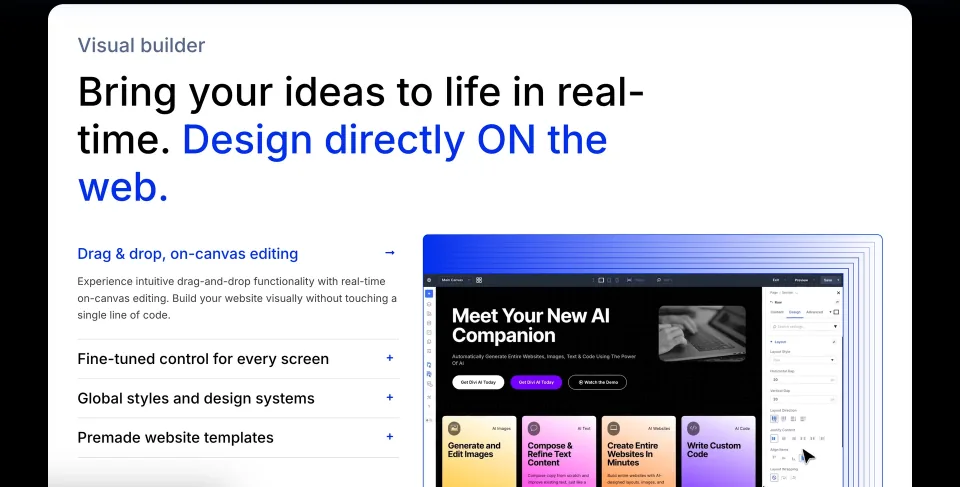
The vendor’s visual-builder preview introduces the editing approach. Keep the standalone plugin distinct from the Divi Theme purchase and installation.
Who actually needs it
I would consider the plugin for a site with an established theme whose owner wants more visual control over landing pages, service pages or reusable layouts. It can also make sense for a freelancer who already maintains Divi work across client sites. I would not add it to a site simply because the membership covers unlimited installations: another editor introduces a second set of layout conventions and maintenance work. If core blocks already do the job, keep the simpler stack.
Divi 5: confirm the standalone build first
Divi 5 launched for the Divi Theme on February 26, 2026. Elegant Themes said it would bring that newer builder to the standalone plugin afterward. The public documentation checked on November 9 does not confirm the plugin download is at feature parity with the current Divi 5 theme. Before relying on Divi 5-specific controls, AI Agent workflows or speed claims, check the exact plugin ZIP/version available in your membership and ask the vendor about the specific feature. Theme changelogs are not standalone-plugin release notes.
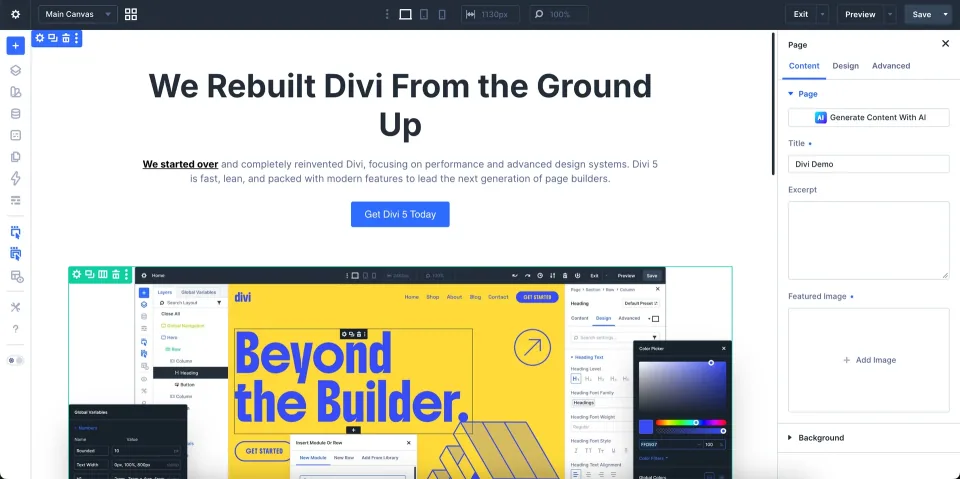
This is a vendor preview of the rebuilt Divi experience. Confirm the standalone plugin build before assuming those features apply to an existing installation.
Useful visual editing, with real boundaries
The documented plugin supplies the Divi visual editing approach, layout modules, saved designs and access to Theme Builder tools under another theme. That is enough for many marketing pages and repeatable site sections. It is not a promise that every global header, footer, dynamic template or extension behaves exactly like it does under Divi Theme. Start with one representative page and a theme template on staging, then inspect mobile layout and published output before expanding the build.
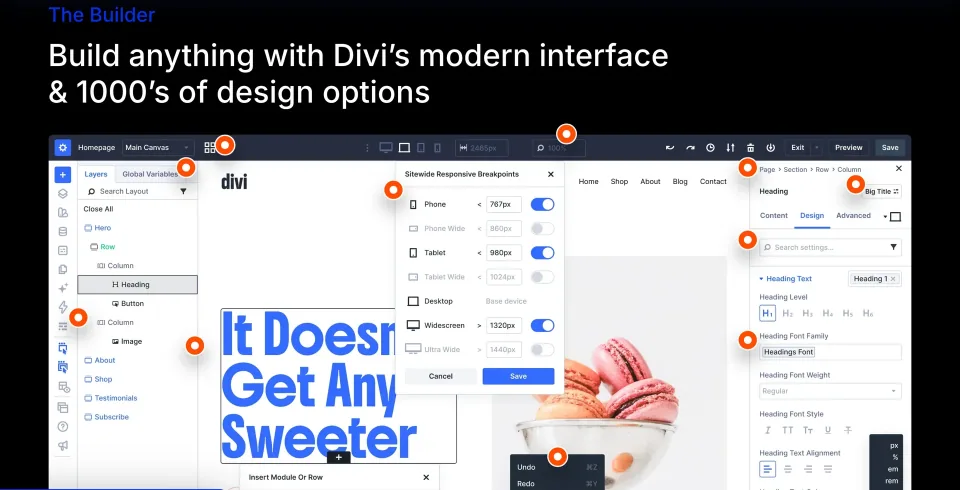
The vendor’s visual-editor preview illustrates on-page editing. Confirm which controls are available in the standalone Divi Builder version you install.
Forms and WooCommerce are integration work
Divi documents contact-form and WooCommerce design modules, but the detailed WooCommerce guide describes the Divi Theme and Divi 4 workflow. Do not read that as a guarantee that every store, product template or checkout integration works identically in the standalone plugin you install. WooCommerce remains the commerce engine; email delivery, payment gateways, validation and order flows still need their own setup and testing. Confirm plugin-specific module availability before basing a store redesign on it.
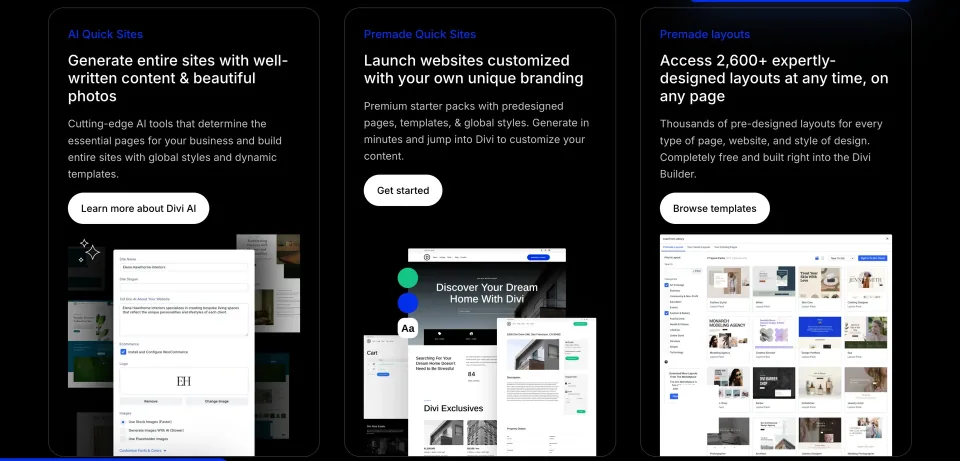
These vendor previews show possible building workflows. Verify the installed builder version and any required integration before planning a form or store around them.
Memberships: buy the builder, not a bundle of promises
The standalone plugin is included in standard Divi Yearly and Divi Lifetime memberships. Both cover unlimited sites, with the usual member download and support rights; Pro adds AI, Cloud, VIP and Teams services rather than a separate core builder. For a solo owner who only wants page editing, standard Divi is the cleaner starting point. Consider Pro only if you can name the services and seats you will use.
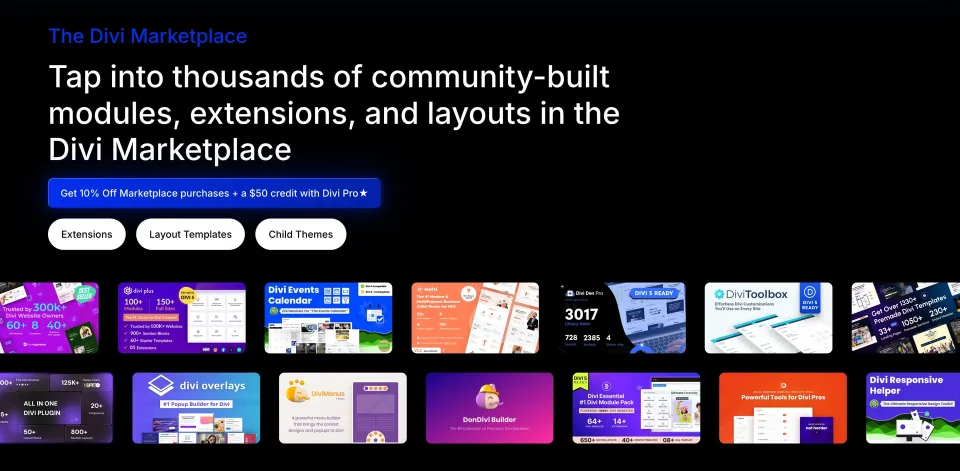
Marketplace modules and layouts expand the ecosystem, but third-party products may have their own prices, licenses and support boundaries.
Lifetime does not mean lifetime Pro services
A Divi Lifetime membership covers the core Divi themes and plugins, not perpetual access to hosted AI, Cloud, VIP or Teams subscriptions. The Lifetime + Pro bundle has an upfront core purchase and a separately recurring service fee. Canceling those services does not cancel the core lifetime license. Check both amounts and the renewal schedule in the pricing table; tax and promotions may change the final checkout. An expired yearly membership keeps installed software running but stops updates and support.
Plan your exit before building dozens of pages
Divi layouts can create a switching cost. Replacing the plugin or moving to native blocks may require rebuilding designs, checking stored shortcodes and repairing styling. The exact outcome depends on the installed version and page content, so I would test deactivation and recovery on staging instead of assuming everything breaks—or migrates cleanly. Keep backups and a list of pages, templates and third-party modules that depend on the builder.
Three checks before you commit
Ask Elegant Themes for the current independent-plugin version and its Divi 5 feature matrix. On a staging site, build one representative content page and one template using your actual theme and extensions; then check mobile layouts, WooCommerce or form behavior where relevant. Finally, simulate deactivation or switching editors to understand how much content you would have to rebuild. These checks will tell you more than assuming theme announcements apply to the plugin.
Cancel optional services without canceling lifetime core Divi
License & support
Lifetime entitlement to core Divi products plus annually billed Pro services. Initial bundle payment is not all-in lifetime pricing.
Renewal
Initial $297 charge shown on vendor pricing page. Pro services cost another $212/year after the initial period; services may be canceled while lifetime core Divi remains. Confirm checkout and billing schedule.
Public Elegant Themes membership prices checked 2026-11-09: Divi Yearly $89/year; Divi Lifetime $249 once; Divi Pro $277/year; Divi Lifetime + Pro $297 initial and $212/year thereafter for ongoing Pro services. These prices buy membership access including the independent plugin—not a per-plugin license. Standard plans cover unlimited sites. The 30-day refund offer is not a free edition. Taxes, promotions and final checkout/renewal terms can vary. The Lifetime + Pro first payment is stored as one_time in the MDX because the schema cannot encode a staged initial-plus-recurring schedule as a single rate. Refer to the plan renewal field for its separate annual charge.
Some links are affiliate links. We may earn a commission.
Listed prices may exclude taxes. Promotions and vendor terms can change; confirm at checkout.
AT A GLANCE
Key features
01
Add documented Divi visual editing to an existing WordPress theme; no need to install it with Divi Theme.
02
Standard Divi memberships cover the standalone plugin across unlimited websites.
03
Pro services are optional and billed separately from lifetime core Divi rights.
04
Divi 5 Theme releases are not evidence of matching standalone-plugin capabilities.
05
Check theme and plugin compatibility—and how your content can be migrated—on staging.
Features & compatibility
Vendor-sourced facts are based on published documentation; exceptions are labelled. Sources and check dates are grouped below each section.
Can be installed alongside a separate theme rather than requiring a theme change.
Documents a familiar visual page-and-template editing workflow.
Yearly and lifetime memberships allow unlimited website use.
Plugin is included in existing qualifying memberships, with no second plugin purchase.
Optional Pro services can be evaluated separately from the basic builder.
What to consider
No verified permanently free standalone plugin edition.
Current Divi 5 Theme release notes do not prove standalone-plugin parity.
Layouts and templates introduce builder-specific switching costs.
Theme styling, plugins and WooCommerce features require compatibility checks.
Yearly members lose updates and support on expiry; Pro services recur separately.
Best for
Owners who must retain a WordPress theme but want Divi-style visual page editing; freelancers with existing Divi-based client layouts; teams willing to test theme, template and plugin interactions.
Consider alternatives if
Sites already using Divi Theme; buyers expecting a free plugin; users who require confirmed Divi 5 standalone feature parity; WordPress teams happy with native blocks and unwilling to accept builder-specific migration work.
BEFORE YOU DECIDE
Frequently asked questions
What is the difference between Divi Builder Plugin and Divi Theme?
The plugin adds Divi visual editing to another WordPress theme. Divi Theme includes the builder itself. They are distinct installations available through qualifying Elegant Themes memberships.
Do I need Divi Builder Plugin if I use Divi Theme?
No. Divi Theme contains the builder already, so the standalone plugin is unnecessary on a Divi Theme site.
Will Divi Builder work with my current theme?
It is designed to work with themes following WordPress coding standards. That is not a blanket compatibility guarantee for your specific theme or extensions; test page templates, styles and mobile breakpoints on staging.
Does the standalone plugin have all the new Divi 5 features?
That was not verified from an independent-plugin release or authenticated member download on November 9, 2026. Elegant Themes launched Divi 5 for the theme first and announced the plugin would follow. Check the exact standalone plugin version with support before depending on Divi 5-only capabilities.
Can I download Divi Builder Plugin for free?
No permanently free public standalone plugin was verified. The download comes from the Elegant Themes members area. The vendor advertises a 30-day money-back guarantee; that is not a free edition.
What membership should I buy just for Divi Builder?
The standard Divi membership is sufficient for the base builder. The public price list checked November 9, 2026 shows $89/year or $249 for lifetime core products. Divi Pro adds hosted services rather than a different standalone editor.
Is Divi Lifetime + Pro a single lifetime payment?
No. The vendor lists $297 at purchase for lifetime core Divi rights, followed by $212/year to retain Pro services. If those recurring services are canceled, the core lifetime entitlement remains. Confirm timing and final amounts at checkout.
Can I use the membership on client websites?
Elegant Themes advertises unlimited website use across its Divi memberships, including professional projects, subject to account and service terms. Team seats and hosted Pro allowances are separate from the core unlimited-site license.
What happens if my yearly membership expires?
Elegant Themes says installed products continue functioning, but you lose updates and support. Ongoing WordPress/plugin updates can therefore create compatibility and security risks.
Can Divi Builder design WooCommerce product pages?
Divi documents WooCommerce design modules, but its detailed examples focus on the Divi Theme and Divi 4 workflow. Confirm which modules and templates your standalone plugin version supports, and test checkout and other integrations with the real store.
Is the contact form a replacement for a dedicated forms platform?
Divi documents a configurable contact form module, useful for basic inquiries. Complex conditional workflows, CRM automation, anti-spam requirements and dependable mail delivery may still call for additional tools.
What happens to page designs if I remove Divi Builder Plugin?
Expect some page-design migration work; stored shortcode/layout content and theme styling may not transfer cleanly. Test deactivation and recovery on a staging copy. There is no verified guarantee that every page becomes blank or that all design survives.
Alternatives & comparisons
Explore other published WordPress products, with matching categories listed first.
WPBakery is a shortcode-based WordPress content builder with frontend and backend editors. A practical choice for existing WPBakery sites; new block-first projects should weigh migration costs.
A premium extension for websites already built with WPBakery, adding visual elements, icon tools and background effects. WPBakery is required separately.