Lumise Classic adds an artwork-design canvas to WooCommerce products, with configurable print areas, pricing methods and order-linked files. It suits stores selling customer-composed designs, but requires production setup and separate integrations for some workflows.
I would choose Lumise Classic only when customers need to design the artwork themselves. Its canvas and pricing rules are useful, but the buying decision rests on the output, not the demo: run a full order, verify every price and inspect the print file with your production partner. For a fixed design with a name field, I would buy a simpler WooCommerce options plugin instead.
Why this rating?
Lumise offers a genuine customer-design canvas with printable areas, multiple views and configurable pricing. Its value depends on the production output, while product-base preparation, artwork rights, add-ons and hosting requirements make it a specialist implementation rather than a quick extra field.
Research & assessment details
Documentation-based assessment by WPToolWatch Editorial. No hands-on benchmark.
Lumise Classic: is a design canvas worth the setup?
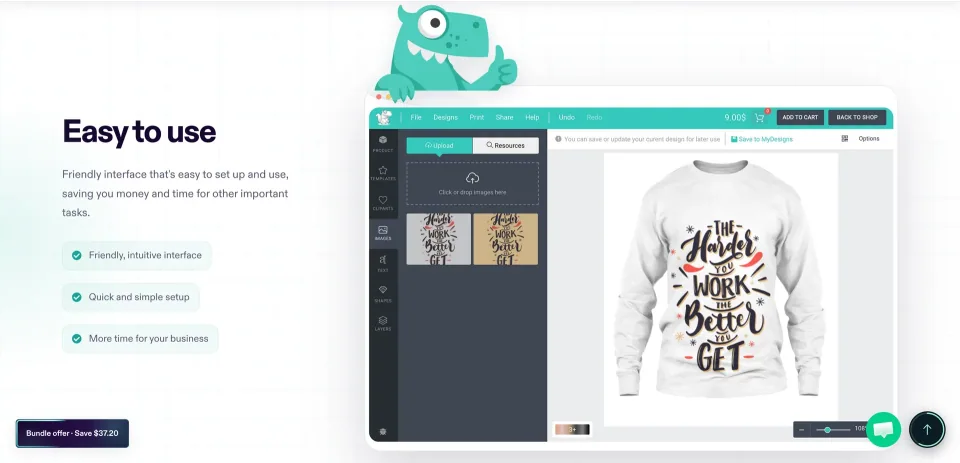
Lumise Classic adds a customer-facing artwork editor to WooCommerce. Instead of filling out a single personalization field, shoppers can arrange text, images, clipart and shapes inside the print area you define. The store still needs WooCommerce to handle products and checkout; Lumise is not a website page builder.
I would consider it for personalized apparel, gifts or print products where the customer controls the composition. If your product has one fixed layout and the shopper only changes a name or uploads a photo, a simpler WooCommerce product-options plugin is usually easier to maintain.
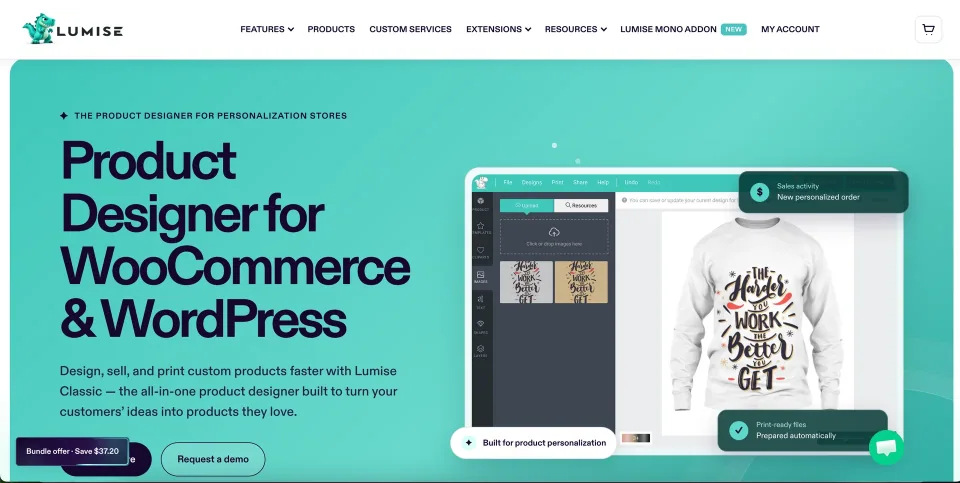
The vendor presents several personalization use cases. Start with the product type and design area your own store needs.
What you configure before taking orders
Each product base can contain multiple views, such as front and back, with a defined design area, colors, attributes and variations. The editor has layer, text and image controls, but the merchant must prepare those product views and decide which assets customers are allowed to use.
Printing methods can price work by quantity, color, area or text content. That flexibility is useful only if the price displayed in the editor matches the WooCommerce cart and final order. Check mixed variations and edge cases before enabling the editor on every product.
The vendor’s designer preview illustrates the artwork-editing workflow. Confirm the interface and features supplied with your Lumise edition.
Production files, assets and integrations
Lumise documents PNG and SVG exports and mentions PDF printing in its changelog. Its print-ready and 300-DPI descriptions are vendor claims, not evidence that every uploaded image meets a printer’s requirements. Test actual canvas dimensions, image resolution, bleed, export quality and artwork rights with your fulfillment partner.
Design files are associated with orders, but automatic Printful handoff requires its separate integration. MONO and other add-ons are also separate unless you buy a bundle that includes them. CodeCanyon explicitly warns that stock templates and clipart shown in demonstrations are not supplied in the download; budget for licensed assets of your own.
Print-ready output is part of the workflow to check with your printer; a design preview alone does not validate production files.
Choose the right Lumise purchase
Lumise Classic is the older dedicated design workspace. Lumise Product Personalizer is a separate, newer product with a different interface and pricing. Do not assume its previews, migration path or plan allowances apply to Classic. For an existing store, check add-on compatibility and how saved designs would be handled before changing products.
The direct Classic offer includes continued use of the purchased version, while ongoing updates and support have a renewal period. The Classic Bundle packages the editor with several named add-ons. CodeCanyon is a separate purchase channel with six months of author support; its recent catalog and item-detail pages disagree on the Regular price. Confirm the actual checkout and license before you budget for a project.
This vendor preview introduces the newer personalization offering. It should not be read as confirmation of the older Classic editor’s interface or entitlements.
Hosting and the buying decision
The vendor currently lists WordPress up to 6.9.x and WooCommerce up to 9.x for Classic; this is not proof of compatibility or incompatibility with later releases. CodeCanyon also publishes server settings including ZipArchive, Imagick and high upload limits. Treat those as a configuration checklist, not independent proof that your host is ready. A current Classic-specific minimum PHP version remains unverified.
My recommendation is conditional: build one representative product, place a test order, check every price and variant, then inspect the exact file your printer receives. If the output and fulfillment handoff hold up, the richer editor can justify the extra setup. Otherwise, the lighter personalization route is the better purchase.
Product base stages, text/clipart/images and print configuration
Order-linked design files
One year of updates and support; direct live-chat marketing claim
License & support
Direct Lumise Classic license; lifetime right to use the licensed version, not a promise of lifetime updates
Renewal
Promotional $69 initial Classic rate with continued use of licensed version; includes one year of updates and support. Renewal cost and site allowance not confirmed; check current direct checkout.
Lumise Classic plus three named add-on products, subject to direct purchase terms
Renewal
Promotional $186 initial rate. Included Classic, Addons Bundle, Printful Integration and MONO, with one year updates/support; renewal amount and per-site terms must be confirmed.
Future available item updates under marketplace terms
Six months of author support
One licensed end product
License & support
Regular License for an end product that visitors can access free, including a public ecommerce site selling physical goods; not a general unlimited-project license
Renewal
CodeCanyon Regular pricing is disputed between its own catalog ($99) and item/support pages ($69); $99 in this structured snapshot is provisional. One-time item purchase with six months author support and future available updates; optional support extension extra.
Paid-access end-product use under Envato license terms
Six months of author support
One licensed end product
License & support
Extended License for end products customers must pay to access; ordinary sales of physical merchandise on a publicly accessible store do not alone require Extended
Renewal
One-time CodeCanyon purchase ($349 observed). Six months of author support and future available item updates; optional support extension extra. License generally covers one end product with paid access.
Checked November 9, 2026. Lumise direct site advertises Classic $69 (was $99) and Classic Bundle $186 (was $250), promotional starting prices with no published expiry confirmed; lifetime use of the licensed version plus one year of updates/support. Direct site limits and software-update renewal charge were not established. CodeCanyon Regular has conflicting official displays: $69 on item detail/support pages, $99 in the recently indexed marketplace catalog (updated November 2). The structured $99 Regular plan is provisional and must be checked at checkout. CodeCanyon Extended $349, with one end product per Envato license; six months of author support are included, future released item updates listed, optional support extension extra. The separate vendor support-only packages are $49/6 months or $69/12 months, one-time purchases, not software licenses; they are not added as plugin-price plans. Different channels have distinct support and refund terms. Additional Printful Integration, MONO and third-party artwork licenses may increase project cost. Prices exclude applicable taxes/fees.
Some links are affiliate links. We may earn a commission.
Listed prices may exclude taxes. Promotions and vendor terms can change; confirm at checkout.
AT A GLANCE
Key features
01
Let customers arrange text, images and artwork on configured print areas and multiple product views—not just fill in a personalization field
02
Configure printing-price methods and order-linked artwork; test prices and files all the way through WooCommerce checkout.
03
Printful Integration and the MONO editor are separate add-ons unless included in the Classic Bundle.
04
Classic and the newer Lumise Product Personalizer are different products, with separate features and purchasing terms.
05
The CodeCanyon download excludes the demo stock templates and clipart; server configuration and production asset rights require attention.
06
Direct and CodeCanyon prices/support terms differ; CodeCanyon Regular currently has contradictory $69/$99 official displays.
Features & compatibility
Vendor-sourced facts are based on published documentation; exceptions are labelled. Sources and check dates are grouped below each section.
Requirements & updates3 items
Listed version
2.1.2 — highest version in Lumise Classic official changelog (not a WordPress.org directory release)
Direct Classic: one year of updates/support with initial purchase; additional support is offered separately. CodeCanyon: six months of author support. Custom setup and installation are outside standard support.
License model
Classic direct: continued use of the licensed version; one year of updates/support, then optional renewal. CodeCanyon: one-end-product Regular or Extended marketplace licensing; separate support terms. Direct site allowance not confirmed.
Support channel
Direct buyers: Lumise help center and purchased support coverage; CodeCanyon buyers: King-Theme support for six months, with optional paid extension. Direct support-only packages sold separately.
A true customer design canvas rather than a simple input field.
Multiple product views and controlled printable areas suit multi-sided goods.
Configurable printing-price methods and order-linked files support complex custom orders.
Separate add-ons let a store expand its workflow when the extra capability is justified.
What to consider
Merchants must build product bases, upload rules and print specifications before taking real orders.
Printful automation, MONO and other extensions can increase the total spend.
CodeCanyon does not include displayed stock templates or clipart, adding asset preparation/licensing work.
Hosting requirements, version compatibility and production-file quality need store-specific validation.
Best for
WooCommerce sellers whose customers compose artwork for apparel, gifts or printed products, and who can configure product views, pricing and production files before launch.
Consider alternatives if
Stores offering only name/photo fields on fixed designs; teams expecting automated Printful fulfillment, ready-made stock artwork, or the newer Product Personalizer interface in the base Classic purchase; operators without time to validate output and hosting.
BEFORE YOU DECIDE
Frequently asked questions
When is Lumise Classic better than a product-options plugin?
Choose Classic when shoppers need to position text, photos and artwork on a canvas or personalize multiple sides of a product. If they only enter a name, pick a variation or upload one file for a fixed design, a conventional WooCommerce product-options plugin is likely easier to configure.
How much does Lumise Classic cost when bought directly?
On November 9, 2026, Lumise advertised Classic for $69 and the Classic Bundle for $186 as promotional starting prices. The purchase includes continued use of the licensed Classic version plus one year of updates and support; the actual renewal price, promotion end date and number of licensed sites were not confirmed.
Why do CodeCanyon pages show $69 and $99 for Lumise?
Two official views disagree: the item detail and support pages display $69 Regular, while the more recently indexed marketplace catalog displays $99. Both show $349 Extended. The structured Regular price is therefore provisional—not a verified checkout quote. Confirm the payable amount in your selected CodeCanyon checkout.
Do I need an Extended License to sell customized shirts?
Not merely because you sell physical goods. Envato generally allows a publicly accessible e-commerce website under one Regular License for one end product. Paid access to a site or feature incorporating the plugin may require Extended; get confirmation for unusual paywall, SaaS or resale arrangements.
What happens if I do not renew the direct Classic plan?
Lumise says you can continue using the version already licensed. Renewals concern updates and support, so skipping them can leave you on an older release. Separate support-only packages do not constitute a new software license; check renewal terms directly before buying.
Is there a free Lumise Classic plugin?
The current official Classic offers are paid. A public editor demo or trial-style preview does not grant a free commercial-use plugin license.
Does the core plugin integrate automatically with Printful?
No. Lumise sells Printful Integration separately and includes it in the Classic Bundle. Confirm the current integration features and complete a test order through fulfillment before assuming automatic synchronization.
What does the Classic Bundle include?
Lumise advertises Classic, the Addons Bundle, Printful Integration and MONO. At the research date it displayed a $186 promotional offer. Check checkout for the exact add-on licenses, update/support period and renewal conditions.
Can customers design both sides of an item and change the price?
The official documentation describes multi-stage product bases, selectable attributes, customer uploads and configurable printing methods. You decide which surfaces and options are available and must verify that customization charges carry correctly into the cart and order.
What print files and design assets come with Classic?
The documentation describes PNG/SVG output and PDF support in the changelog. Print readiness depends on image resolution and print-provider specifications. The CodeCanyon listing warns that stock templates and clipart shown in the demo are not included; source or license your own production assets.
What WordPress, WooCommerce and server requirements should I check?
The published compatibility range reaches WordPress 6.9.x and WooCommerce 9.x, not a verified guarantee for later versions. CodeCanyon lists ZipArchive, Imagick, memory_limit 256MB and post_max_size 800MB among its system requirements. Ask the vendor about your current PHP/version stack and test a real design order on staging.
Is there a refund guarantee?
No unconditional refund was verified. Lumise terms describe a 14-day request period with a valid reason and exclusions such as a change of mind. Envato purchases follow the marketplace refund process. Check the terms specific to your checkout channel.
Is Lumise Product Personalizer the same product as Classic?
No. Classic is a dedicated artwork editor. The newer Product Personalizer is sold separately with different capabilities, plans and requirements. Do not assume you can switch an existing store or reuse add-ons without confirming migration and compatibility with Lumise.
Alternatives & comparisons
Explore other published WordPress products, with matching categories listed first.
Add personalization fields, conditional choices and calculated add-on prices to WooCommerce products. A strong fit for complex order options; simple variants rarely need this much configuration.
Legacy WooCommerce visual product customizer for customer-uploaded artwork, editable text and multi-view previews. FPD is sunset in 2026; Genius services are offline and ongoing security/support require special care.
WPBakery is a shortcode-based WordPress content builder with frontend and backend editors. A practical choice for existing WPBakery sites; new block-first projects should weigh migration costs.