I would choose Bricks for a new WordPress build where reusable templates and structured content are central. The value is not a guaranteed speed score; it is having one toolkit for layout, queries and shop templates without tiered feature restrictions. I would be far more cautious about moving a stable live site just to use the builder. Test theme and extension compatibility on staging, and budget for ongoing updates. This assessment is documentation-based, not a hands-on benchmark.
Why this rating?
Bricks is a strong choice for a deliberate builder-led workflow using reusable templates, structured data and queries. Consistent features across paid tiers improve value, while its theme-based architecture and more advanced controls still create learning and migration costs.
Research & assessment details
Documentation-based assessment by WPToolWatch Editorial. No hands-on benchmark.
Bricks is a WordPress theme with a visual builder for pages, headers, footers, archives and WooCommerce templates. That distinction matters: activating Bricks replaces your current theme. Its appeal is a shared system for layout, reusable styling, templates and dynamic content—not another editor sitting on top of a theme you already like.
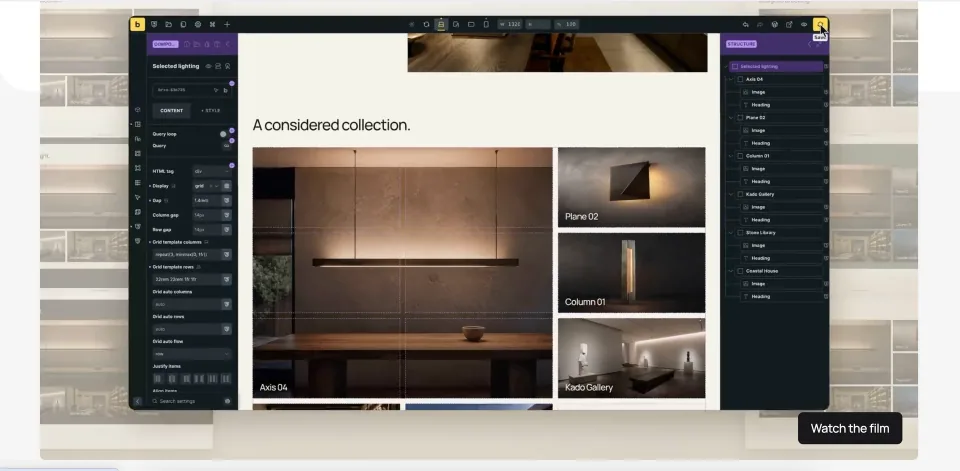
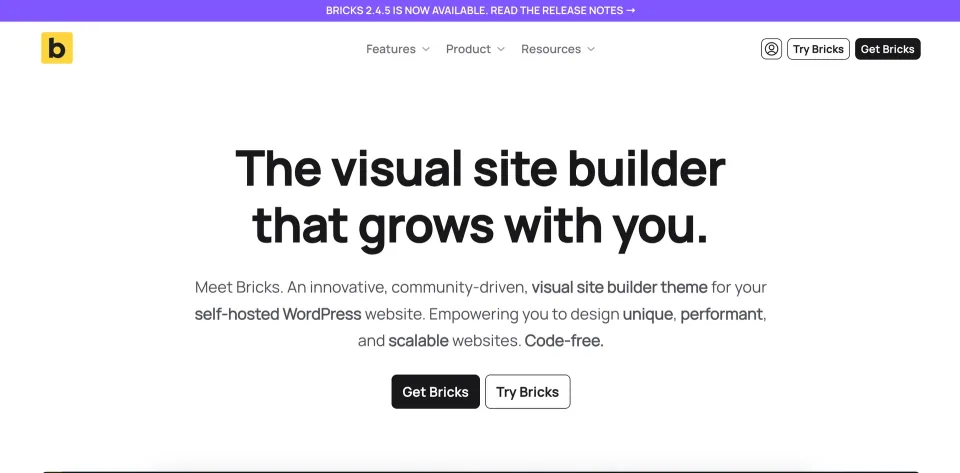
The Bricks editor preview illustrates the theme-level visual-building workflow described here.
Who benefits from the switch
I would put Bricks on the shortlist for a new site with reusable templates, custom post types or data-driven pages, or for an agency that wants a consistent design workflow across client builds. If your current theme works and you only need to edit a handful of pages, the migration cost may outweigh the additional control. Try the online playground before committing to a theme change.
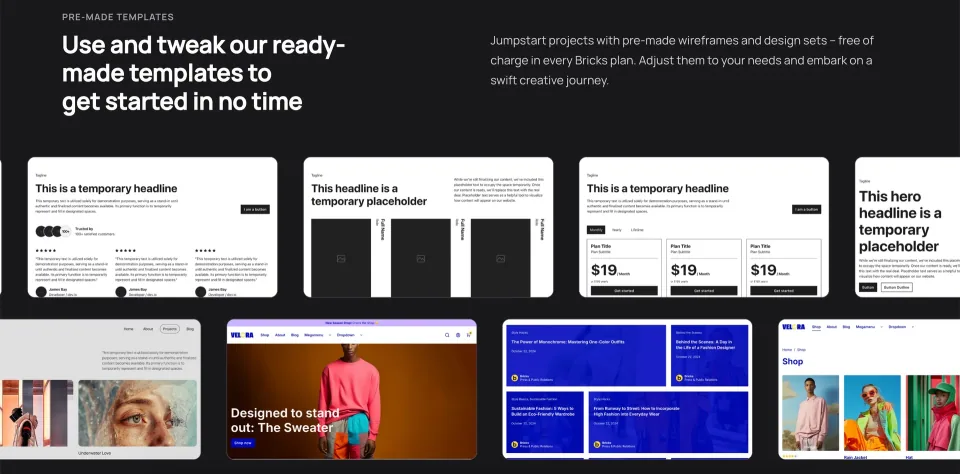
Templates provide a starting point for a site build. Replace demo content and test the layout against the actual project requirements.
Dynamic sites without assuming everything is native
Display conditions, custom-field integrations and Query Loops make Bricks useful for directories, portfolios and structured editorial sites. Query Filters add AJAX-based sorting, search and WooCommerce product filters, but they require enabling and indexing. They work with supported Post, Term and User loops; API and Array loops are different. The API Query Loop can render external JSON but is still labeled experimental and lacks native Query Filters and live search.
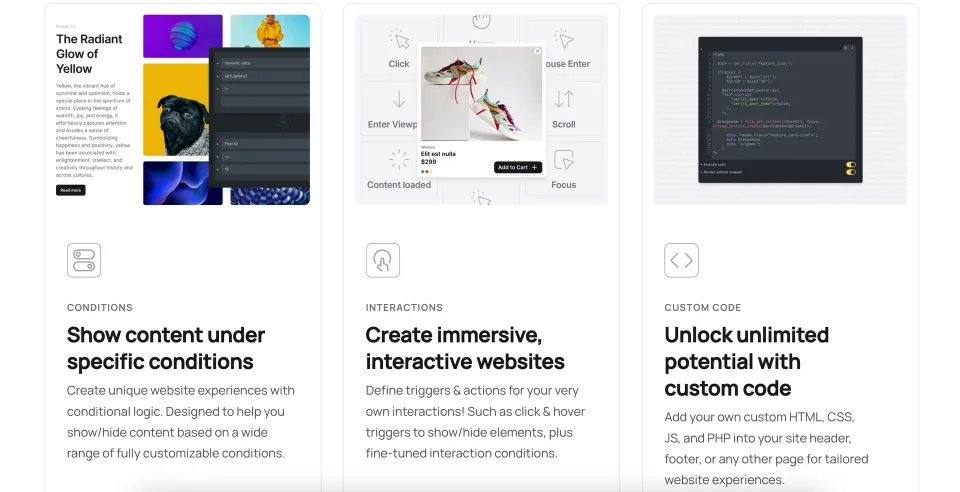
Query loops, conditions and interactions are building blocks for dynamic sites; integrations and data modeling remain project-specific.
WooCommerce: flexible, not plug-and-play
Bricks includes WooCommerce templates and product elements, plus optional color, image and label swatches. Bricks 2.4 adds modular Cart, Checkout and My Account features that must be enabled separately. A custom checkout can look right and still fail with a particular payment gateway, tax rule or shipping extension. Budget for an order-by-order staging test before switching a live store.
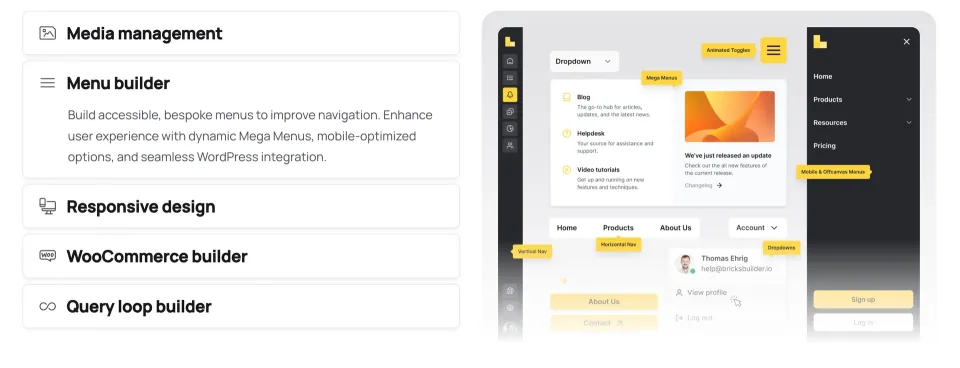
The WooCommerce builder is part of the vendor’s feature overview. Store behavior still depends on templates, extensions and checkout testing.
Forms, AI and permissions have conditions
The built-in Form element handles ordinary contact or lead forms, with actions and anti-spam settings; specialist workflows may still need a dedicated plugin. Bricks 2.4 also added AI Abilities for compatible AI clients, but connecting a client and granting access are separate setup steps. PHP code execution is off by default and should only be granted to trusted users. These are useful controls, not substitutes for security and operational review.
Choose a license by sites, not features
Starter, Business, Agency and Ultimate Lifetime expose the same Bricks feature set. The meaningful choice is how many production sites you manage and whether you want annual updates and support or a lifetime entitlement. Client projects are permitted within site limits. Recognized local and staging URLs are generally exempt; confirm how production subdomains and multisite installations count before buying for an agency.
Migration and maintenance are the real costs
Treat a move to Bricks as a theme migration: back up the site, rebuild or validate templates, and test navigation, SEO output, forms and shop flows on staging. The vendor publishes frequent fixes; an expired annual license stops updates and support even though editing remains possible. Its accessible requirements page still shows an obsolete-looking PHP baseline, so I would not treat that as proof of compatibility with the current release. Use a maintained WordPress/PHP stack and verify the environment with the vendor.
Buyer verdict
Bricks is a compelling option when you want one visual system for an entire WordPress build, especially with dynamic content or WooCommerce. I would favor it for a fresh project or a planned redesign—not recommend replacing an established theme for speculative speed gains. The broad native toolkit may reduce plugin needs, but template migration, query setup, updates and integration testing remain your responsibility. This is an evaluation of current documentation, not a hands-on performance test.
The product page is the starting point for verifying the current package. Evaluate a representative build before committing to a theme-level migration.
Pricing rechecked on the official Bricks page on 2026-11-09: Starter $79/year for 1 site, Business $149/year for 3 sites, Agency $249/year for unlimited sites, and Ultimate Lifetime $599 once for unlimited sites. Every tier includes the same current Bricks feature set. The vendor advertises a 60-day money-back guarantee; applicable taxes are added at checkout. Annual licenses renew unless canceled; once the paid period ends, existing sites remain editable, but updates, support and community templates stop. Ultimate includes future updates and support under its stated lifetime terms. Recognized local/staging URLs are not counted; confirm production subdomain or multisite activation rules with the vendor. Checkout was not completed and country-specific tax totals were not verified.
Some links are affiliate links. We may earn a commission.
Listed prices may exclude taxes. Promotions and vendor terms can change; confirm at checkout.
AT A GLANCE
Key features
01
Theme-based visual builder for site-wide templates and structured content—not a plugin layered onto another theme
02
Same core builder features on all plans; pay for the number of sites and license duration
03
Query Filters support selected WordPress query types, not API or Array loops
04
WooCommerce checkout/account tools and variation swatches require deliberate setup and testing
05
Switching an existing site requires theme migration; performance improvements are not guaranteed
Features & compatibility
Vendor-sourced facts are based on published documentation; exceptions are labelled. Sources and check dates are grouped below each section.
Covers: Free version available, Included author support, License model, Support channel
THE TRADE-OFFS
Pros & cons
What works well
One builder for site templates, pages and dynamic content
Full feature set at every paid license tier
Query Loops, conditional templates and native WooCommerce tools
Annual licenses for 1, 3 or unlimited sites; unlimited-site lifetime option
Recognized local/staging installs do not consume paid activations
What to consider
Theme replacement can make migration expensive
Dynamic queries, filtering and class-based styling have a learning curve
API Query Loops remain experimental and cannot use native Query Filters
WooCommerce checkout and third-party extensions still need testing
Canceled annual licenses lose future updates, support and community templates after term end
Best for
Developers, agencies and WordPress owners building a new custom site or planned redesign with reusable templates, custom fields, dynamic listings or WooCommerce.
Consider alternatives if
Owners who need to retain their current theme, want a free downloadable builder, only require a simple landing page, or cannot allocate time for migration and WooCommerce regression testing.
BEFORE YOU DECIDE
Frequently asked questions
Is Bricks a theme or a plugin?
Bricks is a WordPress theme with a built-in visual builder. Install it under Appearance > Themes. Activating it replaces your existing theme, so evaluate template dependencies before migrating.
Can I use Bricks for free?
There is no free Bricks theme download for your own WordPress installation. The vendor offers an online playground at try.bricksbuilder.io for evaluating the editor before buying.
Does a more expensive Bricks plan unlock more features?
No. Starter, Business, Agency and Ultimate Lifetime include the same Bricks builder capabilities. They differ in production-site activation limits and annual versus lifetime updates and support.
Can I use Bricks for agency and client sites?
Yes. The vendor allows client projects within your purchased activation limits. Recognized local and staging installations generally do not count. Check the exact classification of subdomains and WordPress multisite before licensing many sites.
What happens when an annual subscription expires?
Bricks says you can keep editing existing sites. Updates, vendor support and access to community templates stop after the paid term. Maintaining an outdated theme can create security and compatibility risk.
Can Bricks replace a WooCommerce theme and checkout plugin?
Bricks can design WooCommerce templates and offers optional modular Cart, Checkout and Account features. It does not replace WooCommerce itself, and some third-party payment, shipping or checkout extensions may need compatibility work. Enable advanced elements where required and test real orders.
Do Query Filters work with every Bricks Query Loop?
No. They support Post, Term and User query loops, including supported WooCommerce product loops; API, Array and deeply nested targets are excluded. You must enable the filtering feature and maintain its index.
Can Bricks display data from external APIs?
Yes. An API Query Loop can render array results from JSON APIs, but the vendor still calls it experimental. It lacks native Query Filters, live search and Bricks components. Review authentication, caching and failure behavior.
Does Bricks include forms and AI editing?
Bricks has a built-in Form element for many standard forms and, from version 2.4, AI Abilities for compatible external clients. AI access requires configuration and appropriate permissions; do not assume a hosted AI credit allowance is included with a license.
Will switching to Bricks automatically make my site faster?
No performance gain is guaranteed. Hosting, assets, queries, caching and third-party scripts affect results. Compare representative pages in a controlled environment instead of relying on a generic score or vendor speed claim.
What PHP and WordPress versions does Bricks 2.4.5 require?
The current accessible vendor requirements page still lists a PHP 5.4+ baseline and WordPress memory guidance of 64 MB minimum, 512 MB recommended. The legacy PHP figure is not reliable proof of support on Bricks 2.4.5. Use a maintained runtime and confirm current tested compatibility with Bricks support before deploying.
Is custom PHP execution available to every Bricks editor?
No. Code execution is off by default and requires an explicit global setting plus appropriate user or role permissions. Limit access to trusted editors and review signed code before deployment.
Alternatives & comparisons
Explore other published WordPress products, with matching categories listed first.
Avada combines visual WordPress building and WooCommerce design in two products: one-time Avada Classic and subscription-based Avada One Essential or Pro.
WoodMart is a premium WooCommerce theme by XTemos with visual store builders, product filters, variation swatches, wishlists and marketing tools. It suits stores that want a coordinated feature set rather than assembling every shopping feature from separate plugins.
Flatsome Classic is a WooCommerce theme built around UX Builder and integrated shop controls. It offers a straightforward one-time license but ties complex layouts to Flatsome shortcodes; the newer block-based Site Builder is a separate product.