Bookly PRO is a paid WordPress appointment-booking add-on for teams that need more than Bookly Free’s one staff member and five services. The real buying decision is which booking, payment and calendar add-ons your workflow needs.
I would start with Bookly Free for a single provider, step up to Pro when staff/service limits become real friction, and look at Business before buying several paid add-ons separately. Ultimate is worth considering only when the extra locations, service flows or site allowances will be used. The plugin’s value depends less on the headline discount than on your total booking workflow. This judgment is based on current product documentation, not a hands-on installation.
Why this rating?
Bookly provides a practical progression from basic bookings to staff, service and advanced appointment workflows. Its breadth is useful, but add-ons, cloud usage, reminders and integrations can make the complete system substantially more involved than the Pro entry price suggests.
Research & assessment details
Documentation-based assessment by WPToolWatch Editorial. No hands-on benchmark.
Bookly puts appointment intake and staff scheduling inside WordPress. The free plugin covers a modest one-person setup; PRO lifts its one-staff and five-service limits. If your business runs several calendars and wants customers to book through your own site, the upgrade has a clear purpose. If you only need a simple booking link for one provider, try Free before paying.
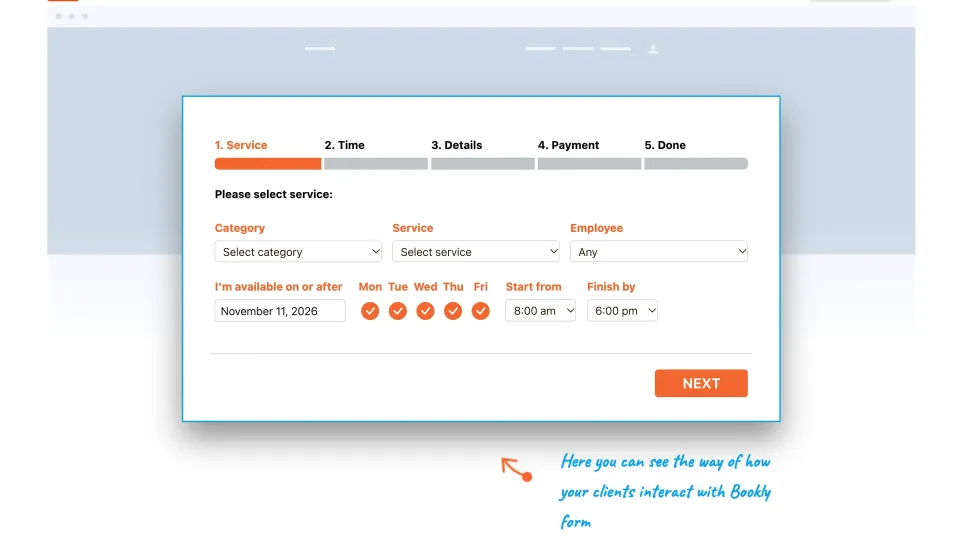
The booking-form example illustrates the customer’s selection flow. Available steps depend on the configured services and add-ons.
Buy the workflow, not the discount
Bookly’s direct Pro, Business and Ultimate plans have annual and lifetime options, with different site allowances and bundled extensions. CodeCanyon sells a separate one-end-product Regular/Extended license. Those are different licensing arrangements, not alternate prices for the same package. The published direct-sale figures have varied across seasonal versions of the official pricing page; compare current checkout totals and renewal terms rather than relying on a crossed-out price.
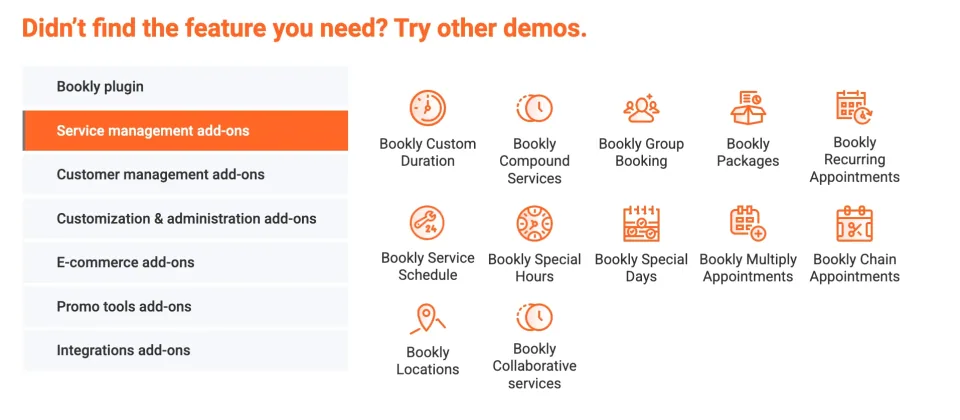
The add-on overview explains why a booking project should be budgeted by workflow rather than the base plugin alone.
Where Pro ends and add-ons begin
Pro brings unlimited staff and services, flexible scheduling, booking administration and baseline calendar integrations. Recurring sessions, deposits, group appointments and richer customer workflows depend on add-ons or the correct higher bundle. Business is the tier I would examine first when two or three of those extras are required. Ultimate is more relevant to multi-location operations or agencies that will actually use its broader feature set and site capacity. Check exact bundled entitlements: a feature appearing in a Bookly demo is not proof it ships with base Pro.
Payments and calendars require fine print
WooCommerce is a supported path, but you do not have to use it to collect payments. Bookly distinguishes its Stripe Cloud checkout from the separate Stripe gateway add-on. The Cloud option currently lists a 0.9% Bookly fee per transaction, on top of Stripe processing fees. Likewise, the standard Google Calendar modes are not full two-way sync; for changes to sync in both directions, Bookly documents an Advanced Google Calendar add-on. Confirm the payment path and calendar behavior your staff needs before buying.
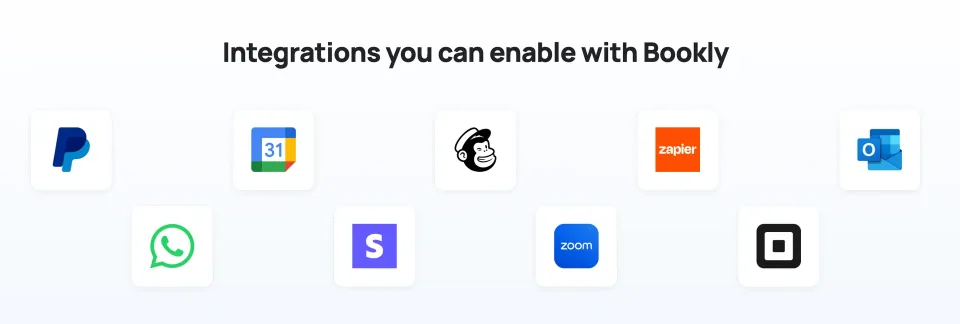
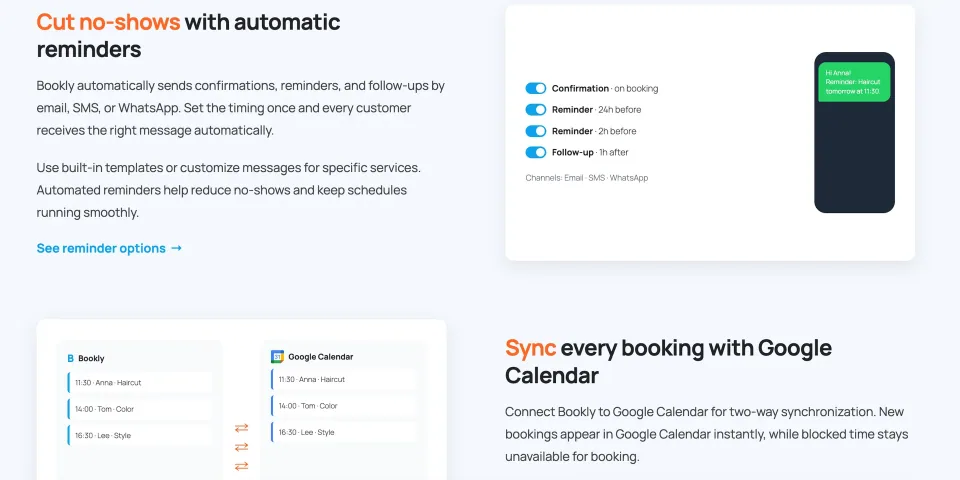
The vendor’s integration overview is a starting point for checking requirements; individual connections may require separate add-ons.Reminders and calendar synchronization have separate configuration requirements. Verify the necessary integrations and add-ons before relying on them.
Running the system is still your job
Scheduled notifications need a working cron setup, and SMS uses Bookly Cloud with destination-based charges. On staging, walk through concurrent bookings, buffer times, cancellations, time zones, email delivery, payments and rescheduling. Because the Free directory’s compatibility values do not establish current PRO requirements, check the actual paid add-on and hosting environment. This is a WordPress scheduling system, not a hands-off hosted service.
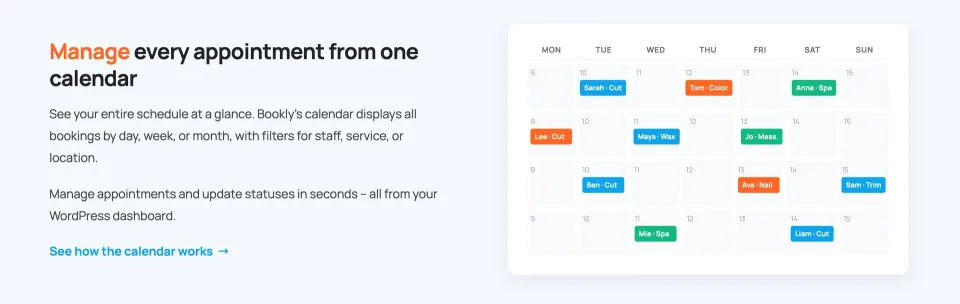
A calendar view helps staff monitor appointments. Test scheduling changes, staff availability and notifications in the configured system.
The practical buying decision
My recommendation is straightforward: start Free for a solo calendar, choose Pro for multi-staff scheduling, and compare Business against the cost of buying separate add-ons before you commit. Consider Ultimate only for its additional operational capabilities or licenses—not because it is the largest plan. Bookly offers useful flexibility, but the final cost is driven by your booking workflow and Cloud usage. This assessment comes from current official documentation; WPToolWatch has not run a hands-on performance test.
Unlimited staff and services; staff-specific schedules
WooCommerce compatibility and standard Google Calendar modes
Additional extensions are available but not automatically bundled
Full two-way calendar sync, deposits or recurring bookings need the appropriate add-on/bundle
License & support
Vendor-direct Pro add-on for one licensed site; current discounted checkout offer is not a guaranteed permanent rate.
Renewal
Annual renews yearly; post-promotion renewal rate is not clearly disclosed in retrieved material. Lifetime license advertises lifetime updates without subscription renewal; verify coverage at checkout.
Unlimited staff and services with individual schedules
Customizable booking forms, appointment administration and advanced email templates
WooCommerce and baseline Google Calendar sync; full two-way sync requires an add-on
Access to additional paid add-ons; Bookly Cloud services are billed separately
License & support
Envato Regular license for one end product free for end users to access; commercial work for a client is compatible when the end product remains free to access.
Renewal
One-time marketplace license with future item updates and six months of initial author support; extension costs extra.
Bookly’s vendor-direct annual and lifetime figures below are Autumn 2026 promotional snapshots last checked 2026-11-08, NOT guaranteed current checkout or renewal prices. During independent review on 2026-11-09, accessible official-page versions returned conflicting seasonal offers; all seven vendor plan IDs and previously observed amounts were retained rather than silently overwritten. Verify current purchase and renewal totals in the Bookly/Paddle checkout; renewal price is not established by a first-year sale. The $199 CodeCanyon Regular and $1,999 Extended one-time prices were rechecked on 2026-11-09; each covers one end product, not a multi-site vendor bundle. Optional add-ons, Bookly Cloud usage, Stripe fees and other integrations are outside the core license unless your specific bundle states otherwise. The vendor-direct site advertises a 30-day refund guarantee; Envato purchases follow Envato policies.
Some links are affiliate links. We may earn a commission.
Listed prices may exclude taxes. Promotions and vendor terms can change; confirm at checkout.
AT A GLANCE
Key features
01
Bookly Free works for a basic schedule; PRO removes the one-staff/five-service limits
02
Pro, Business and Ultimate differ mainly in bundled capabilities and site allowances
03
Full two-way calendar sync and recurring workflows require the right add-on or bundle
04
Bookly Cloud, payment processing and notifications can add ongoing cost
Features & compatibility
Vendor-sourced facts are based on published documentation; exceptions are labelled. Sources and check dates are grouped below each section.
A usable free edition lets you confirm the basic booking flow first
Pro supports unlimited staff and services inside an existing WordPress site
A substantial add-on ecosystem can cover recurring sessions, deposits and advanced calendars
Direct annual/lifetime and marketplace licenses offer different ownership choices
What to consider
The advertised entry price is not the full cost of advanced booking workflows
Add-on and bundle inclusions need checking; the sales page can show inconsistent promotions
Cloud payments and SMS can incur per-transaction or usage fees; scheduled reminders need cron
The site owner remains responsible for hosting, email delivery, updates and integration testing
Best for
Service businesses already committed to WordPress—salons, tutors, coaches and multi-staff studios—that need appointment management on their own site and are willing to configure the required integrations.
Consider alternatives if
A solo provider whose needs fit Bookly Free; a business seeking a fully hosted, zero-maintenance scheduling service; or anyone who needs hotel-style nightly inventory rather than appointment slots.
BEFORE YOU DECIDE
Frequently asked questions
Is Bookly PRO free?
No. Bookly PRO is a paid add-on installed alongside the free Bookly plugin. Bookly Free supports one staff member and up to five services, enough to test a basic schedule before upgrading.
Which Bookly plan should I choose?
Use Free for a small single-provider schedule. Pro makes sense when you need unlimited staff and services. Compare Business if you need several paid extras, such as recurring bookings, deposits or custom fields; look at Ultimate for multi-location and more complex service management. Confirm the current bundle contents and site count before paying.
Are the advertised Bookly annual prices also the renewal prices?
Not necessarily. The vendor has shown different seasonal offers, and the sale amounts in this profile are dated snapshots rather than verified checkout or renewal rates. Confirm the first payment, renewal amount and taxes in the live checkout.
Why is Bookly PRO more expensive on CodeCanyon?
Bookly sells direct annual/lifetime site licenses and bundles, while CodeCanyon sells separate Envato one-end-product licenses with their own support terms. Regular and Extended differ in allowed end-product use; Extended does not mean unlimited websites. Compare included extensions and usage rights, not just the sticker price.
Can Bookly PRO take card payments without WooCommerce?
Yes, but the method matters. Bookly documents a Stripe Cloud option that redirects to Stripe and currently charges a 0.9% Bookly transaction fee plus Stripe processing charges; the separate Stripe add-on provides in-form payment. WooCommerce is another route supported with PRO. Check gateway entitlement and local availability for your chosen plan.
Does Bookly PRO include full two-way Google Calendar syncing?
The standard PRO integration has one-way and front-end-only two-way modes. True two-way synchronization of calendar changes requires the Advanced Google Calendar add-on or a qualifying bundle, plus Google API configuration.
Are recurring appointments and SMS reminders included in the base price?
Recurring series are handled by an add-on requiring Bookly PRO and may be included in certain bundles. SMS is provided through Bookly Cloud with separate destination-based charges; scheduled reminders require properly configured cron jobs. Do not treat a listed notification feature as unlimited free messaging.
What happens if I cancel a Bookly annual subscription?
The vendor states that the annual purchase code remains valid until the paid billing period ends, then becomes void. Its documentation does not settle every behavior of an already installed plugin after expiration; confirm continuing operation, updates and support directly before letting a production license lapse.
How can I evaluate Bookly before buying?
Install Bookly Free or use the official demo, then model a real service with staff schedules, time-zone differences, cancellation, payments and reminders. If you need paid features, confirm your add-on list and actual license cost before using them on a live site.
Alternatives & comparisons
Explore other published WordPress products, with matching categories listed first.
WPBakery is a shortcode-based WordPress content builder with frontend and backend editors. A practical choice for existing WPBakery sites; new block-first projects should weigh migration costs.
Add personalization fields, conditional choices and calculated add-on prices to WooCommerce products. A strong fit for complex order options; simple variants rarely need this much configuration.
Legacy WooCommerce visual product customizer for customer-uploaded artwork, editable text and multi-view previews. FPD is sunset in 2026; Genius services are offline and ongoing security/support require special care.